Yes, most cities have an API, and using one is far less mysterious than the documentation pages suggest. To learn how to use a city API for the first time, you find your city’s open data portal, pick one dataset, send a single GET request from a terminal, and read the JSON that comes back. No account is often required, and the whole first run takes about ten minutes.
Most of the difficulty for beginners is not the request itself. It is figuring out which URL counts as the API and which page is just a human-facing dashboard. Once you can tell those apart, the rest is copy and paste.
Table of Contents
What You Need
Four things, and three of them you already have.
- A browser. You will use it to find the portal, read the docs and open the interactive query console the portal ships with.
- A terminal or an API client. macOS and Linux have
curlbuilt in. Windows 10 and later ship curl in PowerShell and Command Prompt. If you would rather click than type, Postman and Insomnia both run free tiers and can save the request as a collection you can rerun. - A city API with real documentation. Search for your city name plus “open data” or “open data portal”. Most US cities publish on Socrata-branded domains such as data.cityofnewyork.us, data.chicago.org or data.oaklandca.gov, and Canadian cities often run Urban Data Centre or OData endpoints.
- A first task, small enough to finish. Pull five recent 311 service requests, list ten bike-share stations, or fetch one week of air-quality sensor readings. Anything with a clear answer works; vague goals turn a tutorial into a project.
You do not need a credit card. You may also not need a key. Many municipal APIs let anonymous requests through for testing, though the shared anonymous pool is throttled harder than a request carrying your own application token.
Step-by-Step: How to Use a City API for the First Time
1. Choose a city API and a first endpoint
Not every city publishes the same way, and picking wrong costs you an afternoon. Compare candidates on six things.
Documentation quality. Open the developer reference first. If you cannot find a base URL and one working example within a minute, that API is a poor first choice, however good the dataset.
Data coverage. Check that the specific records you want exist, with fields you can use. A 311 dataset with no coordinates is not a mapping dataset no matter what the title says.
Authentication. Does the portal serve anonymous requests, or does it demand a key before your first call? Anonymous-friendly portals get you to a visible result fastest.
Licensing. Look for a terms-of-use page. Most city open data is usable with attribution, but a few datasets carry extra conditions, and 311 complaint records can contain names and addresses.
Rate limits. Find the published throttle numbers before you write a loop. A portal that caps you at a few hundred rows an hour and one that serves a million are not interchangeable.
Update frequency. Open the dataset page and look at the last updated timestamp and row count. Datasets get retired without ceremony. Toronto’s Open311 dataset was retired years ago with almost no announcement, and plenty of smaller feeds simply stopped refreshing long before anyone noticed.
For endpoint categories that are genuinely useful for a first pull, start with 311 service requests, which are the canonical beginner dataset, then transit and bike-share station feeds, air-quality sensor readings, building permits, and parking or loading zone boundaries.
2. Read the API documentation and identify the base URL
This is the step people skip, and it is the one that causes most frustration. Open the API reference for your chosen dataset and find five things: the base URL, the endpoint path, the required parameters, the response format, and one example request.
A Socrata-style dataset endpoint follows a predictable shape:
https://{portal-host}/resource/{four-by-four-dataset-id}.{format}Every Socrata dataset has a four-by-four identifier, four characters, a dash, four more, like abcd-1234. You will find it on the dataset page in the URL, usually right after /d/, and again in an “API” or “Show API” button. Copy it from there rather than typing it from memory.
The .json, .csv and .geojson endings pick your response format. Delete the ending and add an Accept header instead and the same dataset arrives in whatever format you asked for, which is how OData and Azure-hosted municipal APIs usually behave.
Note the base URL separately from the path. When something breaks later, knowing that /resource/ is the part you added and the host is the part the city gave you saves a lot of guessing.
3. Create credentials and handle authentication
Here is the good news most documentation buries: you can often make a successful request before you register anything. Send the request without a token. If it returns data, keep going and come back to a token when you need volume.
When you do register, you are usually creating an application token rather than dealing with OAuth. A Socrata app token is a short string tied to an email address and an organization, and it separates your traffic from the anonymous shared pool so you get your own quota.
Socrata accepts the token in two places. Append ?$$app_token=YOUR_TOKEN to the query string, or send it as an X-App-Token header, which is the better habit because it keeps the secret out of URLs, logs and browser history.
Some commercial civic platforms are heavier. Citysourced, for example, asks for a stack of five headers including X-ApiVersion and X-ApiAuthKey, plus a short-lived token from a launch endpoint that expires after about a week. Azure API Management portals ask for a subscription key. That complexity is a fine reason to pick a different API for your first attempt.
Three rules for credentials. Keep tokens in environment variables rather than source files. Add a .env file to .gitignore before your first commit. And never paste a token into a browser-based console on a shared screen, because the console URL can end up in your history with the token attached.
4. Make your first city API request
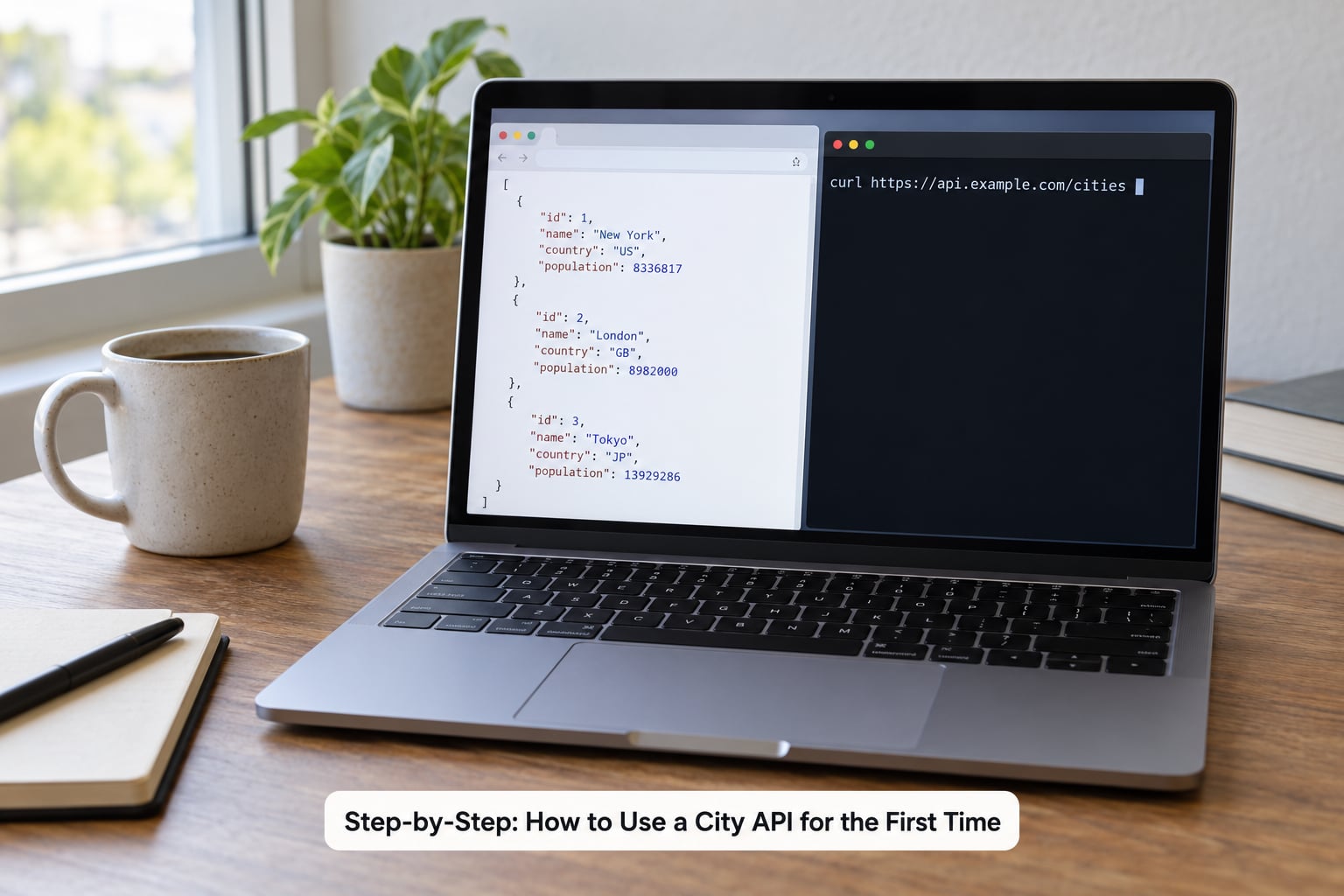
Send the smallest request that can possibly return something: one dataset, no filters, a handful of rows. This is the step most write-ups about how to use a city API for the first time are really built around. Here is the same request three ways. Replace the host and the dataset ID with yours.
# curl
curl -s "https://data.examplecity.gov/resource/abcd-1234.json?$limit=5"
# Python
import os, requests
url = "https://data.examplecity.gov/resource/abcd-1234.json"
headers = {}
token = os.getenv("CITY_APP_TOKEN")
if token:
headers["X-App-Token"] = token
response = requests.get(url, params={"$limit": 5}, headers=headers, timeout=30)
response.raise_for_status()
rows = response.json()
print(len(rows), "rows")
print(rows[0] if rows else "no data returned")// JavaScript
const url = "https://data.examplecity.gov/resource/abcd-1234.json?$limit=5";
const response = await fetch(url);
if (!response.ok) {
throw new Error("request failed: " + response.status);
}
const rows = await response.json();
console.log(rows.length, "rows");
console.log(rows[0] ?? "no data returned");Python newcomers often prefer sodapy, which wraps the Socrata host, dataset ID and token into a client object, and JavaScript newcomers usually reach for axios because its error handling is clearer than raw fetch. Either is fine for a first run. The raw request teaches you what is actually happening.
A successful call returns an HTTP 200 status and a body containing at least one row. Add -i to the curl command, or curl -w "%{http_code}n", if you want to see the status code rather than infer it from the output.
5. Inspect and understand the response
City APIs return either a bare array of row objects or an envelope with metadata and a results collection inside it. Both are normal. Open the response in your editor and look at the top level first, because that tells you how to reach your data.
Most metadata is worth a glance even when you ignore it. It tells you the column names, the data types and often the update timestamp, and it is the fastest way to see whether you are looking at the dataset you meant to request.
Inside the results, look at one record rather than scrolling the whole thing. The fields that show up in almost every city dataset are an identifier, a timestamp, a status or category, a description of some kind, and latitude and longitude for anything geographic. Names differ between cities, so never assume a field called created_date exists in a different city’s portal.
Distinguish an empty result from a failed request, because they look similar in a browser. Zero rows with a 200 status means your query matched nothing, usually a date range in the future or a filter with the wrong case. A 403 or 429 status with an error message means the request never got that far.
6. Test parameters, pagination, and error handling
Once a bare request works, add exactly one parameter at a time so you know what broke when something does.
On a Socrata endpoint, filters go in $where using a query language called SoQL, which is SQL-shaped:
$where=borough='Manhattan' AND created_date > '2026-01-01T00:00:00'
$order=created_date DESC
$limit=100
$offset=200
$limit sets page size and $offset moves the window forward, which is how you page through a large dataset. Do the arithmetic early. Pulling 200,000 rows at 1,000 rows per page is 200 requests, not 200,000, and that difference decides whether your script finishes or gets throttled.
URL-encode any value that contains a space, an ampersand or a quote. In JavaScript, encodeURIComponent handles it. In Python, the params dictionary in the example above handles it for you, which is a good reason to pass parameters that way rather than building URLs by hand.
Now make sure you know how the API fails, because you will meet all of these eventually. A 403 usually means missing or wrong credentials, or a token that has not been activated. A 404 means the path or dataset ID is wrong, and it is the most common beginner error of all. A 429 means you are over the rate limit, and the fix is to slow down, add an app token, and retry after a pause rather than hammering harder. A timeout means the query was too broad, so narrow the filters or lower the page size.
Common Mistakes
- Using the dashboard URL as the API URL. If the address contains
/d/,About, or a dashboard slug, you are on the human page. Look for the API button or the endpoint under “developer” information. - Copying a dataset ID with the wrong characters. Those identifiers are case-sensitive in some portals and a transposed digit returns a 404 with no useful message.
- Omitting authentication on a portal that requires it. Register for an app token rather than retrying anonymously. It takes a couple of minutes and removes an entire class of failures.
- Pasting query parameters straight into the browser bar. Ampersands get eaten. Use curl, or a client that encodes parameters for you.
- Assuming 200 means you got the data you asked for. Read the row count. An empty array is a filter problem, not a success.
- Ignoring rate limits until the script dies halfway. Add a small delay between pages and log the status code so you can see where it stopped.
- Assuming field names are universal.
created_date,opened_dateandcreated_atall mean the same thing in different cities. Read the metadata on your own dataset, not a tutorial’s screenshots. - Shipping without checking terms of use. 311 records can include a complainant’s name, a phone number and a street address. Aggregate or trim what you publish, credit the city, and read the portal’s terms before your first public post.
Frequently Asked Questions
Do I need an API key to use a city data API?
Often not. Most municipal open data portals, including Socrata-hosted ones such as New York, Chicago and Oakland, serve anonymous requests straight from a shared pool with no registration. You will hit throttling on that pool sooner, and some datasets or premium endpoints require a key. The fastest path is to send one request without a token. If it returns rows, keep going and register for a free application token when you need volume.
How do I get an app token for Socrata city data?
Register on the Socrata developer site with an email address and an organization name, then create a new application token. You receive a long string immediately. Send it either as an X-App-Token header or as an app_token query parameter on each request. The token moves your traffic off the anonymous shared pool onto its own quota, which matters once you start paging through more than a few thousand rows.
Why am I getting a 403 error from a city data API?
A 403 means the server understood your request and refused it. Common causes are a missing or misspelled token, an app token that has not been activated, a token issued for a different portal host, or hitting a rate limit that the portal reports as a refusal. Check that the token travels in the header the docs specify, confirm you copied the whole string, and retry once without a token to see whether the endpoint is public at all.
Why did my API request return zero rows?
Zero rows with a 200 status means your filters matched nothing, not that the request failed. Dates are the usual culprit: an ISO timestamp with no time zone, a start date later than the newest record, or the wrong separator. Text filters are case-sensitive on many endpoints, and SoQL uses single quotes around strings. Drop every filter and confirm you get rows, then add them back one at a time.
How many records can I pull from a city API per hour?
It depends on the portal, and the honest answer is that you should read that portal’s published throttle numbers rather than trust a general figure. What you can control is the math: pulling 200,000 rows at 1,000 rows per page costs 200 requests, not 200,000. Register for an application token, keep page sizes moderate, add a short pause between pages, and log status codes so a throttle shows up as a pause instead of a failed run.
Which city APIs are free to use?
The large majority are. Municipal open data is published as a public service, and the big Socrata portals, OData feeds and Open311 endpoints generally cost nothing for reading, with no card required. Costs appear when you move beyond data: heavy commercial platforms, premium tiers, hosting, or geocoding services that bill per address. Read each portal’s terms anyway, because free to download does not automatically mean free to republish.
Conclusion
Pick one portal with good docs, one dataset with an update timestamp you trust, and one request with no filters. Get a 200 and a handful of rows back before you touch anything else. Then add one parameter at a time, register an app token when you need more than a demo’s worth of data, and check the terms before you publish a single record.
That first successful pull is the whole trick. Everything after it, filtering, paging, mapping and cleanup, is ordinary work on data you already know how to fetch.