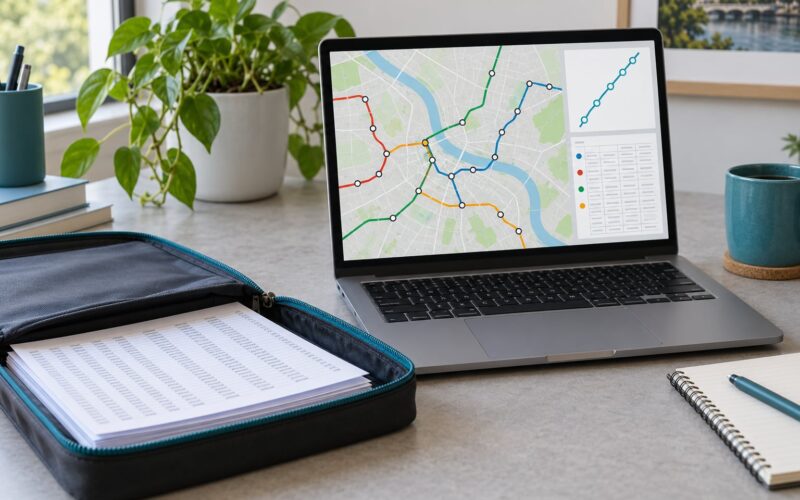
To build a transit arrival app with open data, you download your transit agency’s GTFS schedule feed, decode its GTFS-Realtime Protocol Buffers feed, match live vehicle positions to scheduled trips, and turn both into minutes-until-arrival for a departure board. No proprietary API keys, no vendor contract, no per-rider licensing fee. The whole thing runs on a weekend for a single city if you keep the architecture simple.
I have built and watched other people build these more than I’d like to admit, and the pattern is always the same. The map is the easy part. Joining a static schedule to a live vehicle feed, coping with a feed that quietly stops updating at 2am, and never showing a rider a blank board is where the actual work sits.
This guide walks the whole path: sourcing feeds, decoding protobufs, computing arrivals, rendering the board, and the handful of failure modes that only show up once real riders are standing at real poles. Last reviewed October 2026; I re-check the feed references and spec links against what agencies publish now.
Table of Contents
- How to Build a Transit Arrival App With Open Data in 8 Steps
- What You Need
- The two feeds you actually need
- Tooling to have open
- Static site and PWA, serverless API, or native app?
- Step-by-Step: Build a Reliable Transit Arrival App
- 1. Choose a Transit Authority and Define the App’s Scope
- 2. Collect Scheduled Data with GTFS
- 3. Add Real-Time Vehicle Positions with GTFS-Realtime
- 4. Normalize Data from Multiple Transit Sources
- 5. Estimate Arrivals and Show Uncertainty
- 6. Build the Map, Stop Search, and Arrival List
- 7. Add Alerts, Offline Behavior, and Data Quality Checks
- 8. Test the App with Riders and Publish an MVP
- Common Mistakes
- Frequently Asked Questions
- What is GTFS and what is GTFS-Realtime?
- How do I find my city’s transit agency GTFS feed?
- How do I decode a GTFS-Realtime feed?
- How big is a GTFS static feed and how do I handle it?
- How accurate is GTFS-Realtime arrival data?
- What tech stack should I use to build a transit app?
- Conclusion
How to Build a Transit Arrival App With Open Data in 8 Steps
- Pick one transit agency and one rider journey to support first.
- Download the agency’s static GTFS feed and inspect its tables.
- Convert stops, routes, trips and stop times into app-ready JSON.
- Find the agency’s GTFS-Realtime feed and decode the Protocol Buffers.
- Match vehicle positions and trip updates to scheduled trip IDs.
- Compute minutes-until-arrival with a service-day offset and a schedule fallback.
- Add service alerts, caching, offline fallback, and data quality checks.
- Test predictions against real arrivals, then publish an MVP with attribution.
That is the whole build. Each step below covers what to do and how you know it worked.
What You Need
Almost every transit agency in North America and most of Europe publishes two open feeds, and for most US systems neither needs a key or a registration form. You also need somewhere to decode a binary format and somewhere to host a static file, which is less work than it sounds.
The two feeds you actually need
| What it is | Static GTFS | GTFS-Realtime |
|---|---|---|
| Format | A ZIP of comma-separated text files | A single binary Protocol Buffers document |
| Transport | Downloaded, usually refreshed daily | Fetched over HTTP, repeatedly |
| Update cadence | Whenever the agency republishes, often nightly | Seconds, or as fast as the vendor emits |
| Contents | Stops, routes, trips, stop times, calendars | Trip updates, vehicle positions, service alerts |
| How you consume it | Import once at build time, ship small JSON | Decode on a server, cache, serve a normalized endpoint |
The distinction that trips people up: GTFS is the printed timetable, GTFS-Realtime is what the vehicle’s operator currently believes about it. A transit arrival app that shows only one of them is either a timetable viewer or a guessing game.
Tooling to have open
- A GTFS static feed and a GTFS-Realtime feed URL from the agency.
- A protobuf runtime and language bindings: the official GTFS-Realtime protobuf definition, available on the spec site, plus a decoder in your language of choice.
- A relational database or flat JSON store for the preprocessed schedule.
- A map library: MapLibre GL, Leaflet, or whatever your map provider hands you. Any of them renders a marker in ten lines.
- An edge cache in front of your realtime endpoint, because agency feeds are not built for thousands of concurrent readers.
- A build step that converts the static ZIP into small JSON, plus a scheduled job that re-runs it when the agency publishes a new one.
Static site and PWA, serverless API, or native app?
This is the decision most tutorials skip. Here is how the three approaches compare.
| Criterion | Static site plus PWA | Serverless API | Native mobile app |
|---|---|---|---|
| Hosting cost | Near zero on a free or low tier | Low, and often rounds to nothing at small scale | Same server plus store review and distribution work |
| Build effort | Lowest; no backend to maintain | Medium; one decode function and a cache | Highest; two platforms, release cycles, signing |
| Realtime fidelity | Fine, since the browser can poll your cached JSON | Best; decode once and serve many riders | Best, plus background refresh and push |
| Offline behaviour | Good; pre-cached stop pages work with no signal | Depends on client caching | Good, but more code to write |
| Best for | A stop board, a kiosk, a hackathon demo | Multiple stops, many users, push notifications | Long-lived commuters, push alerts, widgets |
My default is the middle column. A serverless function that decodes the realtime feed and returns normalized JSON with a short cache is about sixty lines, and it stops you from hammering the agency’s endpoint once per rider.
Step-by-Step: Build a Reliable Transit Arrival App
1. Choose a Transit Authority and Define the App’s Scope
Start with one agency, and ideally one rider journey. “When does the next bus get here” is a complete product. “Full multimodal trip planning across a region” is a company.
Check that the agency you picked actually publishes a GTFS-Realtime feed before you design anything. Many smaller agencies publish static data only, which still gets you a polished timetable app but no live arrivals. Write down the journey in one sentence, for example: a rider standing at a specific stop wants the next four departures and whether they are on time.
You know this step worked when you have a named feed URL pair, a one-sentence journey, and a decision about which modes you are covering. Buses only is a perfectly good answer.
2. Collect Scheduled Data with GTFS
Download the static ZIP and unpack it. You will find comma-separated files, and the ones that matter for arrivals are stops.txt, routes.txt, trips.txt, stop_times.txt and calendar.txt.
stops.txt holds stop IDs, names and coordinates. routes.txt holds route IDs, short names and the colours you will reuse in the UI. trips.txt links a route to a specific run using a trip ID. stop_times.txt is the timetable: every trip, every stop it serves, and the scheduled arrival and departure times as seconds after midnight.
Do not parse this in the browser. One developer reported roughly 3.8GB unpacked for a single large agency’s feed, and that number is the first architectural wall you will hit. Import it server-side or at build time and ship only what the client needs.
A small preprocessing script turns the ZIP into per-stop JSON:
import csv, io, zipfile, collections

def build_stop_index(zip_bytes):
    with zipfile.ZipFile(io.BytesIO(zip_bytes)) as z:
        stops = {r["stop_id"]: r for r in csv.DictReader(
            io.TextIOWrapper(z.open("stops.txt"), encoding="utf-8"))}
        routes = {r["route_id"]: r for r in csv.DictReader(
            io.TextIOWrapper(z.open("routes.txt"), encoding="utf-8"))}

        by_stop = collections.defaultdict(list)
        for r in csv.DictReader(io.TextIOWrapper(z.open("stop_times.txt"), encoding="utf-8")):
            by_stop[r["stop_id"]].append({
                "trip_id": r["trip_id"],
                "arrival_secs": int(r["arrival_time"]),
                "departure_secs": int(r["departure_time"]),
                "sequence": int(r["stop_sequence"]),
            })

    index = {}
    for stop_id, times in by_stop.items():
        s = stops.get(stop_id, {})
        index[stop_id] = {
            "name": s.get("stop_name", stop_id),
            "lat": float(s.get("stop_lat", 0)),
            "lon": float(s.get("stop_lon", 0)),
            "times": sorted(times, key=lambda t: t["arrival_secs"]),
        }
    return index
You know this worked when you can load a random stop ID and see its next scheduled departures, and when the JSON you ship to the client is measured in megabytes rather than gigabytes.
3. Add Real-Time Vehicle Positions with GTFS-Realtime
The realtime endpoint returns a Protocol Buffers document, not JSON. That binary framing is the thing that makes GTFS-Realtime feel intimidating, and it is the only genuinely new technical hurdle in this build.
Grab the official protobuf definition from the Google for Developers GTFS-Realtime reference, generate bindings for your language, and decoding becomes an object read. Here is a complete Python example:
from google.transit import gtfs_realtime_pb2
import requests, time

FEED_URL = "https://example-agency.org/api/trips"
session = requests.Session()

def fetch_feed():
    resp = session.get(FEED_URL, timeout=10)
    resp.raise_for_status()
    return resp.content

def parse_feed(blob):
    feed = gtfs_realtime_pb2.FeedMessage()
    feed.ParseFromString(blob)
    now = int(time.time())

    arrivals = {}      # stop_id -> [(arrival_epoch, trip_id, delay)]
    positions = {}     # trip_id -> (lat, lon, bearing)

    for entity in feed.entity:
        if entity.HasField("trip_update"):
            trip = entity.trip_update.trip
            # An update often omits the route; back-fill from positions later.
            trip_id = trip.trip_id
            route_id = trip.route_id
            for stu in entity.trip_update.stop_time_update:
                stop_id = stu.stop_id
                # Only the stop being arrived at carries an arrival event.
                if stu.HasField("arrival"):
                    ts = stu.arrival.time
                elif stu.HasField("departure"):
                    ts = stu.departure.time
                else:
                    continue
                arrivals.setdefault(stop_id, []).append(
                    (ts, trip_id, route_id, entity.trip_update.delay))

        elif entity.HasField("vehicle"):
            v = entity.vehicle
            trip_id = v.trip.trip_id
            pos = v.position if v.HasField("position") else None
            if pos:
                positions[trip_id] = (pos.latitude, pos.longitude, pos.bearing)

    for stop_id in arrivals:
        arrivals[stop_id].sort(key=lambda x: x[0])
    return arrivals, positions

if __name__ == "__main__":
    arrivals, positions = parse_feed(fetch_feed())
    target = "STOP_ID_1234"
    for ts, trip_id, route_id, delay in arrivals.get(target, [])[:4]:
        mins = (ts - time.time()) / 60.0
        print(f"{trip_id} route={route_id} in {mins:.1f} min (feed delay {delay}s)")
Three details in that snippet will save you an afternoon. entity.HasField(...) tells you which message type you actually received, because a feed entity may carry a trip update, a vehicle, or an alert. stu.HasField("arrival") does the same at the stop level. And the timestamp is a Unix epoch, not seconds after midnight, once it has crossed the wire.
You know this step worked when you can print the next four arrivals for a stop you are standing near, and when you have handled a feed that contains only positions, only updates, or a mix of both.
4. Normalize Data from Multiple Transit Sources
The moment you cover a second agency, or a second feed inside the same agency, the identifiers stop matching. Vehicle position messages frequently arrive without a route ID that the trip updates know about, and the two feeds run on different schedules.
Build one normalized record shape early and make every feed conform to it. Join positions to trips by trip ID, and when a position has no route ID, back-fill it from the trip update for the same trip ID. That single join is what lets a marker on the map show the right route colour.
Time zones are the other trap. GTFS times are local to the agency with no offset attached, and GTFS-RT timestamps are UTC epoch. Convert once, at ingestion, and store epoch everywhere in memory.
Stop identifiers are worse. Agencies often zero-pad stop codes, so the pole in front of you reads 9 while the data says 0009. Normalize search input by stripping leading zeros on both sides before you compare, or riders will type a number that exists and get nothing.
5. Estimate Arrivals and Show Uncertainty
Here is the arithmetic, which the spec documents but almost no tutorial explains in context. Realtime arrival timestamps are seconds after noon on the service day, which is midnight local time at the start of the agency’s operating day.
That convention produces times past 24 hours. A bus scheduled for 1:15am the next morning reads as 25:15. You turn that into a real moment with:
import datetime

def arrival_datetime(service_day, secs_since_noon, tz):
    # service_day is the Unix epoch (UTC midnight) for the agency's local day.
    base = datetime.datetime.fromtimestamp(service_day, tz=datetime.timezone.utc)
    local_midnight = base + datetime.timedelta(seconds=secs_since_noon - 43200)
    return local_midnight

def minutes_until(arrival_epoch, now_epoch=None):
    now = now_epoch or time.time()
    return (arrival_epoch - now) / 60.0
When you have no realtime update for a stop, fall back to the scheduled stop_time for the next trip, and label it as scheduled rather than live. Riders forgive a stale time they understand; they do not forgive a number dressed up as live data that turns out to be wrong.
You know this step worked when a trip that crosses midnight displays a sensible clock time, and when you can see at a glance which times came from the schedule and which came from the vehicle feed.
6. Build the Map, Stop Search, and Arrival List
Render three things and the app is basically done: a map with nearby stops, a stop picker, and an arrival list.
For stop search, offer the user’s location, a plain text search, and a saved favourite. The text search matters more than it looks. Riders search by route number, by stop name, and by street, so index all three from the static feed you already loaded.
For the map, cluster markers when you have more than a couple hundred stops in view, and update vehicle markers on each poll with a programmatic position move so markers glide instead of teleporting. MapLibre and Leaflet both do this cleanly.
For the arrival list, show four or five departures, mode icons that are not color alone, and a relative time that ticks down each minute. Add one accessible refresh control and an error state that keeps the last good data on screen rather than clearing it.
Watch browser geolocation as well. It sometimes never fires its callback in older browsers or over plain HTTP, so set a timeout and fall back to manual search rather than leaving a spinner that never resolves.
7. Add Alerts, Offline Behavior, and Data Quality Checks
Service alerts are a separate realtime entity type and they change rider behaviour more than arrivals do. A detour notice on the stop page is worth more than five perfectly predicted departure times.
Caching is where you become a good citizen. The arrangement used by one agency’s engineering team: fetch upstream, decode once, hold the decoded result in a shared cache for about ten seconds, serve an edge cache with a similar lifetime, let the client poll every fifteen seconds, and stop polling when the tab is hidden. That keeps total upstream hits to a few per minute no matter how many riders are watching.
Offline behaviour should degrade toward the timetable, not toward an error. Cache the last good JSON response, keep rendering it, and show the age of the data so nobody acts on a ten-minute-old position.
Add automated checks that fail loudly on bad data. Confirm the feed timestamp is recent rather than days old, confirm every arrival references a trip that exists in your static feed, and warn when the feed describes itself as realtime but the timestamp has not moved.
8. Test the App with Riders and Publish an MVP
Predictions are testable. Stand at a stop for an hour, note what your app said, note what actually happened, and write down the error distribution. Most agencies land within a couple of minutes for the next arrival once you use live positions, and much worse on the second and third arrival, where you are extrapolating from a single position ping.
That gap is worth being honest about. Riders in developer forums consistently say the thing they trust most is an app that labels whether a time came from the printed schedule or from live vehicle data.
Then test the edges: cancelled trips, skipped stops, a feed that stops mid-afternoon, a stop that exists in the schedule but has been closed in the street, and a screen reader moving through your arrival list. Ship the MVP to one city with clear attribution to the transit agency and a link back to them, and say which feeds you are using and when you last checked them.
Common Mistakes
These six account for most broken transit arrival apps I have seen, and each has a short fix.
Treating scheduled times as live predictions. If you render stop_times.txt with a live-looking spinner, you are publishing a number you cannot stand behind. Mark scheduled times explicitly and only animate the ones with a realtime event.
Ignoring time zones and the service day. Epoch conversions and hour-25 times will produce arrivals that are off by a day. Convert once at ingestion, at a defined timezone, and test a trip that crosses midnight.
Failing to handle cancellations. Cancelled trips arrive as an update with a cancellation status, and skipped stops show as arrival undefined. Filter them out of the board and replace them with the next valid trip, or riders will stand there for a bus that is not coming.
Overloading the map. One marker per stop across a whole region is unreadable and slow. Cluster markers by viewport, and only draw vehicles when the zoom level justifies them.
Hiding data freshness. Show the feed’s last-updated timestamp and, for offline or cached states, the age of what you are showing. A stale honest time beats a confident wrong one.
Making accuracy claims you cannot support. Do not write “real-time accuracy within 30 seconds” unless you measured it on that agency’s feed. Riders compare your numbers against their watch, and agency quality varies enormously between cities.
One more worth naming: hitting the agency’s endpoint directly from every client. It is slow for riders and rude to a public agency that just opened its data. Decode server-side, cache, and poll politely.
Frequently Asked Questions
What is GTFS and what is GTFS-Realtime?
GTFS, the General Transit Feed Specification, is the open file format agencies use to publish stops, routes, timetables and calendars as a ZIP of text files. GTFS-Realtime is its companion format, fetched over HTTP as a Protocol Buffers document, carrying live vehicle positions, trip updates and arrival predictions. Most transit arrival apps use the static feed as the baseline and the realtime feed for current estimates.
How do I find my city’s transit agency GTFS feed?
Check the agency developer page first; large systems such as the MTA, MBTA, BART and TfL publish developer portals with direct feed links and documentation. Otherwise search the transit data aggregator Transitland, which indexes feeds for thousands of agencies in one place. When neither works, emailing the agency is the recommended step in developer communities, and it usually works. Remember to confirm a GTFS-Realtime feed actually exists before you design around live arrivals.
How do I decode a GTFS-Realtime feed?
Treat the response as a binary Protocol Buffers message, not text. Download the official protobuf definition from the GTFS-Realtime reference, generate bindings for your language, and parse the bytes into a feed message containing entities. Each entity is a trip update, a vehicle, or an alert, and you read the stop-time updates inside trip updates to get arrival timestamps in Unix epoch form.
How big is a GTFS static feed and how do I handle it?
It varies enormously by agency, and one large US operator was reported at roughly 3.8GB once unpacked. Treat that size as a rule rather than an exception: never ship or parse the static feed in the browser. Import it on a server or in a build step, trim it down to the stops, routes and times your app needs, and ship small JSON to the client instead.
How accurate is GTFS-Realtime arrival data?
Accuracy depends entirely on the agency, and the spread is wide. Good feeds give you the next arrival within a couple of minutes; weaker ones can be stale, partial, or advertised as realtime while behaving like a static schedule. Measure it yourself by comparing predictions against observed arrivals at a few stops, label whether each time came from the schedule or the vehicle feed, and always keep the timetable as a fallback.
What tech stack should I use to build a transit app?
For a single-city arrival board, a static site with a PWA install works and costs almost nothing to host. For many users or push notifications, add a serverless function that decodes the realtime feed and serves cached JSON. Native mobile earns its extra effort only when you need background refresh and push alerts. In every case, preprocess the static GTFS at build time and never in the browser.
Conclusion
Start with one agency and one rider journey. To build a transit arrival app with open data, find that agency’s static GTFS feed and its GTFS-Realtime feed, confirm the realtime endpoint updates every few seconds, and load both into a script before you write a single line of interface code.
The open data is genuinely free and the decoding work is a solved problem, which is why a working live arrivals board is a weekend project rather than a funded program. Get the join between schedule and live feed right, degrade toward the printed timetable whenever something breaks, and tell riders which of the two they are looking at. That honesty is the difference between a demo and something a commuter trusts at the pole.