Users ignore release notes when they read like an internal changelog. Knowing how to write release notes users read comes down to a handful of habits: lead with what the reader can now do, group changes under typed labels, cut the jargon, and tell them where to act. Most teams can fix their notes in an afternoon.
The process below takes roughly 60 to 90 minutes per release once you have the facts from engineering. It works for iOS and Android apps, web apps, internal tools, and public-sector services where residents have no idea what a feature flag is.
Seven rules carry most of the weight:
- Lead with one sentence on what a user can now do that they could not do before.
- Sort every change into typed buckets: New, Improved, Fixed, Breaking, Deprecated.
- Put breaking changes and required actions at the very top, before anything else.
- Replace implementation detail with the user benefit it produces.
- Keep each line to a single sentence and cut adjectives that carry no information.
- Attach a screenshot or a deep link whenever a line describes something visual.
- Publish on a fixed cadence so readership becomes a habit rather than a surprise.
Table of Contents
- What You Need
- The release facts
- A one-line audience definition
- The channel list
- Two or three reference examples
- A review path
- How to Write Release Notes Users Read: Step-by-Step
- How to Write Release Notes Users Read in the Right Order
- Gather the Release Information
- Choose a Format Readers Can Scan
- Explain What Changed and Why It Matters
- Add Screenshots and User Actions
- Review, Test, and Publish
- Common Mistakes
- A Release Notes Template for App Teams
- Frequently Asked Questions
- How long should release notes be?
- Should release notes include technical details?
- What is the best release notes template?
- How do I make release notes more engaging without sounding promotional?
- Should release notes match the app-store update description?
- How can I tell whether users read my release notes?
- Conclusion
What You Need
You cannot write these notes until four things exist. Missing any one of them and the draft collapses into vague marketing copy or, more commonly, a list of pull request titles.
The release facts
Version number, release date, and which platforms are affected: iOS, Android, web, desktop, or a specific region. You also need the shipped feature list, bug fixes worth naming, known issues that are still open, and any deprecation with its removal date.
A one-line audience definition
Write down who reads this specific release. A citizen using a parking permit app, an admin configuring an API, and a developer debugging a webhook do not need the same sentences from the same release.
The channel list
Decide up front where the notes go: a public changelog page, in-app messaging, the App Store and Google Play listings, an email, and an internal doc. Each one has a different length limit and a different reader mindset.
Two or three reference examples
Keep your own best past release as a model. It settles style arguments faster than a style guide, and it shows the tone you already ship with.
A review path
Decide who signs off before publishing: usually a product manager for accuracy and an engineer for anything technical. Release notes that nobody owns are the ones that never get published at all.
How to Write Release Notes Users Read: Step-by-Step
How to Write Release Notes Users Read in the Right Order
Order is what makes notes skimmable. Users scan headers and the first line under each header, then stop. Front-load whatever would cost them money, time, or data if they missed it.
- Version and date — a header line such as Version 4.2.0, released 12 March, covering iOS, Android, and web.
- Action required — anything the reader must do, including breaking changes and deprecation deadlines. One short block, nothing else above it.
- Summary — one or two sentences on the theme of the release, in user terms.
- New — genuinely new capability.
- Improved — changes to something that already existed.
- Fixed — bugs, written as what stopped happening, not as ticket IDs.
- Known issues — what is still broken and what you are doing.
- Feedback link — one place to reply.
Here is the same release written two ways. The weak draft:
Version 4.2.0 — includes backend optimisations, refactor of the sync layer, and various bug fixes. See the changelog for full details.
The rewrite:
Version 4.2.0 — 12 March. Permit renewals now save your photo offline, so you can finish an application without a connection. We also cut the median load time for the permit list from 4.1 seconds to 1.3 seconds, and fixed the crash that happened when a payment was declined at the last step.
Nothing was invented in the second version except illustrative numbers, but the structure is what matters: offline saving first, speed second, the crash third, all in language a permit holder would use.
Gather the Release Information
Ask engineering for a short written brief rather than a list of commits. Four prompts get you most of the way: what can a user do now that they could not before, what changed for people who already use the app, what broke and got fixed, and what is still broken.
Pull the version and date from the build pipeline rather than from memory. Platform differences matter more than teams expect — a change shipping on Android a week after iOS needs its own line, and burying that leads to support tickets about a feature some users cannot see.
Ask for screenshots at the same time you ask for the description. A designer usually has them already, and requesting them later is the step that always slips.
Choose a Format Readers Can Scan
Each format has a job, and mixing them is why notes feel like work. Knowing how to write release notes users read means matching the format to the reader rather than pasting one draft everywhere.
- In-app message — the highest-impact channel because it appears in front of someone who already opened the app. Keep it to three lines and one button.
- Public changelog page — the permanent, linkable home. Newest first, dated, with a stable URL per release so you can cite it later.
- App store listing — very short, no links, no version formatting. Most readers scroll past it entirely, so lead with the single biggest change.
- Email — worth sending only for major or breaking releases. Subject line carries the version and the one thing that changed.
- Internal notes for your own team — technical, but still written for the person who was on holiday. Skip it for routine patch releases.
Typed labels do most of the scannability work. Bold headers with consistent names — New, Improved, Fixed, Breaking Changes, Deprecated, Security, Known Issues — let a returning reader jump straight to what they care about instead of reading top to bottom.
Explain What Changed and Why It Matters
Most unread notes describe the build rather than the effect. The rewrite rule is simple: take every line and ask what the user can do differently afterwards. If the answer is nothing, cut the line.
Watch for the patterns that signal jargon:
- Endpoint and token language — “token scopes now enforce tenant isolation” becomes “each account’s data is now fully separated, even for integrations you connect later”.
- Passive constructions hiding an actor — “the scheduler was migrated” becomes “backups now run an hour earlier, so morning reports are usually ready by 6 a.m.”.
- Commit-message habits — “fix null pointer in handler” becomes “fixes the blank screen that appeared when a route had no stops”.
- Adjective stacking — “blazing fast, best-in-class sync” becomes a number, like “sync finishes about 40% faster on older phones”.
Specific numbers beat adjectives, and naming the affected version, platform, and environment builds trust faster than any tone of voice. Say what the user can do now rather than what the team built.
If you write for a city service or any non-technical audience, run a plain-language pass as a separate step. Read each line out loud to someone who uses the service but does not work in software. If they need a second hearing, rewrite it.
Add Screenshots and User Actions
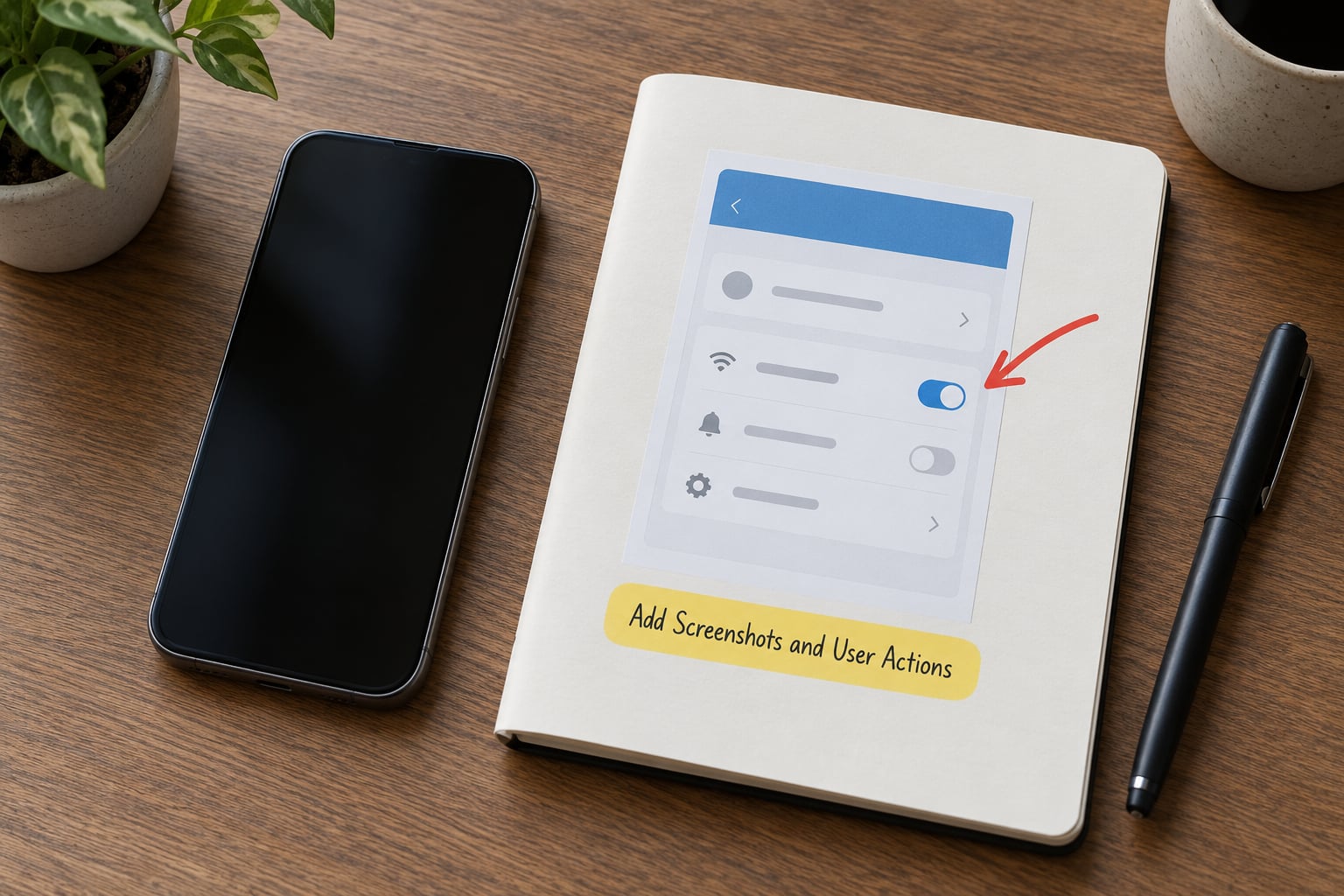
A screenshot earns its place when the change is visual: a new screen, a moved button, a redesigned flow. It does not help when the change is a background fix nobody can see.
Each screenshot should demonstrate one thing and carry descriptive alt text that says what is on screen and where it lives in the app. Describe the location in words, because screen-reader users cannot see the arrow you drew.
Wherever the reader needs to act, say so explicitly: the exact menu path, the setting name, and which platforms are included. If a feature is behind a flag, say who has it and when everyone else gets it. If a feature can be switched off, give the name of the switch.
Deep links are worth the effort. A link that drops the reader directly on the new screen turns a note into an action, and it is usually a two-minute job in whatever link tool your team already uses.
Review, Test, and Publish
Run a final pass against this list before anything goes out:
- Is every version number, date, and platform correct against the build?
- Does every breaking change sit at the top with a dated migration step?
- Does any line contain a word only an engineer would use?
- Do all links open, and do deep links land on the right screen?
- Does every screenshot have alt text that names the screen and its location?
- Are known issues listed honestly, including what you are doing about them?
- Did the engineer who shipped it confirm the technical accuracy?
- Is the tone the same as your last three releases?
Then publish everywhere in the same week and keep the cadence. Teams on a fixed schedule build habitual readership; teams that publish sporadically build none. It also makes support deflection measurable, since ticket volume in the week after a note is a rough proxy for whether the note worked.
You can generate a rough first draft from commit history or pull request titles, but treat it as raw material. Human readers on r/programming describe auto-generated changelogs as too verbose and full of details they do not care about, and that reaction is usually right. Let the tool collect, let a person rewrite.
Common Mistakes
- Dumping every commit. If a release has 60 merged pull requests, it does not have 60 user-facing changes. Group them, then keep the three that matter.
- Writing to the team instead of the reader. Internal status gets pasted into customer notes more often than anyone admits. Ask whose eyes the sentence was written for.
- Burying breaking changes. If a change can break someone’s workflow, it goes first, with a deadline and a migration link. Everything else can wait.
- Repeating the last release. Copy-paste is where changelogs go generic. Read every line aloud and delete anything you could say about any release.
- Omitting the version. Readers search their notes by version. No version number means no one finds it when they need it.
- Sending the full draft as the store listing. Store fields have tight limits and no links. Write a separate short version.
A Release Notes Template for App Teams
This is the structure I would hand a new writer. Copy it once per release and fill the blanks.
## Version [x.y.z] — [release date]
Platforms: [iOS / Android / Web / Desktop]
Affected region: [if not global]

### Action required
- [Breaking change] — what breaks, what to do, deadline date. Link: [migration guide]

### Summary
[One or two sentences on the theme of this release, in user terms.]

### New
- [What a user can now do] — [why it matters]. [Screenshot or deep link]

### Improved
- [What changed for existing users] — [the benefit].

### Fixed
- [What stopped happening] — [where it happened].

### Known issues
- [What is still wrong] — [what we are doing about it].

### Feedback
[Reply link]
For a small patch release, delete every section that would be empty and keep the header, the summary, and Fixed. For an API-only change, swap the sections for a breaking-change block, a deprecation table with removal dates, and a link to the API reference.
Frequently Asked Questions
How long should release notes be?
Long enough to cover what changed and nothing more. For a minor update, 80 to 150 words is usually enough. A major release can run 400 to 600 words without losing readers, provided the first two lines answer what matters most. If a release needs more than that, the extra detail belongs in a linked migration guide rather than the notes themselves.
Should release notes include technical details?
Only when the reader has to act on them. If an API change breaks an integration, name the endpoint, the version it affects, the replacement, and the date it disappears. If a resident or end user will never see the technical detail, drop it entirely. Internal notes for engineers can be far more technical, but they are a different document with a different audience.
What is the best release notes template?
A header with version and date, an action-required block for anything breaking, a one or two sentence summary, then typed sections for New, Improved, Fixed, Known Issues, and a feedback link. Keep the labels identical in every release so returning readers can jump straight to the part they care about. Consistency matters more than layout sophistication.
How do I make release notes more engaging without sounding promotional?
Engagement comes from usefulness and specificity, not adjectives. Replace praise with facts: how much faster, how many taps saved, which platforms, what version. A short line about why the change exists reads as honest, while superlatives like best-in-class or blazing fast read as marketing and cost you trust with technical readers.
Should release notes match the app-store update description?
No, write them separately. Store listings have tight character limits, no working links, and most readers scroll past them, so they need the single biggest change and nothing else. Your changelog page can be much longer and can link out to docs, screenshots, and migration guides. Same facts, different packaging for each channel.
How can I tell whether users read my release notes?
Start with what you already have: email open rates for announcements, in-app message impression and click-through rates, and support ticket volume in the week after a release that mentions a known issue. For web changelogs, look at scroll depth and clicks on the documentation links you embedded. A steady rise in in-app entry rates after you switch to a fixed weekly cadence is usually the clearest signal.
Conclusion
Start with the smallest version of the habit. List every change in a plain sentence, write the user impact next to each one, and sort them into New, Improved, Fixed, and Breaking before anyone opens a document. That pass alone removes most of the reasons readers leave halfway down.
From there, add the version header, a screenshot where something visual changed, and a fixed publishing date. Three releases in, the notes will be shorter than they used to be and read more often, which is the whole point.