IoT device security fails in a predictable way: devices ship with shared or hardcoded credentials, talk over unencrypted channels, expose administration interfaces to anyone who can reach them, and rarely receive firmware patches after they leave the factory. A hardcoded credential is a password or key written directly into firmware that ships identically on every unit. A botnet is a group of compromised devices an attacker calls as one. Most breaches start with one of these two facts, not with an exotic exploit.
This guide walks through how those failures happen, what they look like from the outside, and what a small team can do about them in the first week.
Table of Contents
- Why IoT Devices Fail in Practice
- How IoT Device Security Fails Across the Device Lifecycle
- Common IoT Security Failures and Their Consequences
- Weak or Missing Authentication: Where IoT Device Security Fails First
- Exposed Networks and Remote Services
- Insecure Software and Missing Update Paths
- Insecure Data Collection and Storage
- Supply-Chain and Physical Security Gaps
- Weak Cloud, Mobile, and Backend Controls
- How to Recognize a Compromised IoT Device
- How to Reduce IoT Security Failures
- Build an asset inventory first
- Demand secure defaults at purchase
- Give every device its own identity
- Encrypt and validate
- Segment the network
- Verify updates and rollback
- Monitor and rehearse
- Security Controls by IoT Deployment Stage
- What Teams Should Do First
- Frequently Asked Questions
- What is the most common way IoT device security fails?
- Can IoT devices be secure if they cannot receive software updates?
- How do attackers usually find vulnerable IoT devices?
- Does encrypting IoT traffic make a device secure?
- What is the biggest IoT security risk for smart-city systems?
- How can a team test whether its IoT devices are compromised?
Why IoT Devices Fail in Practice
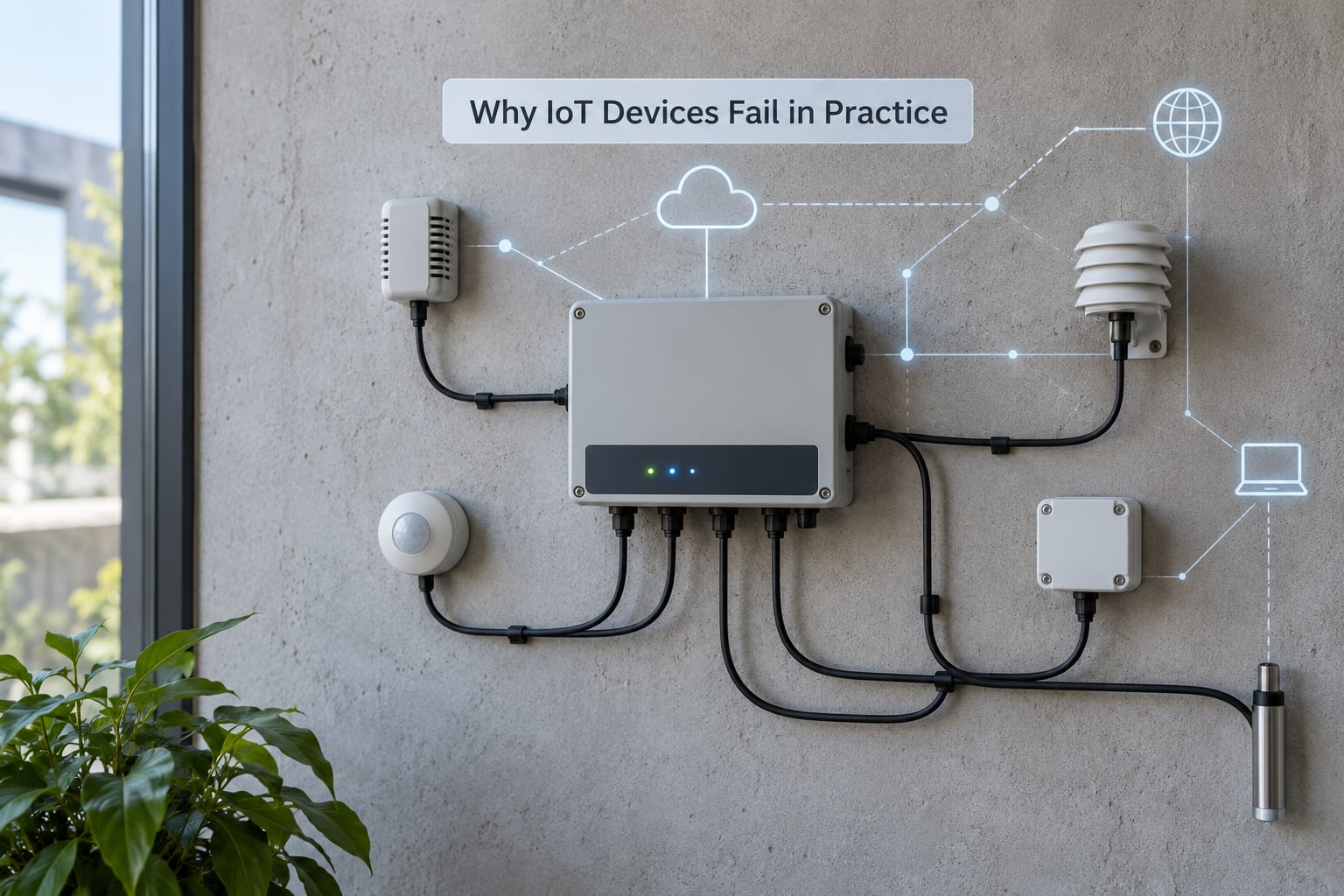
IoT security is hard because the constraints that make a device cheap and useful also remove the defenses a server can afford. A low-cost sensor has a slow CPU, a few hundred kilobytes of flash, and a battery that has to last five years, so vendors strip TLS handshakes, certificate validation, and signed boot to save flash cycles. That leaves a device that anyone can talk to and almost nothing stops them.
There are five root causes behind most failures, and they repeat across consumer, industrial and civic deployments:
- Economics. Security work adds cost per unit and support cost per year, while the buyer often never asks about it. Manufacturers with no update obligation ship a device designed to be replaced rather than secured.
- Constrained hardware. Devices with megabytes of RAM cannot afford modern cryptography, and vendors sometimes disable certificate validation to save a few kilobytes, which removes the protection that TLS is supposed to provide.
- Long field lifetimes. A street sensor installed today may run for a decade. Any flaw discovered in year three is a flaw the device carries for seven more.
- No asset inventory. Teams rarely know how many devices they run, what firmware each one carries, or who maintains it, so they cannot patch what they cannot find.
- Operational drift. Someone enabled remote access in a hurry, the firewall rule stayed, and the service stayed exposed long after the reason disappeared.
It helps to separate three kinds of failure. Technical vulnerabilities are bugs or missing controls in the device itself. Operational failures are things like no update path or no monitoring. Organizational failures are budget, ownership and procurement choices. Fixing only the technical layer while ignoring the other two is why the same device keeps coming back on an incident timeline.
How IoT Device Security Fails Across the Device Lifecycle
| Lifecycle stage | Where the control breaks | Typical result |
|---|---|---|
| Design | Security review deferred to the end, or skipped for cost | Shared passwords baked into firmware, debug ports left open, no update mechanism designed in |
| Manufacturing | Component provenance and production secrets not verified | Counterfeit or tampered parts, shared signing keys, unremovable test accounts |
| Deployment | Flat networks, default credentials never rotated, devices enrolled without unique identity | One reachable sensor exposes the whole segment |
| Operation | No monitoring, no segmentation, remote admin open to the internet | Undetected intrusion, lateral movement to business systems |
| Updates | Unsigned firmware, no rollback protection, no way to verify what is running | Permanent exposure once a CVE lands, or a malicious update installed |
| Retirement | Devices left powered, certificates still valid, data never purged | A zombie device that keeps reporting to a cloud endpoint years later |
Read it as a chain rather than a list. A design-stage shortcut shows up again at deployment when nobody has time to change the credential model, and again at updates when the vendor who wrote the hardcoded secret no longer exists.
Common IoT Security Failures and Their Consequences
| Failure mode | Root cause | Known example | First mitigation |
|---|---|---|---|
| Default or shared credentials | One password across a whole product line, printed in a manual | Credential lists published for Mirai and its successors | Unique per-device credentials and forced rotation at enrollment |
| Unpatched firmware | No signed update path, or no commercial reason to patch | Mozi botnet riding on unpatched embedded devices | Define an update channel and a support window before purchase |
| Exposed remote management | Admin interface listening on a public interface | Internet-facing camera dashboards harvested by automated scans | Close public admin paths; require VPN or a bastion host |
| Weak API authorization | Endpoints trust any request that reaches them | Cloud dashboard APIs leaking thousands of camera feeds | Authorize every request by device identity, not by network position |
| Cleartext data paths | Protocol without encryption to save bytes | Smart meter and traffic-sensor traffic readable on shared links | Use MQTTS or CoAPS with DTLS; isolate sensors on their own VLAN |
| Supply-chain tampering | Unsigned firmware and unverified component sourcing | Devices found carrying debug shells left over from production | Secure boot, signed images, component provenance records |
Weak or Missing Authentication: Where IoT Device Security Fails First
Authentication is the failure that gets exploited most, and it starts long before anyone breaks an algorithm. A device with no unique identity cannot distinguish a legitimate sensor from an impostor sitting on the same network segment.
Four variants show up repeatedly. Default passwords that never leave the factory. Shared credentials where every unit in a deployment answers to the same string. Hardcoded secrets buried in firmware, visible to anyone who extracts the image. And enrollment processes that hand out certificates to anything that asks, with no check that the requester is really a device.
In a municipal deployment this plays out quietly. A building-management sensor is installed, keeps its vendor-default login, and sits on the same segment as badge readers and door controllers. An attacker does not attack the sensor; they log in as the sensor.
Practitioners on r/AskNetsec argue that once an attacker has root on a consumer device, that access is effectively permanent, so security planning has to assume a breach rather than try to prevent one forever. That is a useful framing: design for detection and containment, not only for prevention.
Exposed Networks and Remote Services
The second common failure is reachability. An administration interface, a debug port or an MQTT broker that listens on a routable address is an invitation, because automated scanners find internet-exposed devices within minutes of them coming online.
Compounding it, connected devices usually share a flat network with everything else. One compromised camera then sees the printer, the NAS and the file share. Segmentation is the fix teams skip, because the symptoms look like a performance problem rather than a security one.
Traffic encryption has a second failure mode worth naming. TLS is only useful if certificate validation actually happens. A client that accepts any certificate gains little; on constrained devices, vendors have been known to disable validation to fit the handshake into memory. That is encryption without authentication, which is closer to obfuscation than security.
Insecure Software and Missing Update Paths
Firmware failures usually come from the software supply chain rather than from device code. Devices ship with libraries years out of date, and nobody tracks the versions. A static analyser scanning the extracted image finds the vulnerable components long before an attacker does.
The second problem is structural. If firmware is unsigned, an attacker who reaches the device can install code of their choosing, and you cannot tell the difference between your build and theirs. If updates have no rollback protection, a signed but older vulnerable image can be replayed. If there is no update channel at all, every CVE published after deployment is permanent.
Denial-of-service deserves its own mention for battery devices. A denial-of-sleep attack keeps the radio awake so the cell never charges. A flood of malformed packets burns the power budget without touching the data. The device is technically still working, which is why this failure hides in plain sight on battery telemetry.
Insecure Data Collection and Storage
Connected devices collect more than most operators realize, and the collection path is often the weakest one. A camera that streams in cleartext, a meter that reports household occupancy patterns, a parking sensor that logs plate fragments: each turns ordinary readings into a privacy exposure with a long tail.
Three mechanics drive most of it. Excessive permissions, where a sensor process holds far broader access than its function needs. Weak APIs behind the device, where the storage layer accepts unauthenticated writes. And unclear retention, so records that would be deleted on a schedule persist indefinitely because nobody set one.
Data minimization is a security control here, not just a privacy one. Fewer stored fields means a smaller blast radius when a backend is exposed.
Supply-Chain and Physical Security Gaps
Everything above assumes the device is the one the manufacturer built. Physical access breaks that assumption, and it is realistic in retail, logistics and healthcare, not an edge case. An attacker with thirty seconds at a parking meter or a utility cabinet can pull the flash chip, read the firmware, write it back with an added debug shell, and return the unit looking untouched.
Debug interfaces make it easier. A JTAG header or a serial console left available through a stock firmware build means the encryption keys are readable. Secure boot and signed firmware close that path; leaving test hooks in a production image reopens it.
Supply-chain risk extends upstream. Component substitution, shared manufacturing environments, and a signing key held by a third party all mean the trusted boundary is wider than the product itself. Cryptographically signing firmware and verifying component provenance moves the trust boundary back toward the device.
Weak Cloud, Mobile, and Backend Controls
The device is often the secure part of the system. The dashboard, the mobile app and the cloud API that manage thousands of devices are where authorization gaps live, and they scale: a single flaw there exposes an entire fleet rather than one unit.
Common failures include APIs that identify devices by a client-supplied serial number with no secret behind it, tokens that never expire, and mobile apps that cache credentials in plaintext local storage. Another one is integration shortcuts, where a device integration inherits the permissions of whatever account created it.
One consistent pattern across assessments: the weakest entry point is rarely the sensor. It is the API or the authentication layer in front of it.
How to Recognize a Compromised IoT Device

Most compromises leave traces long before anyone notices, but only if something is logging. These are the signals worth checking, roughly in order of how often they turn out to be real.
- Unexplained outbound traffic. A temperature sensor that normally sends one reading an hour suddenly talking to unfamiliar destinations or at a far higher rate.
- Configuration drift. DNS settings, routes, certificate stores or firmware version changing without a maintenance window.
- Failed authentication spikes. Repeated login attempts against device or API accounts from addresses your fleet has never used.
- Abnormal data. Sensor values that sit flat at zero, jump to implausible extremes, or appear for locations where no device is installed.
- Physical tampering. New seals, opened housings, repositioned antennas, or a device that has gone quiet after someone visited the site.
- Disabled logging. A device that stops reporting, or a gateway whose log volume drops to nothing while traffic continues.
- Resource anomalies. Constant CPU or network use from an idle device, or a battery-backed unit that never gets a full charge cycle.
- Unexpected listeners. New open ports on the device itself, particularly a debug or shell port on a production unit.
Two of these deserve emphasis because they are cheap to check. Comparing firmware hashes against a known-good build catches unauthorized modification without any special tooling, and a periodic scan from outside your own network reveals exposed services that internal views hide.
How to Reduce IoT Security Failures
You cannot patch every weakness at once, so work down this list in order. Each item removes a whole class of failure.
Build an asset inventory first
You cannot protect what you cannot find. Record device make, model, firmware version, network segment, owner and support end date for everything connected. The support end date matters most: it tells you which devices will never receive a patch, and those are the ones that need compensating controls or replacement.
Demand secure defaults at purchase
Put it in the requirement, not the hope. Unique per-device credentials, no public administration interface, signed firmware updates, a published support window, and a data-retention policy are all reasonable questions to ask a vendor before the pilot.
Give every device its own identity
Per-device credentials or certificates make spoofing visible and let you revoke one unit instead of rotating an entire fleet. Shared secrets across a product line are the single most common finding in assessments.
Encrypt and validate
Use MQTTS, CoAPS with DTLS or HTTPS, and confirm the device validates certificates rather than trusting any of them. If a device cannot afford a full handshake, terminate encryption at a local gateway that can.
Segment the network
Put sensors on their own VLAN or subnet, with rules allowing only the specific flows they need to a broker and a management server. This is the control that limits lateral movement when one unit is compromised, and it is the cheapest one to retrofit.
Verify updates and rollback
Require signed firmware, encrypted update transport, and anti-rollback protection. Test that an update actually reaches every device in the fleet before you need it during an incident.
Monitor and rehearse
Log authentication, configuration and network-flow data centrally, and alert on the signals above. Then write the decommissioning step down: what shuts down, what data gets purged, and what happens to certificates.
Regulatory pressure is pushing the same work from the other side. In the US, the IoT Cybersecurity Improvement Act covers federal procurement and California SB-327 sets password requirements for connected devices sold in the state. The EU Cyber Resilience Act adds mandatory vulnerability handling for products with digital elements, and GDPR obligations reach connected data in civic deployments. None of these make a device secure on their own, but they give procurement teams something concrete to cite.
Security Controls by IoT Deployment Stage
| Stage | Primary risk | Controls that matter most |
|---|---|---|
| Prototyping | Security skipped entirely for speed | Unique identity from the first commit; no default credentials in code; threat model on the sensor and gateway roles |
| Pilot | One shared network, shared credentials, manual provisioning | Per-device enrollment and certificate issuance; segmentation of the pilot from production; logging enabled from day one |
| Production | Exposed services, unpatched firmware, unauthorized devices | No public admin interfaces; signed updates with anti-rollback; asset inventory and external scanning; network segmentation and flow monitoring |
| Maintenance | Support window lapses, updates never tested, silent compromise | Tested update pipeline; firmware hash verification; alert on configuration drift; replacement plan for end-of-life units |
| Retirement | Zombie devices and orphaned credentials | Decommission checklist, certificate revocation, data purge, network ports closed and confirmed closed |
Teams that adopt this staging model tend to notice the same thing: the failures that hurt most come from skipping a stage, particularly pilot, where speed wins and nothing is measured yet.
What Teams Should Do First
If you have a small team and a limited week, here is the order I would work in.
- Export the device list. Pull every connected device from the network and record model, firmware and owner. Expect the list to be longer and less accurate than you assumed.
- Find anything reachable from outside. One external scan of your public addresses, then close or gate every hit.
- Rotate shared and default credentials. Replace anything printed in a manual, and give each device its own secret.
- Split the network. Move sensors to their own segment with narrow rules. This is the single change that most reduces blast radius.
- Confirm the update path works. Push a test firmware update to one device of each type and record how long it took.
- Turn on logging. Authentication events, configuration changes and flow data, forwarded somewhere you actually read.
Evidence to keep from that week: the inventory export, the external scan results with timestamps, a sample of the credential rotation record, the firewall rules you added, and a screenshot of a successful firmware update. That packet answers most of what an auditor or insurer asks later.
Frequently Asked Questions
What is the most common way IoT device security fails?
It fails at authentication. Devices ship with default, shared or hardcoded credentials, and many have no unique identity at all, so an attacker can log in as the device instead of breaking any encryption. This shows up first in assessments because it is cheap to test and cheap to fix once you know it is there.
Can IoT devices be secure if they cannot receive software updates?
Partly, and only with compensating controls. Segmentation, unique per-device credentials, encrypted transport and monitoring all limit exposure even when a flaw cannot be patched. But an unpatchable device will accumulate vulnerabilities forever, so it belongs on a segment with narrow rules and a documented replacement date.
How do attackers usually find vulnerable IoT devices?
Mostly by scanning. Automated tools sweep internet-routable addresses for open administration interfaces, default logins and exposed APIs within minutes of a device coming online. Weak credentials and known firmware versions are then tried in bulk. Physical access and supply of a device through reseller channels cover the rest.
Does encrypting IoT traffic make a device secure?
No. Encryption protects data in transit, but it does not fix default credentials, unsigned firmware, exposed admin interfaces or a weak API behind the device. A client that accepts any certificate gains little from TLS. Encryption is one layer, and it fails badly on its own when identity and patching are missing.
What is the biggest IoT security risk for smart-city systems?
Shared infrastructure risk. Civic devices sit on networks alongside municipal systems, so one unsegmented sensor with default credentials can become a path into systems that were never meant to be exposed. Long field lifetimes make it worse, since a street sensor may still be running a decade after its last firmware update.
How can a team test whether its IoT devices are compromised?
Start with an external scan of your public addresses, then compare each device’s firmware hash against a known-good build. Review authentication logs for spikes from unfamiliar sources and check for unexpected listeners on the devices themselves. Treat any unexplained outbound traffic or configuration change as an incident until you have an explanation.
Most IoT security failures trace back to a shortcut taken months earlier, usually a shared credential or a skipped segment. Inventory first, close what is reachable, then rotate, segment and monitor. That order fixes more real risk than any single expensive tool, and it is the same work whether you run ten devices or ten thousand.