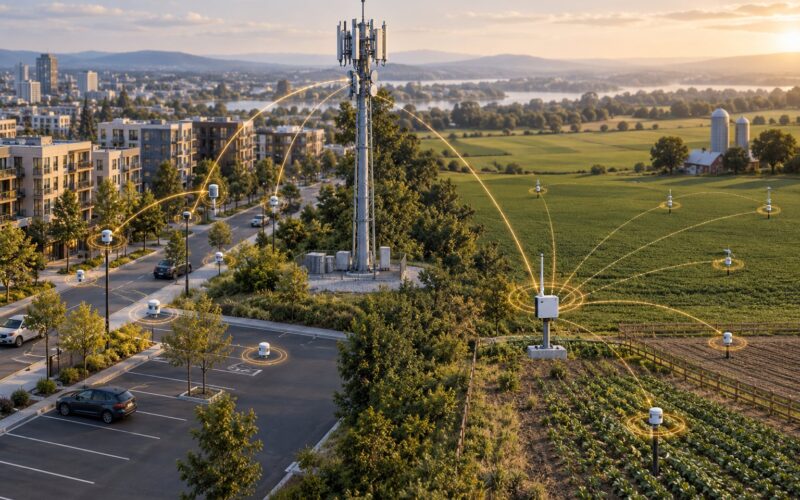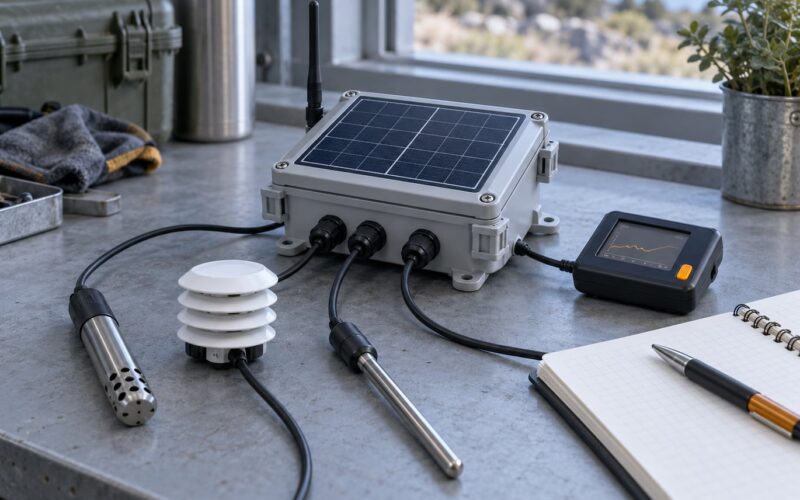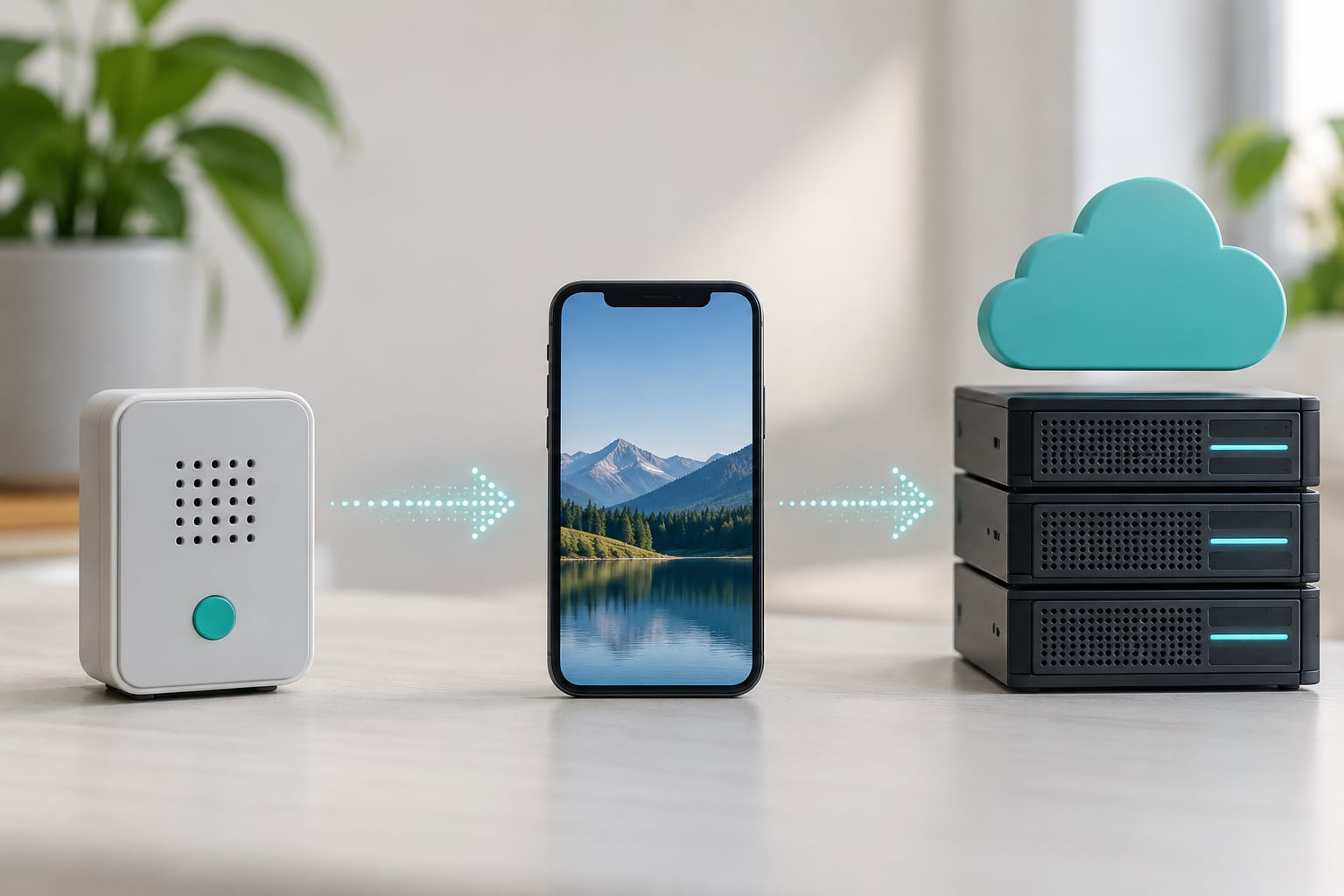
MQTT messaging works by letting devices publish small messages to named topics through a central broker, which then forwards each message to every client subscribed to that topic. That decouples senders from receivers, so a parking sensor and a city dashboard never need to know each other exists. The protocol adds only a two-byte fixed header per packet, which is why it survives low bandwidth and flaky links.
What follows is the mechanism, not the marketing: how a broker routes, what each QoS level actually promises, what a retained message does on reconnect, and where MQTT loses to plain HTTP. If you are building civic sensing, smart metering or fleet telemetry, the examples are written for that.
Table of Contents
- What Is MQTT and How Does MQTT Messaging Work?
- Which MQTT Components Make a Message Flow?
- How Do MQTT Topics Route Messages?
- What Happens When an MQTT Client Publishes a Message?
- What Are MQTT Quality of Service Levels?
- How Do MQTT Keep-Alive, Retained Messages, and Sessions Work?
- How Is MQTT Secured?
- How Does MQTT Compare with HTTP and WebSockets?
- How Do You Build a Basic MQTT IoT Workflow?
- Frequently Asked Questions
- Is MQTT a protocol or a server?
- What is the difference between MQTT topics and WebSocket channels?
- Does MQTT guarantee message delivery?
- Can MQTT messages be sent securely over the internet?
- What is an MQTT retained message?
- Is MQTT suitable for real-time web applications?
- What to Take Away
What Is MQTT and How Does MQTT Messaging Work?
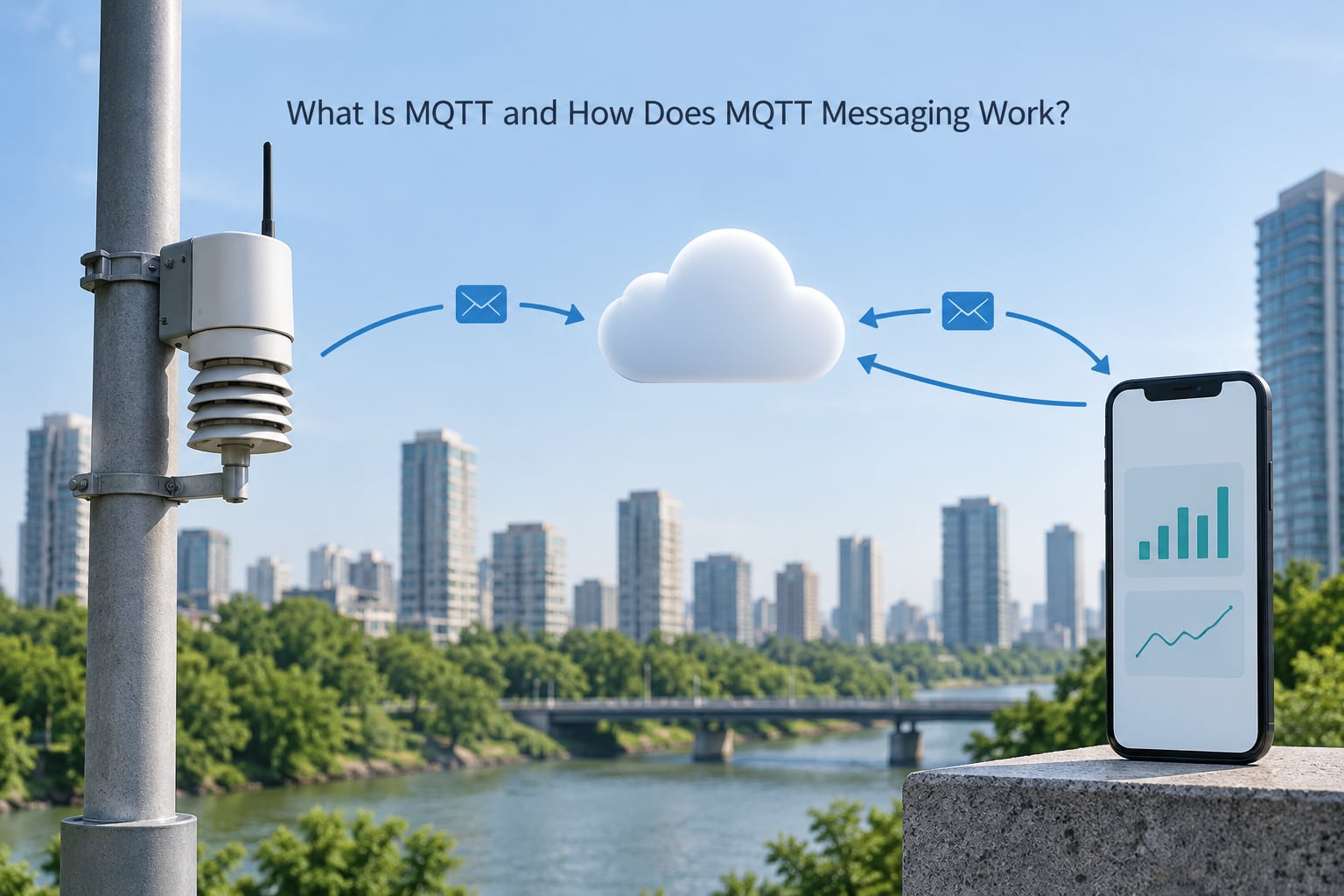
MQTT is Message Queuing Telemetry Transport, an open publish/subscribe messaging protocol standardised by OASIS and widely used for machine-to-machine communication. Publishers send messages to a topic, subscribers receive anything on the topics they asked for, and a broker sits in the middle doing the matching. The publisher never addresses a subscriber directly, which is the whole point.
Four roles carry the traffic:
- Broker – the server every client connects to. It authenticates, keeps the topic registry, and forwards messages.
- Publisher – any client sending a message. A client can be a publisher, a subscriber, or both at once.
- Subscriber – any client that registers interest in a topic or wildcard filter.
- Topic – a UTF-8 string address such as
city/air/aq-014/pm25. The payload rides underneath it.
The lightweight part is measurable. Every MQTT control packet starts with a two-byte fixed header, and the whole thing rides over TCP, so ordering and retransmission come for free. A sensor reporting a number every 60 seconds moves very little data compared with a JSON API call that opens a fresh connection each time.
That trade matters most where connectivity is metered, slow, or intermittent. A water meter on a rural line, a transit vehicle in a tunnel, or an air quality node on solar power all benefit from a protocol that tolerates reconnects without re-registering everything from scratch.
Which MQTT Components Make a Message Flow?
Everything in MQTT rolls up into a small set of parts. Get these right and the rest of the protocol is bookkeeping.
- Client – any device or application with an MQTT library. Your phone running a transit app is a client.
- Broker – the only server in the model. It holds subscriptions, forwards messages, and enforces permissions.
- Topic – the destination address, a slash-delimited string of UTF-8 characters.
- Topic filter – what a subscriber registers, which may contain wildcards.
- Payload – the application data itself. It can be JSON, protobuf, a plain number, or binary.
- Packet identifier – a 16-bit number the broker uses to match acknowledgements to in-flight QoS 1 and QoS 2 exchanges.
A worked example makes the roles concrete. An air quality node at station AQ-014 publishes 21.4 to city/air/aq-014/pm25. The broker holds a registry and finds that three clients have subscribed: a dashboard aggregating citywide AQI, an alerting service, and a local edge gateway that batches to the cloud.
All three receive the reading. The publisher sends one copy and knows none of them by name. If the alerting service is restarted, its session state decides whether it catches up or starts fresh, which is exactly the session behaviour covered further down.
One rule is worth internalising early: a client is simultaneously a publisher and a subscriber. The same mobile app that displays parking bay status can publish city/parking/bay-207/claim and still subscribe to occupancy updates on the same connection.
How Do MQTT Topics Route Messages?
Topics are hierarchical strings separated by forward slashes, and routing is pure string matching. Design the convention before you deploy sensors, because renaming a topic later orphans every stored retained value and every ACL rule.
A workable pattern for city infrastructure is location-first: sector/device/class/metric.
city/air/aq-014/pm25– a single station readingcity/water/zone-3/flow– a zone-level flow valuecity/parking/bay-207/state– one bay, one statecity/transit/bus-4412/position– a vehicle position ping
Subscribers use two wildcards. The single-level plus sign matches exactly one level, so city/air/+/pm25 catches every air station’s PM2.5 value and nothing else. The multi-level hash sign matches the current level and every level beneath it, so city/parking/# catches state, rate, and anything a future firmware revision invents under that branch.
Put the wildcard at the end. A filter like city/+/+/pm25 works, but city/air/#/pm25 is invalid and the broker rejects the subscription outright, which is a common self-inflicted outage when a fleet goes live at 6am.
Broad filters cost you. A dashboard subscribing to city/# receives the entire firehose of the city, including high-frequency bus positions. Wide subscriptions are the single biggest cause of a broker looking slow when nothing is actually wrong.
What Happens When an MQTT Client Publishes a Message?
One reading from one sensor, packet by packet. This is the sequence that answers the search query directly.
- CONNECT – the client opens a TCP connection, then sends protocol name, version, client ID, credentials, clean-start flag, keep-alive value, and its last will message.
- CONNACK – the broker accepts or rejects, and in MQTT 5.0 returns a reason code explaining a refusal such as bad credentials or a malformed client ID.
- SUBSCRIBE / SUBACK – the dashboard registers its filters, and the broker confirms each one, including any wildcard rejection.
- PUBLISH – the sensor sends topic, QoS level, retain flag, and payload. Nothing addresses the dashboard.
- Broker routing – the broker matches the topic against every subscription in its registry, applies the retain flag, applies ACLs, and queues offline persistent sessions.
- Delivery and acknowledgement – at QoS 1 the receiving client answers PUBACK, at QoS 2 the broker and client complete a four-packet handshake. QoS 0 is fire and forget.
- PINGREQ / PINGRESP – every keep-alive interval, to prove the connection is alive and detect dead links.
- DISCONNECT – an orderly close, which tells the broker not to fire the last will message.
Stitched together, one normal round trip looks close to this on the wire:
-- sensor (10.0.4.19) to broker
CONNECT        clientId="aq-014" keepAlive=60 cleanStart=1
CONNACK        sessionPresent=0
SUBSCRIBE      packetId=1 filter="city/air/aq-014/#"  qos=1
SUBACK         packetId=1 grantedQos=1
PUBLISH        topic="city/air/aq-014/pm25" qos=1 retain=0 payload=21.4
PUBACK         packetId=2
PINGREQ -> PINGRESP
Note what is missing. There is no handshake with the dashboard, no address of any dashboard in the sensor’s message, and no HTTP request or response pairing. The broker did all of it.
What Are MQTT Quality of Service Levels?
QoS is a per-message delivery guarantee set by the publisher, and the broker can only deliver at the lower of the publish QoS and the subscription QoS. Choosing a level is choosing how many round trips you accept to avoid a lost reading.
| Level | Guarantee | Packet exchange | Typical IoT use |
|---|---|---|---|
| QoS 0 | At most once | PUBLISH only | High-frequency telemetry where the next reading supersedes the last, such as bus position pings |
| QoS 1 | At least once | PUBLISH to PUBACK, possible duplicates | Sensor readings, meter events, anything you will chart |
| QoS 2 | Exactly once | PUBLISH, PUBREC, PUBREL, PUBCOMP | Commands with side effects, such as opening a valve or issuing a fare refund |
QoS 1 is the sensible default for measurement, and the duplicate risk is usually harmless because consumers deduplicate on device ID plus timestamp. QoS 2 costs four packets and two round trips each way, which is real money on a cellular link and usually wasted on a temperature reading.
One thing people get wrong: QoS is about the transport between client and broker, not between broker and subscriber. Delivery guarantee ends at the broker. If your application needs end-to-end exactly-once, you have to build idempotency into the consumer yourself.
How Do MQTT Keep-Alive, Retained Messages, and Sessions Work?
These three settings decide what happens during an outage, and they are the settings most likely to surprise you in production.
Keep-alive is a timer the client declares in CONNECT. If the broker hears nothing from that client within one and a half times the interval, it declares the connection dead and fires the last will message. A node that loses power abruptly never gets to say goodbye, which is the point: a broker can tell operators that a camera stopped reporting because its last will says so.
Retained messages are the ones that cause the most confusion. When a message is published with the retain flag set, the broker stores the last retained payload for that topic and delivers it the instant any new subscriber subscribes. That is ideal for a dashboard needing current bay state without waiting for the next reading.
It also explains a recurring forum complaint about stale or duplicated values on reconnect. A retained state message plus a flow that republishes the same value on every start gives you two messages carrying identical data, and the consumer has no way to tell they came from different paths. Publish state changes with retain and readings without it, and never retain a value you also republish on a timer.
Sessions govern what happens to messages while a subscriber is disconnected. With a clean session, the broker discards subscriptions and queued messages on disconnect. With a persistent session, the broker keeps both and queues QoS 1 and QoS 2 messages until the client returns, within a session expiry window. MQTT 5.0 makes that window explicit rather than an open-ended assumption.
QoS 0 messages are never queued for an offline subscriber. If a bus position ping arrives while your dashboard process is restarting, it is gone. Anything you would be annoyed to lose needs QoS 1 and a persistent session.
How Is MQTT Secured?
MQTT has no built-in encryption. A default install on port 1883 sends usernames, passwords and payloads in plain text, which is why so many city pilots go wrong at the security review stage.
- Use TLS on port 8883 for anything crossing a network you do not control. Plain port 1883 belongs on a lab bench or a genuinely isolated segment, nothing more.
- Give every device its own credentials, issued at commissioning and revocable without touching the fleet. One shared city-wide password is a single point of failure with no audit trail.
- Set topic-level ACLs so a parking sensor physically cannot publish to a water command topic. The broker should enforce read and write per topic, per client.
- Manage certificates deliberately, with an expiry date you monitor. An expired client certificate is one of the top causes of a fleet that suddenly stops connecting.
- Keep the broker off the public internet where you can, reaching it through a gateway or VPN. Self-hosted brokers on an internal network were the pattern home-automation builders settled on for exactly this reason.
- Log connections and ACL denials, because an authentication failure looks identical to a network failure from the client’s side.
WebSockets transport, common for browser clients, should run behind TLS with the same wss discipline. A browser cannot open a raw TCP socket at all, which is the one real reason the WebSocket listener exists.
How Does MQTT Compare with HTTP and WebSockets?
MQTT and HTTP are not rivals so much as answers to different questions. HTTP is request and response: the client asks, the server answers, connection closes. MQTT is asynchronous: the publisher fires and moves on, and whoever cares picks the message up now or later.
| Approach | Transport | Overhead | Delivery model | Best fit |
|---|---|---|---|---|
| MQTT | TCP or WebSockets | Two-byte fixed header, long-lived connection | Publish/subscribe with three QoS levels | Constrained devices sending many small messages on metered or unreliable links |
| HTTP | TCP | Full request and response headers per call | Request/response, client must poll | Rare events, one-off queries, file transfers, webhook style integrations |
| WebSockets | TCP upgrade | Low once established, browser-compatible | Bidirectional stream, no delivery levels or topic routing | Live browser dashboards over constrained corporate networks |
| AMQP | TCP | Heavier handshake, richer routing and transactions | Queue and exchange model with acknowledgements and priorities | Back-office and enterprise integration where routing rules matter more than footprint |
Many real systems run both. Devices publish over MQTT, and an internal service turns a new alert into an HTTPS call to a partner API. If you find yourself polling a broker every thirty seconds to fetch what it already has, that is the signal to switch that path to a subscription.
Is MQTT still relevant? In device-to-cloud messaging, yes. It is an OASIS standard, shipped in the firmware stacks of most microcontroller boards, and supported by every major cloud IoT service. The realistic downsides are a real broker to operate, no native encryption without TLS, no built-in message transformation, and awkward guarantees that stop at the broker.
How Do You Build a Basic MQTT IoT Workflow?
The order matters more than the tooling. Work through it in this sequence and the failure modes stay small.
- Choose the broker and its deployment model. Self-hosted open brokers suit a single site with predictable load and full control. Managed cloud services suit multi-site fleets, and they absorb certificate rotation and connection scaling for you.
- Design the topic tree. Write the naming convention down, including which branches are retainable and which are command topics. Approve ACL rules against that same document.
- Set the client defaults. Client ID, TLS, keep-alive, clean start or persistent session, and the last will message. Get the will right on day one rather than during an incident.
- Subscribe narrowly. Use the narrowest filter that works and confirm granted QoS in the SUBACK, which is where a rejected wildcard surfaces.
- Validate payloads at the consumer, not just at publish time. A sensor firmware update can change units or field names without warning.
- Instrument before rollout. Track connection count, publish rate, dropped messages, and per-topic throughput. A topic that suddenly spikes is usually a device in a retry loop.
- Test the failure path by killing power on one node and confirming its will fires, then by restarting a subscriber and confirming whether it catches up or starts clean.
MQTT 3.1.1 remains the safe baseline, and MQTT 5.0 is worth the upgrade where brokers support it:
| Feature | MQTT 3.1.1 | MQTT 5.0 |
|---|---|---|
| Subscription sharing across a client group | Not available | Shared subscriptions distribute load across worker instances |
| Message expiry | Not available | Per-message expiry interval drops stale readings on their own |
| Session lifetime | Clean session flag only | Explicit session expiry interval |
| Refusal feedback | Single return code | Detailed reason codes per packet |
Can MQTT work without internet? Yes. Nothing in the protocol requires a public path, which is the point for field deployments where a substation or a rural telemetry cabinet has a local network only. A broker on a local machine, a laptop, or a small edge box handles the site; the cloud link is an optional extra, and the persistent session and retained message features are what make the later sync work.
When a broker will not accept connections, work the order rather than guessing. First check the transport: MQTT over TCP needs port 1883, TLS needs 8883, and WebSockets needs the path the client library is configured with. Then check credentials and client ID collisions, since two clients sharing an ID cause the broker to kick one of them off in a loop that looks like flapping. Then confirm the protocol version matches what the broker accepts, because a 3.1.1-only broker refusing a 5.0 client returns an error most libraries surface as a generic connection failure. That sequence resolves the large majority of these cases.
Frequently Asked Questions
Is MQTT a protocol or a server?
MQTT is a protocol, not a server. It is the set of rules two clients use to exchange messages through a broker, which is the actual server. A broker can speak MQTT only; it cannot serve HTTP requests or a database query. When people say they are using MQTT, they usually mean they are running or renting a broker and connecting clients to it.
What is the difference between MQTT topics and WebSocket channels?
A WebSocket channel is a single bidirectional connection between exactly two endpoints, and everything sent on it arrives at the other end. An MQTT topic is an address on a broker that any number of clients can subscribe to, including clients that connected later. With WebSockets you maintain a connection per relationship; with MQTT the broker holds the fan-out for you.
Does MQTT guarantee message delivery?
It depends entirely on the QoS level you pick. QoS 0 is at most once, so a message can be lost. QoS 1 is at least once, so a message arrives but may arrive twice. QoS 2 is exactly once, at the cost of a four-packet handshake. Note that these guarantees cover client to broker only. For end-to-end delivery you still need to handle duplicates in your consumer.
Can MQTT messages be sent securely over the internet?
Yes, and you must. MQTT itself has no encryption, so you run the connection over TLS, typically on port 8883, and give each device its own credentials. Pair that with topic-level access control so a device can only publish to its own branch of the tree, and keep certificate expiry dates monitored. Unencrypted port 1883 is acceptable only on an isolated network.
What is an MQTT retained message?
A retained message is one published with the retain flag set, which tells the broker to store the last payload for that topic. Any client that later subscribes receives that stored value immediately instead of waiting for the next live reading. It is ideal for current state such as a parking bay status, and a common source of confusing duplicates when the same value is also republished on a timer.
Is MQTT suitable for real-time web applications?
For the device-to-server half, yes. MQTT suits low-bandwidth, intermittently connected devices far better than polling. In the browser you connect over WebSockets rather than raw TCP, which most brokers support on a separate listener port. What MQTT does not give you is message transformation or queueing semantics, so back-office workflows often keep using plain HTTP and REST.
What to Take Away
Start with the topic tree, because it is the one decision you cannot quietly reverse after a fleet is in the ground. Decide which branches carry live readings at QoS 0, which carry data you will chart at QoS 1, and which carry commands at QoS 2.
Then stand up one broker, one sensor and one dashboard on TLS, and deliberately break the link before you scale. Watch the last will fire, watch a persistent session catch up, and confirm a retained state message does not double up with a republished value.
That single afternoon tells you more about how MQTT messaging works in your deployment than any amount of reading, and it is exactly how MQTT messaging works once you know where the broker sits in the path.