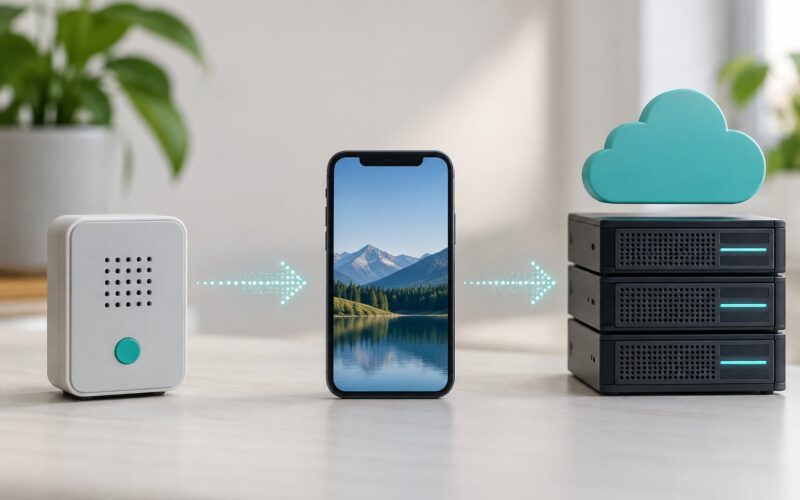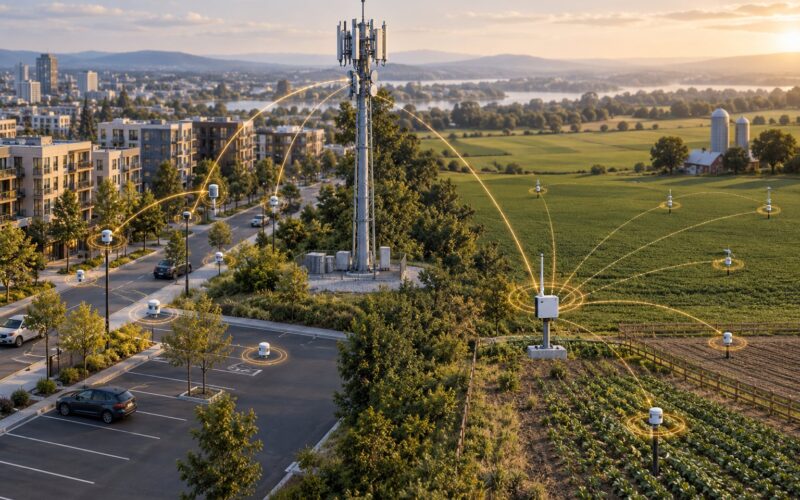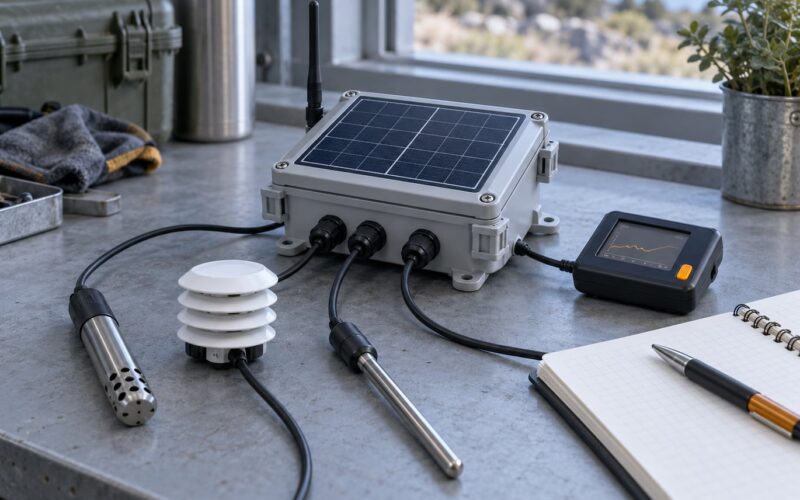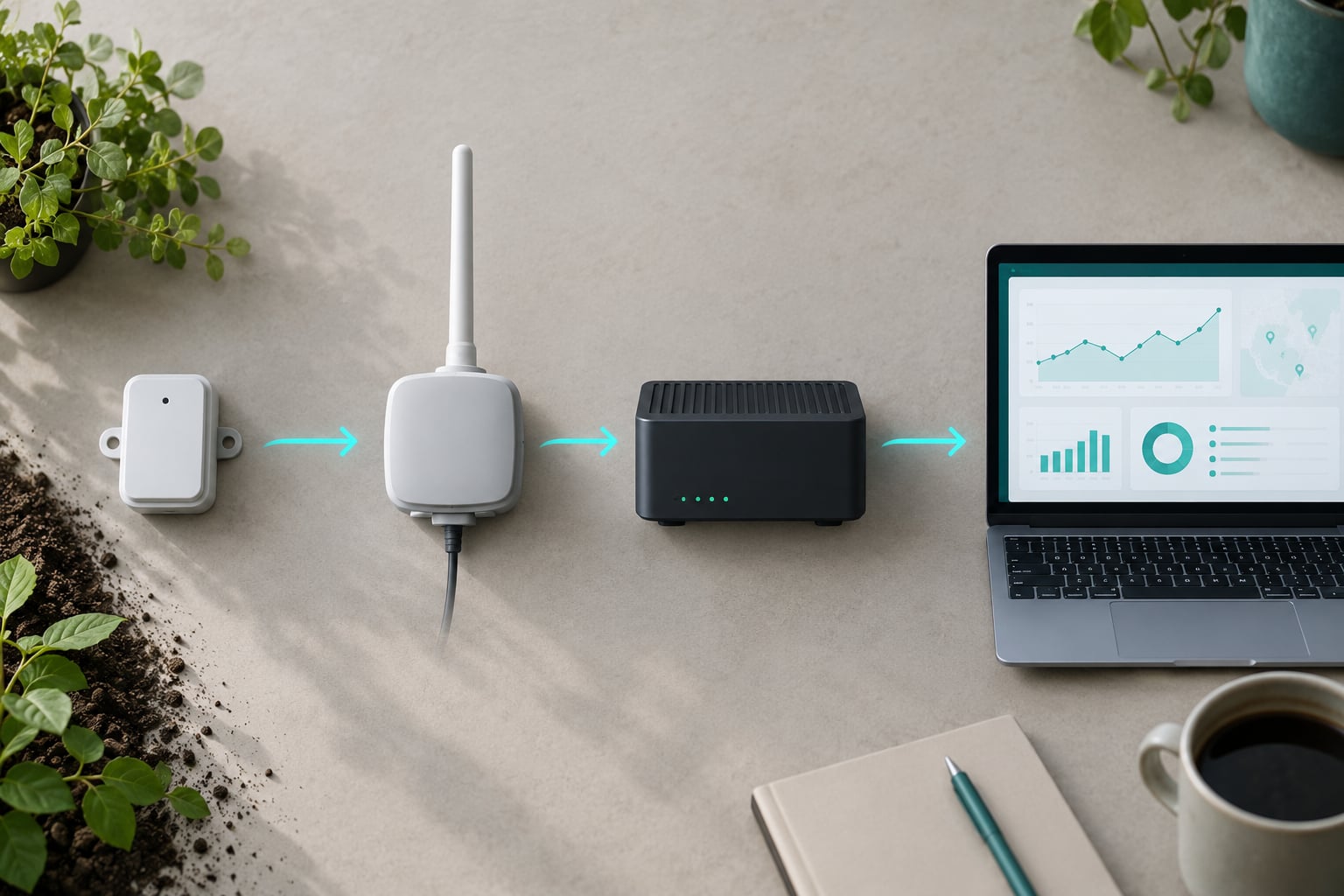
LoRaWAN networks connect IoT devices through a four-step path: the end device sends a radio packet, every gateway in range forwards it over IP, the network server de-duplicates and checks it, and the application server delivers the payload to your dashboard. No cellular coverage, no SIM card, no per-device carrier contract.
This guide walks that path end to end, then covers activation, device classes, security, regional bands and deployment planning. It is written for developers and city technology teams who already know what IoT is but have never had to commission a low-power wide-area network (LPWA).
Table of Contents
- How LoRaWAN Networks Connect IoT Devices
- What Is LoRaWAN and How Is It Different from LoRa?
- The Components of a LoRaWAN Network
- How Data Travels from an IoT Device to an Application
- How Devices Join a LoRaWAN Network
- How the Network Selects a Gateway
- What Happens During an Uplink and a Downlink
- LoRaWAN Classes, Spreading Factors, and Data Rates
- How LoRaWAN Keeps Device Data Secure
- How LoRaWAN Compares with Wi-Fi, Cellular, and BLE
- How to Design and Deploy a Reliable LoRaWAN Network
- Frequently Asked Questions
- Do LoRaWAN devices connect directly to the internet?
- What is the difference between a LoRaWAN gateway and a router?
- Can a LoRaWAN gateway forward data to a normal application server?
- How far can a LoRaWAN device communicate?
- Does LoRaWAN use IP addresses like Wi-Fi or cellular networks?
- What security risks should a LoRaWAN operator consider?
- Conclusion: Start with the Connection Path
How LoRaWAN Networks Connect IoT Devices
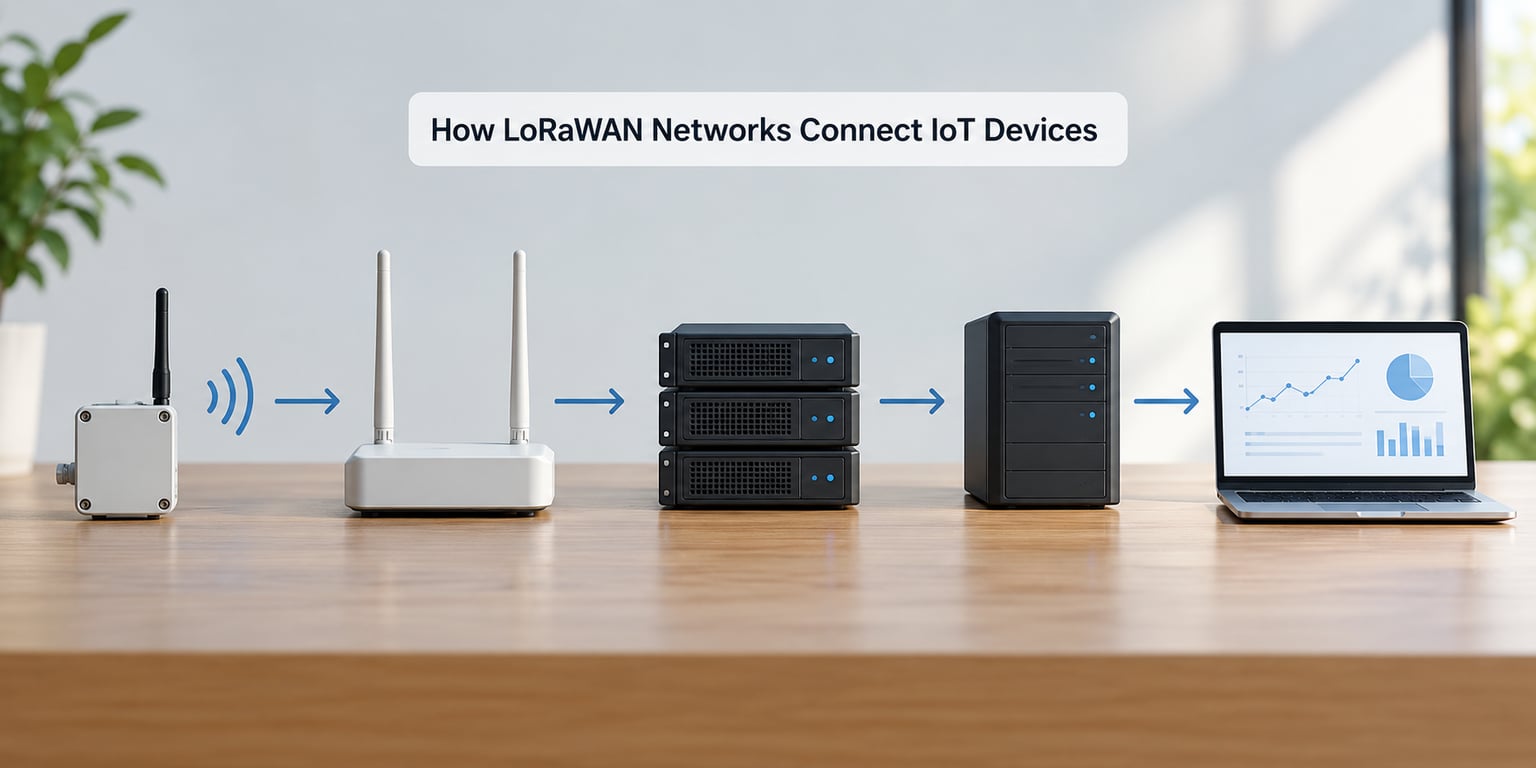
Five moves, in this order, every time:
- The end device wakes, builds a payload and transmits a LoRa radio packet on an uplink.
- Every gateway within radio range receives it and forwards it as UDP over IP to the network server.
- The network server discards duplicates, confirms the device is registered on that network, and decrypts the network layer.
- The application server decrypts the application payload and publishes it, usually over MQTT.
- Anything sent back travels as a downlink, which the device can only receive inside its RX1 or RX2 window.
The part people miss is step five. A downlink is not broadcast continuously. After transmitting, the end device opens two short receive windows, and only then can it hear a reply. That single design choice is why a sensor can sit on a shelf for years on a small battery and still take commands when it finally reports in.
Also worth stating plainly: devices never talk to each other. LoRaWAN is a star-of-stars topology. Every transmission goes up to a gateway, even when two sensors are sitting next to one another.
What Is LoRaWAN and How Is It Different from LoRa?
LoRa is the radio modulation. It is the chirp spread spectrum physical layer that turns a small digital payload into a wide, slow, noise-tolerant radio wave. Chips from Semtech and its module partners implement it, and the radio alone knows nothing about device identity, addresses or what a payload means.
LoRaWAN is the protocol built on top of that radio. It is a Media Access Control (MAC) layer specification maintained by the LoRa Alliance, and it adds everything needed to run a network: how devices join, how addresses are assigned, how uplink and downlink messages are structured, how messages are authenticated and encrypted, and how a gateway and network server behave on the wire.
Think of it this way. LoRa is a road. LoRaWAN is the driving rules on that road, including who is allowed to drive, what licence plates look like and what happens after a crash.
Other things LoRaWAN is not. It is not a mesh network, unlike Zigbee or Thread, where a device can relay for its neighbours. It is not IP-native, so a LoRaWAN device has no IP address and cannot open a socket or browse the web. And it is not a real-time protocol. It is built for a few bytes every few minutes or hours, not for continuous streams.
The Components of a LoRaWAN Network
| Component | What it does |
|---|---|
| End device | Sensor or actuator with a LoRa radio. Builds payloads, opens receive windows, and holds the security keys. |
| Gateway | Packet forwarder. Converts RF frames to UDP/IP packets and relays them to the network server. Holds no application logic. |
| Network server | Receives forwarded packets, de-duplicates copies, checks device registration, manages the join procedure and applies adaptive data rate. |
| Join server | Supplies device credentials during activation and, in LoRaWAN 1.1, is the authority for root keys and join nonce handling. |
| Application server | Decrypts the application payload, runs your integration and pushes decoded data to a broker or dashboard. |
| User interface | The console where administrators add devices, inspect traffic and manage access. |
The gateway is the component people over-describe. It receives every frame in the air, timestamps it, adds signal quality data (received signal strength indicator, RSSI, and signal-to-noise ratio, SNR) and forwards it. It does not decrypt the payload, does not know what your sensor measures, and does not decide anything. Practitioners describe it as a packet forwarder between the end device and the network server, and that is accurate.
Because gateways have no intelligence, any gateway and any sensor on the same regional profile and band should be able to work together. Band and region have to match, though. That is not a formality.
How Data Travels from an IoT Device to an Application
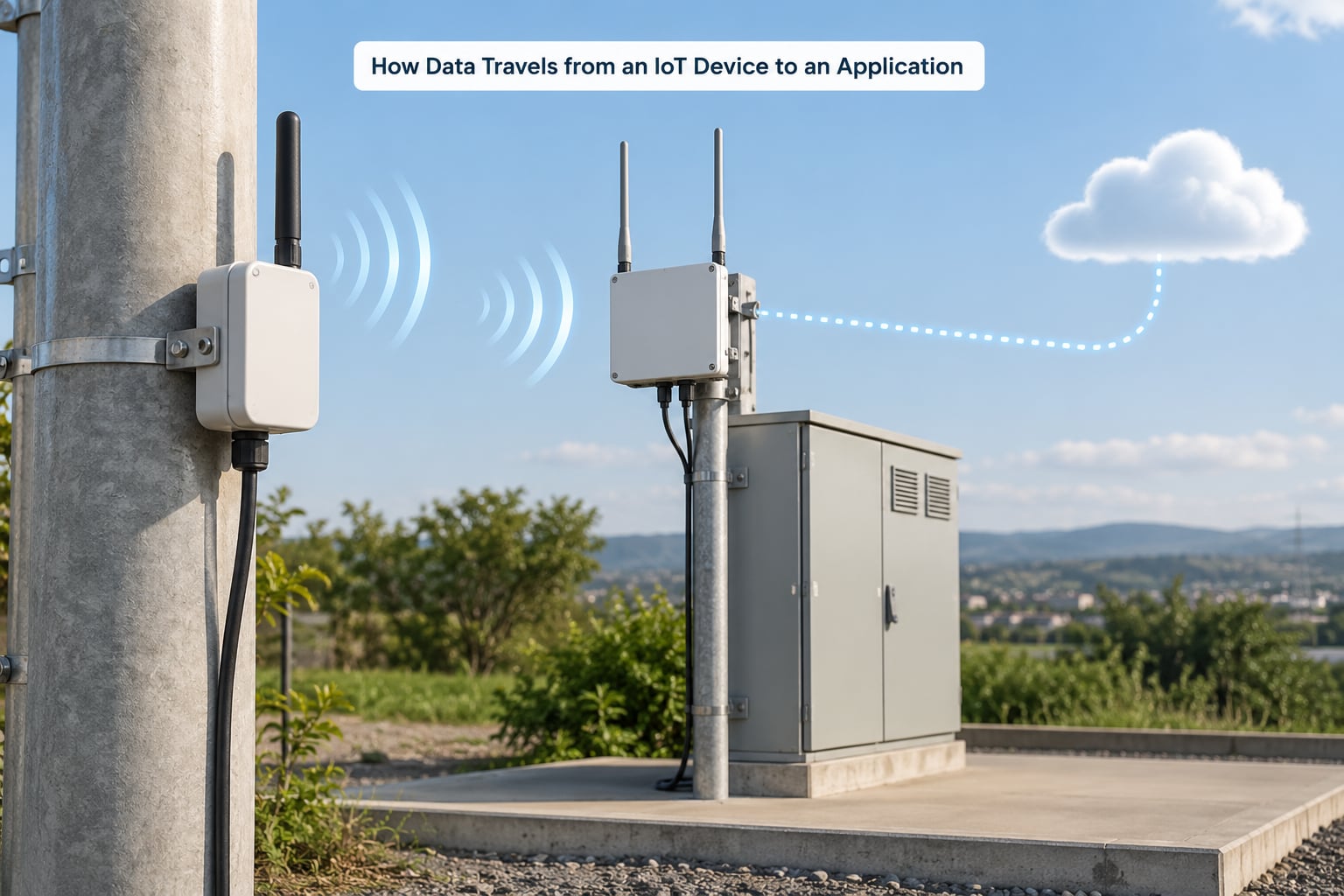
Step by step, with a parking-bay sensor reporting a change in state:
- Build. The sensor packages a 2-byte payload, a device address, a frame counter and an integrity code.
- Transmit. It picks a spreading factor and channel power and sends the frame in the uplink. ALOHA means no collision-avoidance handshake, so any device can transmit at any time.
- Capture. Every gateway in range receives the same frame independently, each with its own RSSI and SNR reading.
- Forward. Each gateway wraps the frame in UDP and sends it over its IP backhaul, which may be Ethernet, fibre, Wi-Fi or a cellular router.
- De-duplicate. The network server groups the copies that share a frame counter and keeps one, normally the best-received.
- Verify. It checks that the device is registered on that network server, verifies the network layer message integrity, and discards anything that fails.
- Route. The network layer portion is decrypted and the application payload is handed to the application server.
- Deliver. The application server decrypts the payload with its own key and publishes decoded values to an MQTT topic or an HTTP endpoint.
Step five is worth dwelling on. If a gateway forwards packets for a device that is not registered on that network server, the packets get dropped and never reach an application. During commissioning this looks exactly like a dead radio link, which is why it is a common afternoon-losing source of confusion.
How Devices Join a LoRaWAN Network
A device has to be admitted to the network before it can send anything. There are two ways that happens, and the difference matters more than most guides admit.
| OTAA (over-the-air activation) | ABP (activation by personalization) | |
|---|---|---|
| Session keys | Negotiated at join, refreshed automatically | Loaded directly into the device, never refreshed |
| Frame counters | Tracked by both ends, replay protection | Reset on restart, replay-prone |
| Provisioning | Device carries one root key | Three keys must be written to each unit |
| Best for | Almost every real deployment | Bench testing and controlled lab setups |
In OTAA the device powers on and broadcasts a join request containing its device identifier. The join server answers with a join accept carrying a temporary network address and session key material. From that point on the device holds a network session key (NwkSKey), an application session key (AppSKey) and a network address, and every frame is protected with them.
The pitfall that catches almost everyone: some network server platforms label the root key differently. The LoRaWAN specification calls it NwkKey, while The Things Stack historically expects the value in a field it labels AppKey. Paste the right key into the wrong field and the device simply never joins, with no useful error. Check the naming convention your platform documents rather than assuming.
Provision uniquely. Shared root keys across a fleet mean one extracted device hands over an entire network’s identities.
How the Network Selects a Gateway
It mostly does not. The end device transmits a broadcast frame, and every gateway whose receiver is open and in range hears it. There is no hand-off, no association and no roaming event at the radio layer.
Selection happens at the network server, after the fact. It groups the copies by frame counter, scores them on RSSI and SNR, keeps the strongest, and discards the rest. The device never learns any of this and does not need to care.
Two practical consequences. First, redundancy is cheap on the device side: if a site is covered by two or three gateways, one gateway going offline does not produce a coverage hole. Second, a device in range of a gateway operating a different region profile will send frames that gateway cannot decode, which is one reason mixing profiles on shared hardware causes silent failures.
What Happens During an Uplink and a Downlink
Take a smart parking sensor. It wakes, finds a bay has changed from free to occupied, and transmits a short uplink with the bay ID. Every gateway nearby forwards it, the network server keeps the best copy, and the application server publishes an occupancy record to MQTT. A dashboard updates and, in a fuller pipeline, a municipal open-data feed republishes it.
Now the reverse direction. The application server wants to tell the sensor to re-report in five minutes instead of fifteen. The network server queues that as a downlink, and the gateway transmits when the device is expected to listen.
Because the sensor is usually asleep, LoRaWAN defines two receive windows immediately after every uplink. RX1 opens one second after the uplink on the same channel, using the power setting the device last used. If nothing arrives there, RX2 opens two seconds after the uplink on a fixed default channel and power. Class A devices listen in those two windows and nowhere else, which is what lets them sleep for months between transmissions.
Class B devices add a periodic ping slot, and Class C devices keep the receiver open almost continuously. Downlink latency moves from minutes to seconds as you climb that ladder, and battery life moves in the opposite direction.
LoRaWAN Classes, Spreading Factors, and Data Rates
| Class | Receive behaviour | Downlink latency | Power | Typical use |
|---|---|---|---|---|
| A | RX1 and RX2 only, after uplink | Up to the next uplink cycle | Lowest | Meters, environmental sensors, asset tags |
| B | RX1/RX2 plus periodic ping slots | Scheduled, deterministic | Medium | Downlink-heavy sensing with known timing |
| C | Receiver open almost continuously | Under a second | Highest | Mains-powered actuators and lighting |
Spreading factor (SF) is the knob behind range and data rate together. A higher spreading factor spreads the same energy across a wider bandwidth, which buys link margin against noise and interference at the cost of airtime. Lower SF sends faster and uses less airtime but needs a cleaner link.
Typical LoRaWAN throughput runs from roughly 0.3 kbps at the most robust settings to about 50 kbps at the fastest, and real application payloads are usually a handful to a few dozen bytes. That is the honest ceiling: a LoRaWAN message is not a place to put a photograph.
Regulations differ by country, and the region profile set on the gateway and the device must agree:
| Region | Band | Note |
|---|---|---|
| Europe | EU 868 MHz | Sub-GHz with duty cycle limits, commonly 1% or 0.1% depending on sub-band |
| Europe | EU 433 MHz | Optional alternative profile |
| North America | US 915 MHz | Channel plan from the ISED and FCC rules |
| China | CN 470 and CN 779 MHz | Two distinct plans |
| Asia-Pacific | AS 923 MHz | Widely adopted across parts of Asia |
| India | IN 865 MHz | IN 865 profile |
| South Korea | KR 920 MHz | KR920 profile |
| Russia | RU 864 MHz | RU 864 profile |
| Australia | AU 915 MHz | AU 915 profile |
Duty cycle is the reason a gateway can serve a surprising number of devices. Because a single sub-GHz channel must be shared, a device may transmit only for a small share of the time, so total airtime across all devices on a gateway is capped. Data volume, not device count, is what fills the pipe.
How LoRaWAN Keeps Device Data Secure
LoRaWAN gives each device two session keys after activation: NwkSKey for network-level integrity and AppSKey for the application payload. Payloads are protected with AES-128, and frames carry an AES-CMIC (AES-CMAC) integrity code so a receiver can detect tampering before acting on a message.
Two layers of encryption is deliberate. The network layer protects addressing and routing metadata so an outsider cannot read or forge traffic, while the application layer is separate so that an application server holds only the keys it needs, and the network operator does not hold application data by default.
Operational practice matters more than the cipher. Provision a unique root key per device and store it in a secrets manager, never a shared spreadsheet. Prefer OTAA so keys rotate on every join and frame counters give you replay protection. Keep LoRaWAN firmware versions aligned across device and server, since 1.0.x and 1.1 differ in key handling. Treat the join server as a production system with real access controls, because anyone who can issue a join accept can enrol a device.
And plan for physical reality. A sensor on a street pole is retrievable by anyone with a ladder, and the root key is stored on the device. Tamper-resistant enclosures and monitoring for sudden device deregistrations are as important as the encryption itself.
How LoRaWAN Compares with Wi-Fi, Cellular, and BLE
| LoRaWAN | Wi-Fi | Bluetooth LE | Zigbee | NB-IoT / LTE-M | |
|---|---|---|---|---|---|
| Typical range | Kilometres | Tens of metres indoors | Metres to tens of metres | Tens of metres | Cell coverage |
| Data rate | 0.3-50 kbps | Order of hundreds of Mbps | Around 1-2 Mbps | 250 kbps | Tens of kbps to Mbps |
| Battery life | Years | Hours to days | Months | Months to years | Years |
| Infrastructure | You build gateways and backhaul | Existing access points | Phone or central host | Coordinator plus mesh | Carrier network |
| Mobility | Stationary sensors | Stationary | Mobile peripherals | Stationary to slow mobility | Mobile assets and trackers |
| Best fit | Fixed, low-rate, wide-area city sensing | Building LAN, high throughput | Wearables, personal devices | Local building mesh | Metering and mobile assets where carrier coverage exists |
Neither LoRaWAN nor Wi-Fi is better. They are different tools. If a project needs continuous video, high throughput or sub-second control loops, LoRaWAN is the wrong answer and cellular or Wi-Fi is right. If it needs thousands of battery-powered points reporting a few bytes each across a city with no carrier relationship, LoRaWAN is usually the sensible choice.
The honest case against LoRaWAN: no mesh between devices, no mobility story, low throughput, and an unlicensed band where you do the radio planning yourself.
How to Design and Deploy a Reliable LoRaWAN Network
Start from the payload, not the hardware. Write down how many bytes each device sends, how often, and how large the response may be. Ten bytes every fifteen minutes and one hundred bytes every second lead to completely different network designs.
Then fix mobility and power. A device on a battery that reports every fifteen minutes wants Class A. A mains-powered streetlight controller wants Class C so it can respond immediately.
Survey the sites next, including basements, plant rooms and lift shafts where penetration is worst. Aim for every device to sit inside the range of at least two gateways, and use gateways with cellular or fibre backhaul so a backhaul failure does not also remove coverage. Confirm link budgets with an on-site radio survey rather than trusting a maximum range figure, since terrain and clutter routinely cut claimed distances several-fold.
Choose a network server next. Public platforms such as The Things Stack, Loriot, Actility and AWS IoT Core for LoRaWAN get a fleet running quickly and expose standard MQTT or HTTP connectors. Self-hosting ChirpStack or The Things Stack gives you full control of data residency, device records and payload handling, at the cost of running and securing the infrastructure yourself. For civic deployments handling public data, that trade-off deserves a deliberate decision rather than a default.
Set the region profile identically on devices and gateways, generate unique keys per device, then join a single node before commissioning the fleet. Wire the application side to a broker early so you can see decoded payloads rather than guessing from logs.
After go-live, watch frame counters, join failures and per-gateway packet rates. Airtime drift is usually the first sign that a spreading factor mix is wrong.
When a device will not join, work through four checks. Confirm the root key landed in the field your platform expects, given the AppKey versus NwkKey naming split. Confirm the region profile matches the physical band. Confirm the LoRaWAN firmware version matches what the network server expects. Then confirm the gateway is forwarding at all by checking whether any uplink appears at the network server, even one that gets discarded as unregistered.
Frequently Asked Questions
Do LoRaWAN devices connect directly to the internet?
No. An end device has no IP address and cannot open a socket. It sends a radio packet to any gateway in range, and the gateway forwards it over an IP backhaul as UDP. The network server sits between that radio hop and your application, which is what allows de-duplication, registration checks and routing.
What is the difference between a LoRaWAN gateway and a router?
A gateway receives LoRa radio frames from devices and forwards them. A router moves IP traffic between networks. They are different jobs, though a physical box often does both: a gateway with cellular backhaul contains a LoRa concentrator and a cellular router in one enclosure. The LoRa half is the gateway, the cellular half is the router.
Can a LoRaWAN gateway forward data to a normal application server?
Not on its own. A gateway only forwards to a LoRaWAN network server over UDP, using the packet forwarder protocol. It does not know your schema and cannot talk directly to a database or an HTTP endpoint. From the network server and application server, data reaches ordinary infrastructure, most often through MQTT or an HTTP connector.
How far can a LoRaWAN device communicate?
It depends on band, spreading factor, antenna, terrain and clutter, so any single number is misleading. Multi-kilometre links are routinely achieved in urban deployments, and clear line-of-sight rural links go much further. Deep indoor positions, dense metal structures and hillsides are what erode range, so plan from an on-site radio survey rather than a headline figure.
Does LoRaWAN use IP addresses like Wi-Fi or cellular networks?
No. End devices are addressed by LoRaWAN device addresses, and packets carry no IP header. IP appears only on the backhaul between the gateway and the network server. That is why you cannot ping a sensor, browse to it, or expose it directly to the internet without putting a gateway and network server in between.
What security risks should a LoRaWAN operator consider?
The main risks are credential theft from weak key management, replayed frames and physical access to devices that store their root keys. Mitigate them by provisioning a unique root key per device, using OTAA so session keys and frame counters protect against replay, aligning firmware versions across devices and servers, locking down the join server, and using tamper-resistant enclosures for street-mounted hardware.
Conclusion: Start with the Connection Path
The architecture is simple enough to hold in your head: device to gateway, gateway to network server, network server to application server, and back down through a receive window. Everything else, spreading factors, duty cycle, session keys, is detail hanging off that path.
So before choosing a single gateway, write down your payload size, reporting interval, mobility, power budget, coverage target and destination system. Those six answers will tell you the device class, the spreading factor, how many gateways you need and whether a public or self-hosted network server fits. For teams building city-scale sensing on tight budgets, that mapping exercise is the fastest route to a network that keeps reporting after month three.