Push notifications affect retention in two opposite directions. Triggered at the right moment and capped in volume, they pull users back and lift day-7 and day-30 retention. Sent too often, or without relevance, they breed fatigue that shows up as muted channels, permission revocations, and uninstalls. The channel is not the lever. The trigger is.
I have watched teams celebrate a jump in open rate while their month-over-month retention curve kept sliding. Both things were true at the same time, and the open rate was the misleading number. This guide is for the product, growth, and civic app teams who own notification programs and need to know which of their messages are actually doing the work.
Table of Contents
- What Do Push Notifications Do to App Retention?
- How Push Notifications Affect Retention Compared With Other Re-Engagement Methods
- Why Do Some Push Notifications Improve Retention?
- Timely utility beats announcements
- Unfinished tasks create their own deadline
- Habit loops need a reason, not a reminder
- Time-sensitive alerts compress the decision
- Personalized journeys cut the guesswork
- What Is the Right Push Notification Frequency?
- When Should a Smart City App Send a Push Notification?
- How Do Timing, Relevance, and Personalization Change Results?
- Can Too Many Push Notifications Make Users Leave an App?
- How Do You Measure the Retention Impact of Push Notifications?
- How Should a Team Test Push Notification Retention Changes?
- How Do You Send Push Notifications Without Frustrating Users?
- What Do Good and Bad Push Notification Examples Look Like?
- Frequently Asked Questions
- How often should an app send push notifications?
- Do push notifications actually increase app retention?
- What is a good push notification opt-in rate?
- Why do users mute or turn off app notifications?
- Which push notifications are most useful for civic and smart city apps?
- Conclusion: Start With Relevance, Then Measure Incrementally
What Do Push Notifications Do to App Retention?
Push is the only channel that can act on a user while the app is closed. That reach is why its effect on retention is larger than most alternatives, in either direction. A message that lands during a moment of real need converts into a return session. A stream of messages that lands on top of a busy person gets them to protect themselves, and protection looks like a muted channel or a deleted app.
- Positive lift: behavioral triggers such as an abandoned task, a lapsed streak, an expiring document, or a service disruption bring users back during the window where they intended to act.
- Opt-in dependency: the effect only exists for people who granted permission. Teams that ignore the permission prompt rate measure nothing.
- Fatigue-driven opt-out: the first and cheapest defense is muting the channel or denying permission later, which quietly removes the channel from your roadmap.
- Fatigue-driven uninstall: when the relationship is already weak, extra messages are a nudge to remove the app entirely.
- Permission-reset decline: since Android 13 introduced a runtime notification permission, a fresh install no longer implies push access, so opt-in rates are structurally lower and must be earned during onboarding.
The rest of this guide is about which side of that ledger your messages land on.
How Push Notifications Affect Retention Compared With Other Re-Engagement Methods
Push usually wins on speed and reach, and loses on tolerance. Email is cheaper to send and easier to ignore, in-app messages are the least intrusive but only reach people who already opened the app, and SMS has the highest open rate of any channel along with the fastest way to lose a phone number.
| Method | Reach | Speed | Context | Interruption risk | Best fit |
|---|---|---|---|---|---|
| Push notification | Anyone who granted permission | Seconds | Device-level, with deep links into the exact screen | High, visible on the lock screen | Time-sensitive utility and task completion |
| Full address list | Minutes to hours | Link landing only, no in-app state | Low | Long-form, digest, non-urgent service news | |
| In-app message | Only active sessions | Immediate | Richest, sits inside the intended screen | None, by definition | Onboarding, tips, upsell to a feature |
| SMS | Requires a phone number | Seconds | Short text plus link | High, and costly in attention | Verification codes and true emergencies |
| Deep link in another app | Small, borrowed audience | Unpredictable | Depends on the host app | Low | Supplementary traffic, not a retention program |
The practical read: use in-app messages for anything a user can see next time they open, and reserve push for things that would be lost if they waited.
Why Do Some Push Notifications Improve Retention?
Retention improves when a notification arrives inside a window where the user already intended to act, and gives them a reason to act now. That is the whole mechanism. Everything that reliably works is a variation on it.
Timely utility beats announcements
A message that resolves something pending — a payment taken, a document approved, a change to a booked journey — closes a loop the user already cares about. It is read because it closes something, not because it advertises something.
Unfinished tasks create their own deadline
A half-completed onboarding, a stalled booking, or an abandoned form is latent intent. Push is the only channel that can reach the user during the exact stretch where the intent decays. Developers in app building communities describe push as unreliable for driving return visits on its own, which matches what the data shows: the trigger does the work, and push is the delivery mechanism.
Habit loops need a reason, not a reminder
Solo developers describe daily retention as the whole game, and streaks plus a genuinely useful daily reason as the mechanism. A streak reminder with no new content is nagging. The same reminder on the day a new item lands is a service.
Time-sensitive alerts compress the decision
When the value of acting decays in minutes, an interruption is worth it. That covers service disruptions, outages, deadlines, and safety notices.
Personalized journeys cut the guesswork
Segmentation by behavior rather than demographics means each message describes something the recipient actually did. Preferences, saved routes, and recent activity beat broad demographic buckets every time.
What Is the Right Push Notification Frequency?
There is no universal daily limit that works, and any article claiming one is selling you a default. Frequency should follow user need, message type, and the value of the moment being targeted. A transit rider with an active disruption alert and a rider with no saved routes should not receive the same number of messages in a week.
Frequency capping means a per-user ceiling on how often the app may interrupt, set below your technical capability and above what your users tolerate. The better version is cross-channel: one ceiling covering push, email, and SMS for the same person, because the fatigue a user feels comes from total exposure, not from one channel.
Three controls do most of the work:
- Frequency caps per user and per category, tightened automatically for people who ignore messages.
- Quiet hours and local-time awareness, so a 7am alert does not arrive at 11pm for a user in another timezone.
- Preference controls in the app, so a user who wants disruption alerts but not partner promotions can say so without muting everything.
Developers on app marketing forums ask for a safe starting volume and rarely get one. The pattern that keeps appearing: one genuinely useful notification beats frequent generic ones, and ramping volume gradually is treated as far safer than launching at the maximum your platform allows.
When Should a Smart City App Send a Push Notification?
Civic and smart city apps sit at the tolerant end of the spectrum. Residents install them for a specific service, tolerate little noise, and will uninstall after one badly timed promotion. Alert credibility, once lost, is not recoverable.
Cases that justify the interruption:
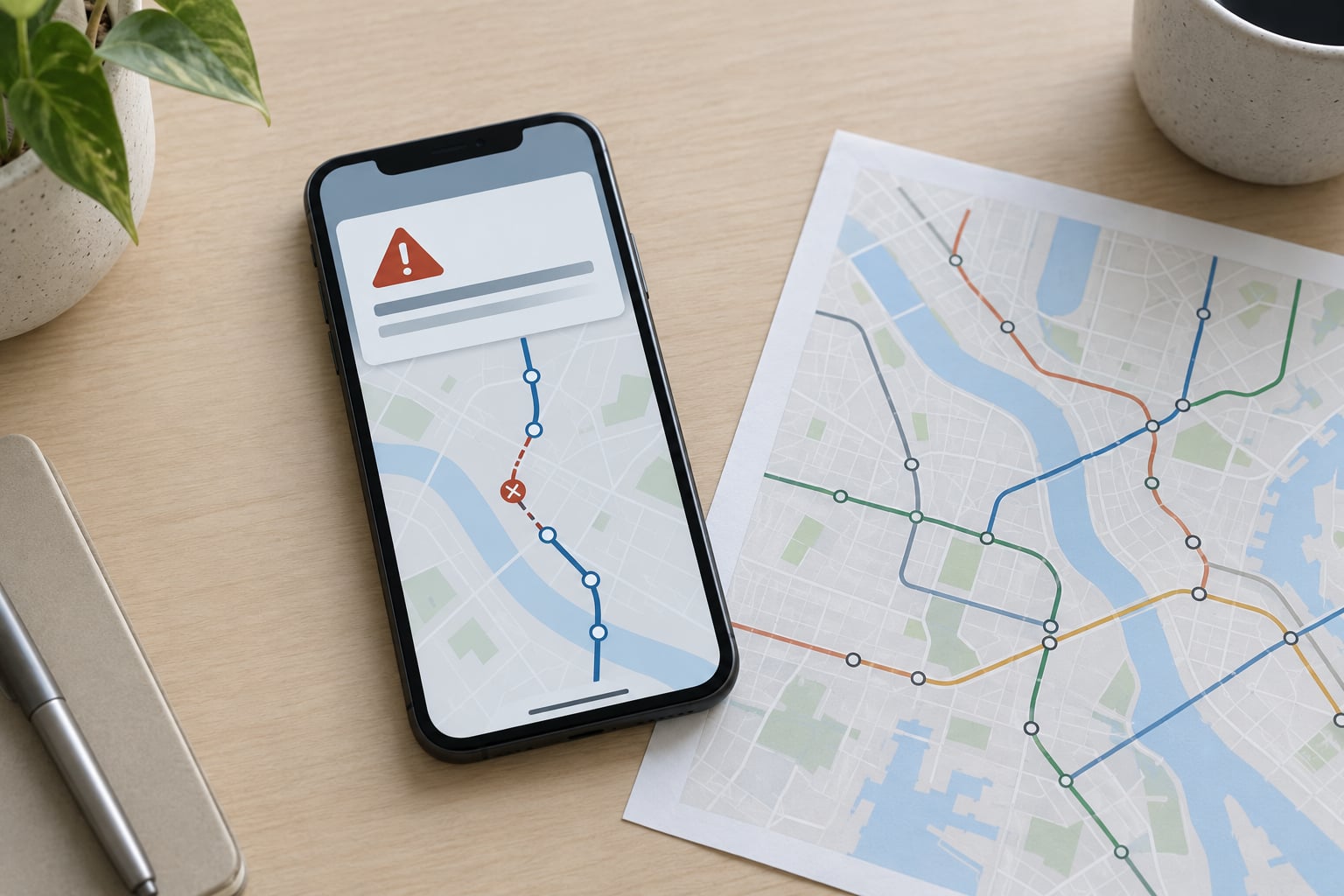
- Transit disruption: a line suspended on the user’s saved route, with an alternative and an updated time. The user cannot see this without checking the app.
- Municipal service: a missed collection, a road closure, a permit decision, a change to opening hours at a facility the user relies on.
- Energy and utility alerts: planned outages, restoration updates, demand-response requests, and billing anomalies. These carry both a practical action and a billing consequence.
- Emergency and public safety: severe weather, shelter availability, water advisories. Keep these in a separate channel the user can always rely on being present.
- Civic events and participation programs: a public hearing the user registered for, a consultation window closing, a vote opening for a district they follow.
Cases that do not: general promotion from a city partner, app feature announcements, and engagement nudges aimed at making the app look busy. A city earns its channel by staying useful on hard days, not on ordinary ones.
How Do Timing, Relevance, and Personalization Change Results?
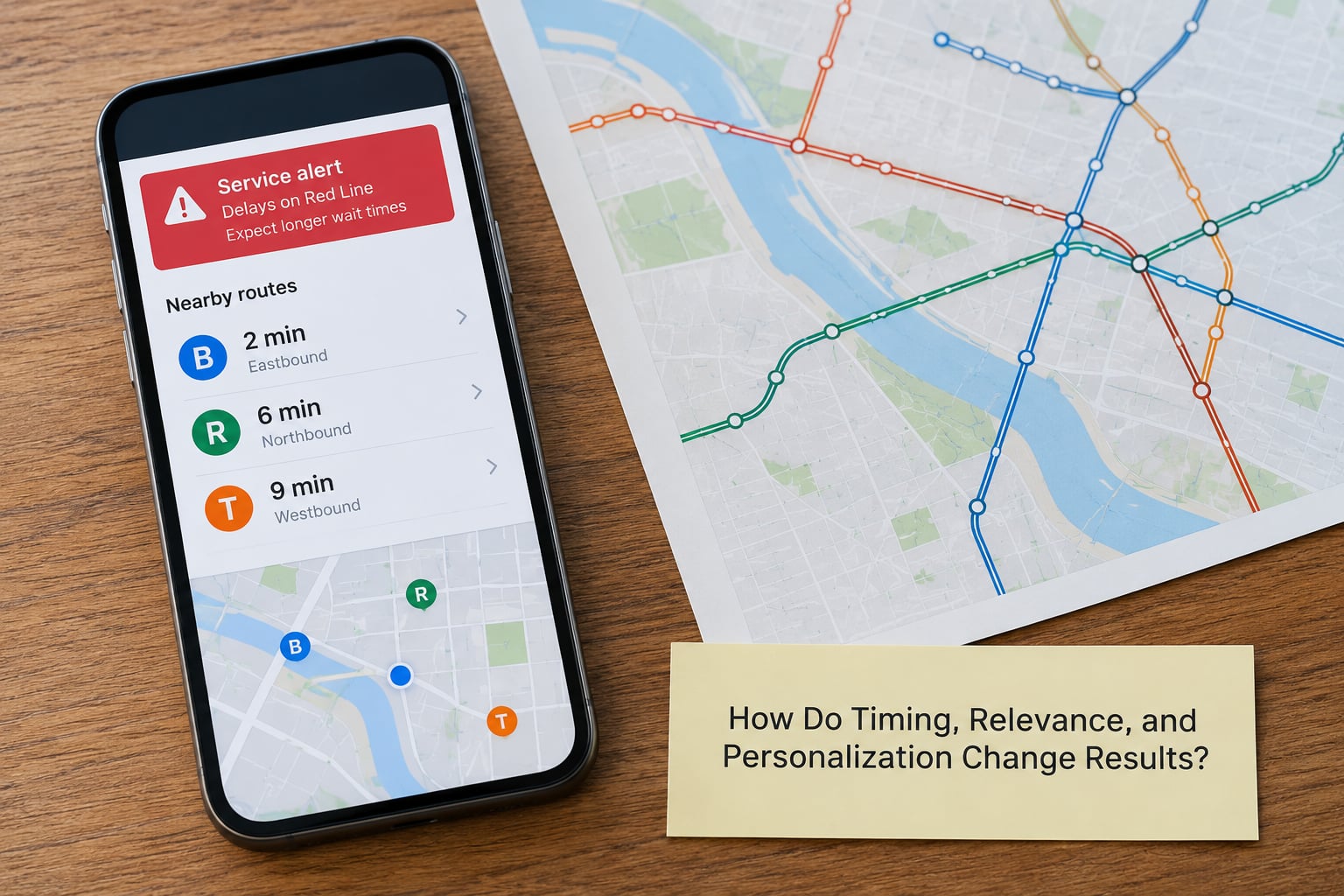
Three variables do most of the explanatory work, and all three are under your control.
Timing decides whether the message lands while the intent is live. A cart-abandonment prompt sent within a few hours hits a user still deciding; the same prompt a week later is noise. Sending at a fixed hour ignores everyone whose schedule does not match yours. Deriving send time from each user’s own behavior handles the commuter who acts at 7:40am and the parent who acts after 9pm.
Relevance decides whether the message describes something true about the recipient. “Your order shipped” is relevant by definition. “Check out new arrivals” is addressed to a category, not a person, and reads like advertising.
Personalization decides the specificity. Naming the route, the district, or the document converts a glance into a tap.
Worked example. A generic message, “City service updates for October,” goes to everyone and is opened by a small share of users, mostly the ones already in the app. A context-aware version, “Line 4 suspended near Central Station, 6:12pm, bus 22 running every 8 minutes,” goes only to people with a saved route through that station in the evening window. The second message is sent to a much smaller group, arrives with minutes of usefulness remaining, and needs no explanation of why it exists. Same channel, same cost per message, entirely different retention behavior.
Can Too Many Push Notifications Make Users Leave an App?
Yes, and it is the most under-reported failure mode in the channel. Notification fatigue is the state where a user stops reading a channel entirely, then takes steps to remove the exposure: disabling permission, muting the category, blocking the app, or uninstalling. Each step is cheaper for the user than arguing with the messages.
The sequence usually looks like this:
- Open rate and click-through rate drift down week over week.
- Mutes and category disables rise, often a few weeks before opt-outs.
- Opt-outs spike, usually concentrated in one campaign or one segment.
- Uninstall rate rises, concentrated in users who were already the least engaged.
- Aggregate open rate may still look acceptable because remaining users are more engaged, which hides the damage.
That last point catches teams out. The metric they watch can improve while the program is losing people. Watch opt-out rate, mute rate, and uninstall rate weekly, and segment them by message category so the source is visible. A rising number that traces to one category is a fix; a rising number that traces to all of them is a send-volume problem.
One more warning from practice: opens and clicks can look healthy while day-30 retention still falls. If retention is down and notification metrics are flat, push is not your problem. The product may simply not have a reason to be opened.
How Do You Measure the Retention Impact of Push Notifications?
Retention is the share of a cohort that returns in a period. Day-7 retention of 30% means 30 out of every 100 users who installed on a given day came back on day 7. Churn is the complement, and the two always move together.
Track the delivery chain first, then the outcome. A drop in delivery fails every downstream metric, so a retention dip that starts with a delivery drop is a plumbing problem, not a messaging problem.
| Metric | What it tells you | Reference range |
|---|---|---|
| Opt-in rate | Share of installs that grant notification permission | Plan against your own baseline, since platform rules move it |
| Delivery rate | Share of messages that actually reached the device | Above 95% is a reasonable target |
| Open rate, transactional | Response to a message the user was waiting for | Roughly 10 to 30% |
| Open rate, promotional | Response to a broadcast or loosely targeted message | Roughly 2 to 8% |
| Opt-out rate | Permission revoked or category disabled | Keep under 1% per campaign |
| Day-7 and day-30 retention | Whether the message produced a return visit | Compare cohorts, never a universal figure |
These ranges are industry reference points rather than targets to hit. A transit alert and a retail promotion are not comparable messages, and treating them as one metric is how programs end up optimizing the wrong thing.
To measure impact rather than correlation, hold out a group that receives no push. Then compare the two cohorts on the same retention window. If 1,000 users are split evenly and day-7 retention is 34% in the push group against 28% in the holdout, the relative uplift is 21%. That is a defensible number. A before-and-after comparison is not, because seasonality and product changes move both groups.
Small cohorts produce noisy results. When a group is too small to read confidently, roll the comparison up to weekly or monthly periods rather than drawing conclusions from a single day.
How Should a Team Test Push Notification Retention Changes?
Five steps, in order. Teams that skip the holdout usually end up arguing about correlation, which settles nothing.
- Write a hypothesis with a number. “Disruption alerts sent within 15 minutes of a saved-route incident will lift day-1 retention for affected riders.” No number, no test.
- Reserve a holdout. Five to ten percent of eligible users receives nothing from this campaign. For infrequent, high-volume sends, a larger share is safer. The holdout must be excluded before you segment, not chosen afterwards.
- Change one variable. Trigger, timing, copy, or audience. Changing copy and timing together means you learn nothing when it works.
- Set success criteria before launch. A minimum relative uplift on day-7 retention, plus a guardrail: opt-out rate must not rise more than a set margin. A guardrail matters because a campaign can win on retention by annoying everyone into opening once.
- Read the result, then roll out or stop. Check whether the lift holds in the days after the message, or whether it borrowed a return from the following day. Then roll out gradually, or kill the trigger and remove it from the roadmap.
That is also the only approach developers in the community treat as credible proof of retention lift. Everything else is an open rate with better branding.
How Do You Send Push Notifications Without Frustrating Users?
On Android, from version 13 onward, notifications use a runtime permission and a fresh install no longer includes access. Ask in context rather than at first launch. Explain the specific benefit on a pre-permission screen, then trigger the system prompt at the moment the first useful alert would arrive, such as when the user saves a route or signs up for a service they care about. Requesting permission before the user understands the app is the single biggest driver of permanent denial.
On iOS, the request prompt is a one-shot decision. Pre-permission screens are the only real lever, and a clear explanation tied to a visible feature, such as service alerts for your saved routes, measurably beats a generic ask. Users can also change their mind in system settings, so a re-permission prompt inside the app can recover some of them, and should be shown only after the app has demonstrated value again.
Delivery itself differs too. APNs and Firebase Cloud Messaging handle different platforms, and a device token can become invalid when the app is reinstalled or the device is wiped, which quietly shrinks your reachable audience. Re-register tokens and keep delivery rate visible.
Three habits keep the experience civil:
- Categories, not a single stream. Let users keep disruption alerts and mute partner promotions independently. On both platforms this setting exists; most apps just never surface it.
- Accessibility as a baseline. Respect text scaling, make the tap target a real action rather than a label, support screen readers on the alert screen, and never encode meaning in color alone.
- Plain opt-in wording. Say what will be sent, how often, and how to stop. For public-service apps, tell people how to keep safety messages permanently on.
What Do Good and Bad Push Notification Examples Look Like?
Bad messages share three habits: they are vague, they are broadcast, and they arrive at a moment nobody chose.
“New things in the app! Check it out.” No subject, no action, no reason to interrupt. “We miss you! Open our app today.” Generic, guilt-based, and it lands on a lapsed user who already decided to leave. “Limited time: download now.” A promotion delivered through the most interruptive channel you have, for something with no urgency.
The rewrites for a city mobility app:
- Before: “Service update.” After: “Line 4 suspended near Central Station. Bus 22 every 8 minutes, last at 11:40pm.”
- Before: “New features available.” After: “Saved route to Harbour Quay now shows a 4 minute delay. Tap for alternatives.”
- Before: “Don’t miss our city survey!” After: “The transport consultation you registered for closes Friday at 6pm. Your responses so far are saved.”
Each rewrite names the subject, the consequence, and the next action. That is the entire test.
Frequently Asked Questions
How often should an app send push notifications?
There is no universal daily number. Set a per-user cap based on message category, then adjust it by what the user responds to rather than by what your platform allows. A resident who saved three transit routes can reasonably receive more than someone with no saved services. Start conservative and ramp gradually, keep one cross-channel ceiling covering push, email, and SMS, and let preference controls and quiet hours do the rest.
Do push notifications actually increase app retention?
They do, but only for users who granted permission, and only when the message carries utility at the moment it arrives. Transactional and time-sensitive messages tend to produce the strongest lift. Promotional broadcasts often raise open rates without moving day-7 or day-30 retention at all. The honest way to know which case you are in is a holdout group, because open rates alone cannot tell you whether anyone came back.
What is a good push notification opt-in rate?
Treat your own trend as the benchmark rather than chasing a published figure, because platform permission rules move the ceiling. Two shifts reset the baseline: Android 13 introduced a runtime notification permission, and iOS shows a one-shot prompt. Both lowered opt-in rates structurally. A useful pattern is to add users steadily while the in-app opt-out and permission-denial rates stay flat, which means the ask is landing at the right moments.
Why do users mute or turn off app notifications?
Usually because the ratio of messages to value stopped working for them. A few repeated sends are enough, and the response escalates: ignore first, then mute the category, then revoke permission, then uninstall. Fatigue often arrives through several channels at once rather than from push alone, which is why a single cross-channel ceiling works better than a push-only limit.
Which push notifications are most useful for civic and smart city apps?
Disruptions on a saved route, service changes to a facility you use, planned utility outages and restoration updates, emergency and public safety notices, and deadlines on consultations you registered for. These share two traits: the information decays fast, and the user cannot get it without opening the app. Keep safety messages on a channel that can be kept permanently, and leave promotional content to in-app surfaces.
Conclusion: Start With Relevance, Then Measure Incrementally
Write down the purpose of every push your app sends and delete anything you cannot justify with a moment of real user value. Then pick the one trigger that seems strongest, reserve a holdout group, and test that single variable against day-7 retention with an opt-out guardrail.
That is the whole practice. Relevance decides the effect, the holdout decides whether you can prove it, and the caps decide whether it lasts.