
To host a small web app cheaply, push the code to a free platform tier such as GitHub Pages, Cloudflare Pages, Netlify or Vercel, then move up to a small VPS or managed platform only when the free tier limits actually bite. Most small apps run on a free static host or a low-cost app platform for months, and a simple app with a database usually fits a single small VPS. Budget roughly ten to twenty dollars a month for the app plus a domain, and you can run a real product, not a demo.
That said, cheap hosting fails in predictable ways: the free tier that looked generous in January sleeps for 30 seconds on every visit in March, or the domain name quietly adds a third of the bill. I have watched small teams pick a plan on the headline number and then discover their database, backups and email were never in that number.
This guide walks through the whole process: what you actually need before launch, how to pick between shared hosting, a platform, a VPS and serverless, how to deploy, and where the hidden costs sit. Menu names change constantly across providers, so I describe the settings and concepts rather than button labels.
One warning up front. A lot of cheap-hosting advice online is stale. The Heroku free tier disappeared years ago, and most of the older tutorials people still bookmark assume it exists. Everything below reflects how these platforms work now, in 2026.
Table of Contents
- What You Need to Host a Small Web App Cheap
- What can wait
- What a small app really costs
- Step-by-Step: Deploying a Small Web App on a Budget
- Step 1: Estimate the App’s Needs Before You Choose How to Host a Small Web App Cheap
- Step 2: Choose an Affordable Hosting Option
- Shared hosting
- Platform hosting, or PaaS
- A small VPS
- Serverless functions
- Step 3: Prepare the App for Production
- Step 4: Connect the Repository and Deploy
- Step 5: Add the Domain, Database, and Security
- Step 6: Test, Monitor, and Control Costs
- Common Hosting Mistakes and the Fix for Each
- Frequently Asked Questions
- What is the cheapest practical way to host a small web app?
- Is serverless hosting actually free for a small app?
- How much should a small web app cost to host each month?
- Do I need a managed database for a small web app?
- When should I move from shared hosting to a VPS?
- How can I prevent my hosting bill from unexpectedly increasing?
- Conclusion: Start Free, Move Deliberately
What You Need to Host a Small Web App Cheap
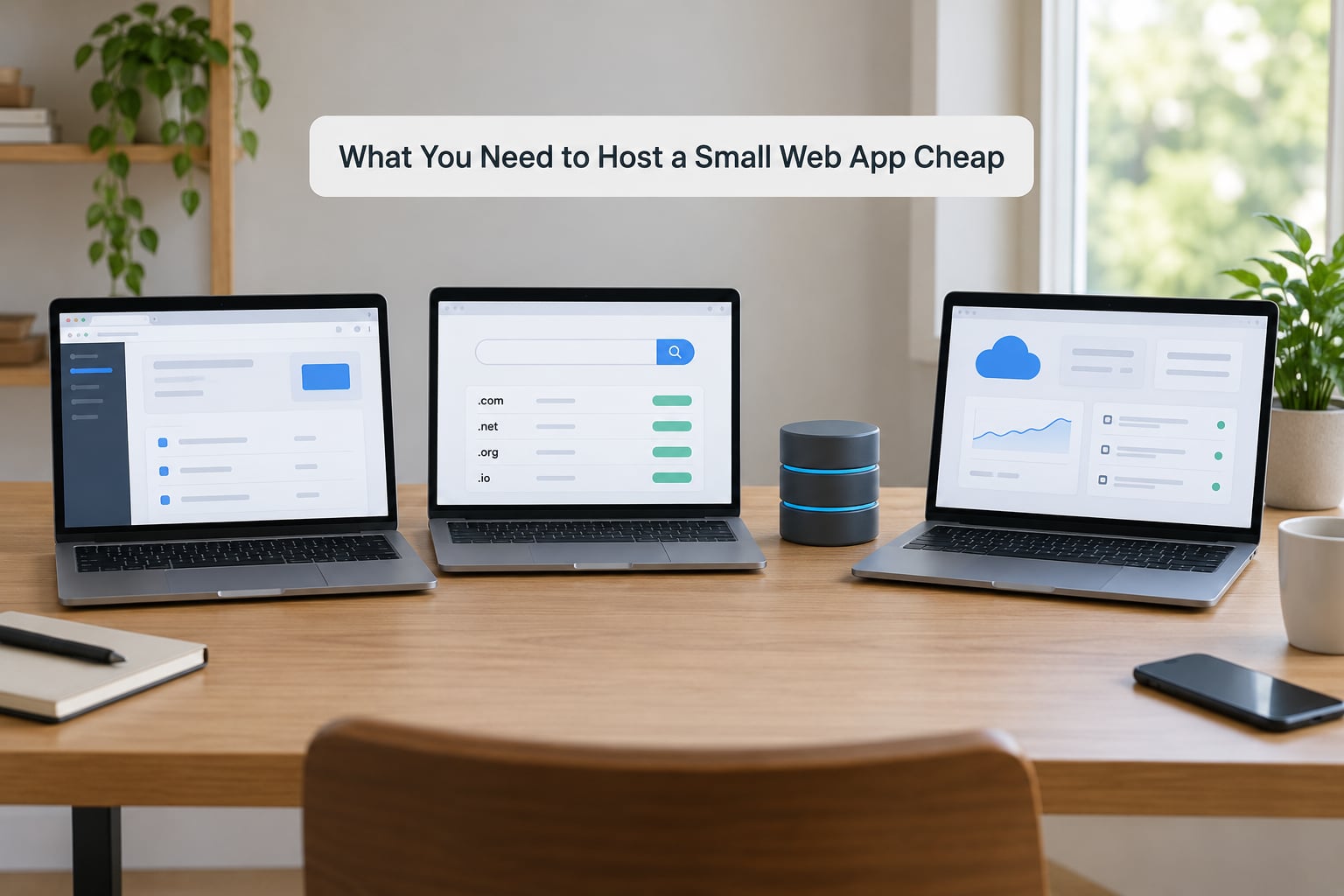
You need less than most guides imply. Here is the honest minimum, and then the things that can wait a month.
Application code in a Git repository. GitHub, GitLab or Codeberg, private if the app is not public. Every route below deploys from a repo, and it makes rollback a button instead of an archaeology project. One developer in our circle deploys straight from a laptop over SSH, which works fine, and then loses a day of work when a config file never made it into version control.
A runtime the host understands. For a static site, that is nothing beyond a build command. For anything dynamic, it is the language version and package manager your provider supports, and this is the single most common reason a cheap deploy fails on the first try.
A database, but only if the app truly needs one. A portfolio, a docs site and a marketing page do not. Anything that stores user input does. Decide this before you choose a host, because database hosting is the item most often missing from the first budget.
An account with a hosting provider and a payment method on file. Free tiers usually ask for a card even though they do not charge. Card-less providers exist and are friendlier for a first deploy.
Environment variables for every secret. API keys, database URLs, session secrets and third-party tokens go into the host’s secret store, never into the repository and never into the front end. A leaked database URL in a public repo is scraped within minutes.
A custom domain, if the app is for real users. A subdomain works for testing and demos. The domain itself is often the biggest single line in the first year.
Basic security and monitoring. On a platform that handles TLS for you, this is mostly access control and rate limiting. On a VPS, it becomes your job: firewall, SSH keys, updates, backups. There is more on this in the deployment steps.
What can wait
Auto-scaling, multi-region databases, a CDN in front of everything, a staging environment that mirrors production, and infrastructure as code all help at a scale a small app does not have. Ship with one server and one database. Add complexity when a real bottleneck shows up in a real measurement, not in advance.
What a small app really costs
Here is the shape of the bill, described in ranges because provider pricing moves constantly. A static site or a free-tier app can be nothing at all for hosting, plus a domain that runs roughly ten to twenty dollars a year depending on the extension. A small VPS or app platform sits in the single digits per month for the smallest instances, and climbs once you add memory or a managed database. Email hosting, if you need addresses on your domain, is a separate recurring cost that shared hosting often bundles and app platforms never do.
| Line item | Typical range | Notes |
|---|---|---|
| App hosting, static or free tier | No cost | Sleeps after inactivity, bandwidth caps, limits change often |
| App hosting, small instance | Single digits per month | Scales predictably; you pay for idle capacity |
| Domain name | Roughly ten to twenty dollars a year | WHOIS privacy is often a separate add-on |
| Managed database | Low single digits per month on small tiers | Storage, connections and backups each have their own quota |
| Backups and monitoring | No cost to low single digits per month | Free self-hosted tools exist for both |
| Email on your domain | Low single digits per month | Completely separate from web hosting |
Step-by-Step: Deploying a Small Web App on a Budget
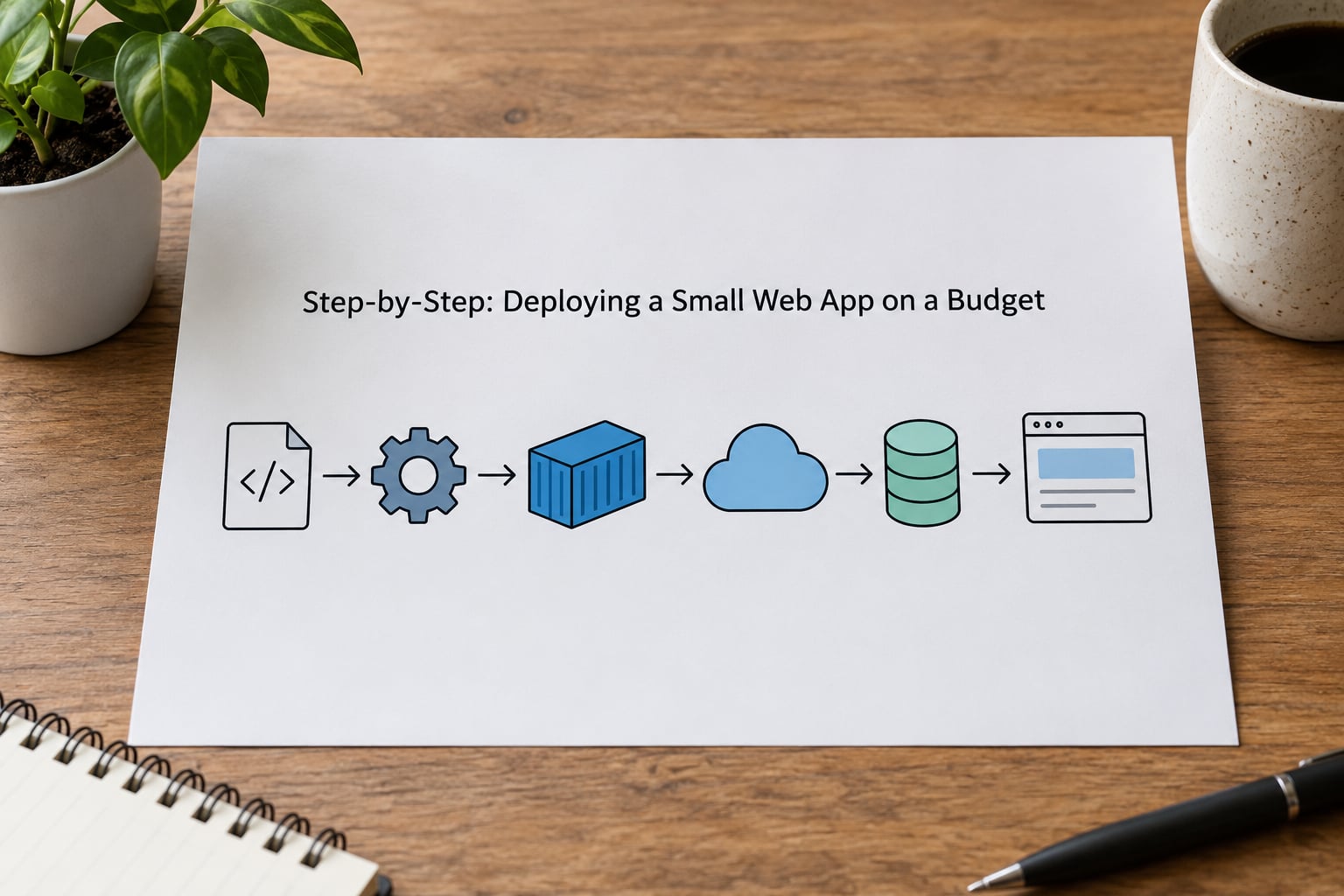
The same seven-step shape works for every route below, whether you end up on a static host, a platform, a VPS or a self-hosted PaaS. The differences sit in steps two and four.
Step 1: Estimate the App’s Needs Before You Choose How to Host a Small Web App Cheap
Write down six numbers before you read a single pricing page. Guessing at these is how people end up paying for capacity they never use, or far too little of it.
- Monthly visitors and peak concurrent users. A few hundred visits a month behaves nothing like a few thousand a day, and the second number matters more than the first. If you have no analytics yet, guess from your own traffic sources and add headroom.
- Response-time expectations. A portfolio that loads in under a second is a different problem from an internal tool where three seconds is fine and availability is everything.
- Database requirements. Read-heavy and small is easy. Write-heavy, or with reporting queries over hundreds of thousands of rows, is where a tiny VPS starts to strain.
- Background work. Emails, scheduled reports, webhooks and image processing. Some free tiers handle background jobs poorly or not at all, which quietly rules them out.
- File storage. User uploads eat space and bandwidth fast. Object storage decouples that from your app server and is usually cheap, but it adds a service and a set of credentials.
- Uptime expectation. A weekend prototype can sleep. A tool a small business runs daily cannot. Decide honestly, because this is the requirement that pushes you off the free tier.
Map those answers onto hosting models. No database, no background jobs, low traffic: static hosting. A database and steady traffic: an app platform or a small VPS. Bursty traffic with idle gaps: serverless. Long-running processes, unusual hardware, or a need to control everything: a VPS or a self-hosted PaaS.
Step 2: Choose an Affordable Hosting Option
Four routes cover almost every small app. Each has a real cost shape and a real failure mode.
Shared hosting
The cheapest route in absolute terms, and the worst fit for a modern app. You get cPanel, PHP, a MySQL database and a control panel, with no root access and no container support. It works fine for WordPress and simple PHP or Python sites. It does not run a Node.js or Django app the way you would expect, because you cannot control the process, the ports or the runtime version.
Failure mode: no shell access means no custom runtime, no reverse proxy of your own, and painful upgrades.
Platform hosting, or PaaS
You connect a repo, set a build command and a start command, and the platform handles TLS, scaling and most patching. Cloudflare Pages, Netlify and Vercel cover static and frontend apps extremely well. Render, Railway and Fly.io cover full-stack apps with a database. For a small product this is usually the lowest total cost, because your time is the expensive input, not the server.
Failure mode: usage is priced per resource, so a memory leak or an accidental infinite loop becomes an invoice. Free tiers usually sleep after inactivity.
A small VPS
You rent a virtual server, usually a shared-core instance with a couple of gigabytes of RAM, and you own the whole machine. DigitalOcean, Hetzner, Vultr, Linode and the big three clouds all sell them. The two that matter most for budget work are Hetzner for price and DigitalOcean for documentation quality.
A VPS is the sweet spot for a small app with a database, because the cost is flat no matter how the traffic moves. You also gain SSH access, which means you can run anything, including background jobs and cron.
Failure mode: you are now a sysadmin. Provisioning, firewalling, patching, TLS renewal, backups and monitoring all fall to you. Budget a few hours for the first setup and ten minutes a month after that.
Serverless functions
You deploy individual functions and pay per invocation, with the platform scaling to zero between requests. Cloudflare Workers, Vercel functions and the AWS Lambda family all work this way. It is genuinely cheap for spiky, low-volume traffic.
Failure mode: cold starts, execution timeouts, a runtime with a filesystem you cannot rely on, and a bill that grows with invocations rather than with time. A function that sits idle for most of the day is expensive per useful request, not cheap.
A note on the servers you read about online: forums consistently recommend pairing a small VPS with a self-hosted PaaS like Coolify, Dokku, CapRover or Kamal. One developer described that combination as the practical answer for around ten dollars a month, and it holds up. You get Git-push deploys and automatic TLS without giving up the server.
Step 3: Prepare the App for Production
Most first-deploy failures happen before anything touches the internet. Work through this list first.
- Move every secret out of the code. Database URLs, API keys, session secrets and mail credentials become environment variables. If a value is currently in a file that is committed to Git, rotate it. Deleting the line is not enough once it is public.
- Add a production build step. Most frameworks ship a build command that produces optimised output, and a separate start command that runs it. Getting these two wrong is the classic cause of a blank page in production.
- Pin the runtime version. Declare the language version in the repository so the platform cannot silently build against a newer release. This also keeps local and production behaviour identical.
- Fail loudly in logs, quietly to users. Errors should land in the platform’s log view with enough context to debug them. Users get a generic message, not a stack trace.
- Assume HTTPS everywhere. Cookies should be set as secure and HTTP-only, and any redirect from HTTP should be handled at the host rather than in your code.
- Write down the deployment settings. Build command, start command, runtime version, port, environment variables and the database connection string. Future you, or a teammate, will need them, and they are also what you re-enter when you change hosts.
A worked example. A Python Flask app with a PostgreSQL database on a small VPS needs three settings: an install command such as pip install -r requirements.txt, a start command such as gunicorn app:app --bind 0.0.0.0:8000, and a port of 8000 that a reverse proxy will forward from 443. A React single-page app needs one: a build command such as npm run build, and a directory such as dist for the output. A static site with no framework needs neither.
Step 4: Connect the Repository and Deploy
This is the same dance on every platform, and the menu labels differ.
- Create an empty deployment in the hosting dashboard and choose the Git provider. Authorise the provider to read the repository, or push over the provider’s own CLI if you prefer a narrower permission.
- Select the repository and the production branch, usually main or master.
- Enter the build command, the output directory for static sites, the start command for anything dynamic, and the runtime version. If the platform detects them automatically, check the detection against your own settings anyway.
- Add environment variables for anything sensitive, and confirm the app reads them at runtime rather than at build time when it matters.
- Trigger the first deployment and watch the log from the top. Most failures are visible in the first thirty seconds.
- Open the generated URL. If you get a blank page, check the start command and the port before touching anything else.
How do you know it worked? The deployment reaches a success state, the log ends with a line showing a listening port, and the URL returns your app rather than a provider error page. Test it in a private window too, so you know you are not seeing your own login session.
For a VPS without a platform, the equivalent is a Docker image, a container running it, and a reverse proxy in front. You write a compose file with your service, your database and a named volume for storage, bring it up, then point Nginx at the container port. Nginx terminates TLS with a certificate from Let’s Encrypt and renews it automatically through a renewal hook. Each of those four pieces is a half-hour job the first time, and near-instant after.
Step 5: Add the Domain, Database, and Security
Now make it a real app rather than a demo.
The domain. Register it once, at a registrar rather than through a hosting platform, so moving hosts later is a DNS change and not a support ticket. Point a CNAME or an A record at your host, wait for propagation, and let the platform issue its certificate automatically. Verify it works by opening the domain in a private window and checking the certificate details.
The database. For small apps, two routes work. Self-hosted means your own PostgreSQL or SQLite in a container with a volume, which is cheaper and gives you full control, and which means backups are your problem. Managed means the provider’s database service with automated backups and patching, which costs more per month and saves a recurring headache. On a VPS, the self-managed route keeps you at one small instance instead of two bills.
Secrets. Store them in the host’s environment variable or secret store. If you self-host on a VPS, use a file that is not in the repository, owned by the deploy user and unreadable by others, loaded at start time.
HTTPS. Automatic on every platform worth using. Verify with an external checker rather than trusting the browser, and confirm the redirect from HTTP to HTTPS actually happens.
Cookies and CORS. Mark session cookies HTTP-only and secure. Lock CORS down to your own domain instead of allowing every origin, which is a one-line setting that closes a real class of bug.
Access control. If the app is internal, put authentication in front of it rather than relying on application-level checks. A provider-level password or an identity-aware proxy is stronger and takes an hour.
How do you know the domain and database are correct? Load the live app from a device that has never seen it, sign in, create one record, and confirm it survives a refresh and shows up in the database. If the record vanishes, the write went to an in-memory or temporary location, which is the single most common small-app deployment bug.
Step 6: Test, Monitor, and Control Costs
The last hour of setup is what keeps the bill boring.
- Test on a phone, not just your laptop. Mobile networks expose broken layouts and slow assets that a fast connection hides.
- Set up usage and cost alerts. Every serious provider offers billing alerts, and they catch runaway loops faster than any monitoring tool. Set them at the level where you would want a phone call, not the level where you want a panic.
- Read the logs daily for the first week. Free tiers in particular will spin your instance down after inactivity, which shows up as a cold start in the logs rather than an error.
- Schedule backups and test a restore. A backup you have never restored is a rumour. On a VPS, nightly database dumps to off-server storage cost almost nothing.
- Review the bill after week one, then monthly. Look for a resource that costs more than the app itself. In my experience it is a memory setting still sitting at its default, or a database connection pool sized for a much larger app.
Cost control comes down to a short list. Set memory and CPU to the smallest values your app survives under real load, not under an idle browser. Keep static assets on a CDN instead of serving them from your app instance. Delete preview deployments nobody uses. Choose a database storage tier slightly above your actual data. Add a hard cap or alert on outbound bandwidth, because that is how small apps produce four-figure surprises. And review your free tier’s terms: several have removed custom domain support or reduced bandwidth allowances since last year.
Common Hosting Mistakes and the Fix for Each
Almost every expensive surprise traces back to one of these eight.
1. Choosing on headline price alone. The cheapest instance is priced per resource, and your app’s memory setting is part of the price. Fix: estimate your real peak memory with a load test before you pick a size, then buy one tier up from that number.
2. Committing to a database before estimating usage. A managed database is the easiest line item to add later and the hardest to remove. Fix: start with SQLite or a tiny managed instance, and move to a separate database only when real data forces it.
3. Secrets in the repository. Fix: move everything to environment variables, then rotate every key that was ever committed. A repository scanner may already have it.
4. Deploying development settings to production. Debug mode on, verbose errors shown to users, a debug database. Fix: run the app behind a production flag, and check what a thrown error actually returns to a visitor.
5. Ignoring bandwidth and build charges. These are separate meters from compute, and they are where surprises live. Fix: put a CDN in front of static assets, enable compression, and read your plan’s bandwidth and build-minute allowances before you launch.
6. Skipping backups. Fix: nightly automated dumps, stored somewhere other than the machine being backed up, and one restore test in your calendar this month.
7. Not testing after deployment. The deploy log said success, which is not the same as working. Fix: a five-minute smoke test after every deploy covering the main path, a login, and one database write.
8. Treating serverless as free. Per-invocation pricing means a traffic spike, a retry loop, or a bot hammering an endpoint can produce a real bill. Fix: set spending caps, add rate limiting at the edge, and know your invocation quota.
Two more worth naming. Free tiers that sleep after inactivity are fine for a portfolio and painful for anything you demo to a colleague at short notice, and cold starts of 20 to 30 seconds are the number people mention most. And email hosting is genuinely separate from web app hosting, so budget for it separately if your app sends mail.
Frequently Asked Questions
What is the cheapest practical way to host a small web app?
A static site on GitHub Pages or Cloudflare Pages costs nothing beyond the domain. For an app with a database, a small VPS with a self-hosted PaaS like Coolify is the cheapest option that stays fast and predictable, usually in the single digits per month. Managed platforms cost a little more and save several hours of setup.
Is serverless hosting actually free for a small app?
Yes for light or bursty usage, and the free allowances are generous for a hobby project. But you pay per invocation, so a loop, a hot retry, or real growth turns it into a bill you must monitor. Also expect cold starts of 20 to 30 seconds on free tiers, which can hurt a first impression.
How much should a small web app cost to host each month?
Most small apps sit between nothing and about twenty dollars a month all in, with the domain costing roughly ten to twenty dollars a year. The range widens once you add a managed database, backups and email on your domain. Providers change pricing often, so treat these as typical ranges rather than quotes.
Do I need a managed database for a small web app?
Not at first. SQLite handles a surprising amount of early traffic and costs nothing extra on a VPS or platform. Move to a managed database when concurrent writes, backups, or reporting queries become painful, or when you need to run scheduled jobs against a stable connection.
When should I move from shared hosting to a VPS?
Move when shared hosting stops supporting your stack, typically the moment you need a specific language runtime, background jobs, websockets, or control over ports and processes. Before that, shared hosting with cPanel is hard to beat on price for a simple PHP or WordPress site.
How can I prevent my hosting bill from unexpectedly increasing?
Set billing alerts at a threshold you would react to, cap memory and CPU on your instance, and put a CDN in front of static assets so bandwidth stops being your app’s problem. Rate-limit public endpoints, delete unused preview deployments, and review the first week’s bill line by line before you stop reading it.
Conclusion: Start Free, Move Deliberately
If you are starting today, put a static or frontend app on a free platform tier, register the domain at a separate registrar, and add a cost alert the day you create the account. Get it working end to end before you think about a server.
When you outgrow it, the move to a small VPS is the least disruptive upgrade there is, and pairing it with Coolify or Dokku gives you the deployment ergonomics you had. Budget for the domain, the database and the email separately from the app, and re-read the plan terms every few months, because free tiers shrink without much notice.