An offline first mobile app treats the device as the source of truth: reads come from local storage, writes land locally first, and the network is used to synchronize rather than to operate. Designing one means deciding what has to work without a connection, building a data model that survives a round of sync, and being honest with the person using it about work that has not reached the server yet. For civic tools, that honesty decides whether an inspection report reaches the office or disappears into a dead zone.
Here is how to design an offline first mobile app in eight stages, from choosing offline tasks to monitoring a live sync engine, with the trade-offs stated plainly at each step.
Table of Contents
- What You Need
- Step-by-Step
- 1. Identify Tasks That Must Work Offline
- 2. Map the Offline Data and Sync Boundaries
- 3. Choose a Conflict Resolution Strategy
- 4. Design Clear Connection and Sync States
- 5. Implement Local Storage Securely
- 6. Build a Reliable Synchronization Layer
- 7. Test Failure Scenarios Before Launch
- 8. Monitor, Recover, and Improve
- Common Mistakes
- Frequently Asked Questions
- What is an offline first mobile app?
- Should an offline first app use a local database or browser storage?
- How do you handle data conflicts when multiple users edit offline?
- How do you keep users from submitting the same action twice?
- Can offline first apps securely handle sensitive civic or personal data?
- What is the best way to test an offline first mobile app?
- Conclusion
What You Need
You need seven things settled before anyone opens an editor, because almost all offline-first rework traces back to a decision nobody made out loud.
- Product assumptions. A written list of the journeys that must complete with zero bars of signal — usually task lists, inspections, meter reads, status updates and cached reference data.
- User research. Ride along with two or three actual inspectors or drivers in the worst coverage area on their route. Note where they stop, what they do on paper, and how long the battery lasts.
- Platform requirements. Minimum OS versions, background execution limits per platform, and whether field devices are company-issued or personal phones.
- Offline data boundaries. An inventory of what gets downloaded in advance, how large it is, how long it stays valid, and what must never be stored on a handset.
- A synchronization strategy. Trigger points, retry behaviour, conflict rules and the escalation path when sync keeps failing.
- Testing tools. A network conditioner on the device, a proxy or traffic inspector for payloads, a debug menu that can force each network state, and a seeded test account with known conflicting data.
- Operational safeguards. An audit trail of every change, remote cache invalidation for stale reference data, and a way to purge a device that is lost or reassigned.
Budget time for steps one and two in particular. A team that skips the ride-along usually ships an app that caches the wrong data beautifully.
Step-by-Step
Eight stages, in this order: identify what must work offline, map the data boundaries, pick a conflict strategy, design the visible sync states, secure local storage, build the sync layer, test the failures, then instrument and iterate. Each one produces something you can check.
1. Identify Tasks That Must Work Offline
The offline first design starts by ranking tasks by consequence of failure, not by how easy they are to cache. A field inspector who cannot record a pothole location loses the evidence, so that task is non-negotiable; a settings screen is.
Separate each journey into two groups. Read-only work — lists, maps, reference documents, previously visited records — is straightforward to cache and safe to serve from disk. Anything that creates, approves, assigns or transmits a record needs a designed write path, because those actions can be duplicated, delayed or contradicted by another device.
For a 311-style reporting app, that usually means photos, GPS coordinates and a category survive offline, while account creation and case numbering wait for a connection. Put the result in a priority table with an owner per task, because that table becomes your test plan in stage seven.
How to tell it worked: every task marked offline-capable can be completed start to finish in airplane mode, and each one on that list has an explicit answer for what happens if it is completed twice.
2. Map the Offline Data and Sync Boundaries
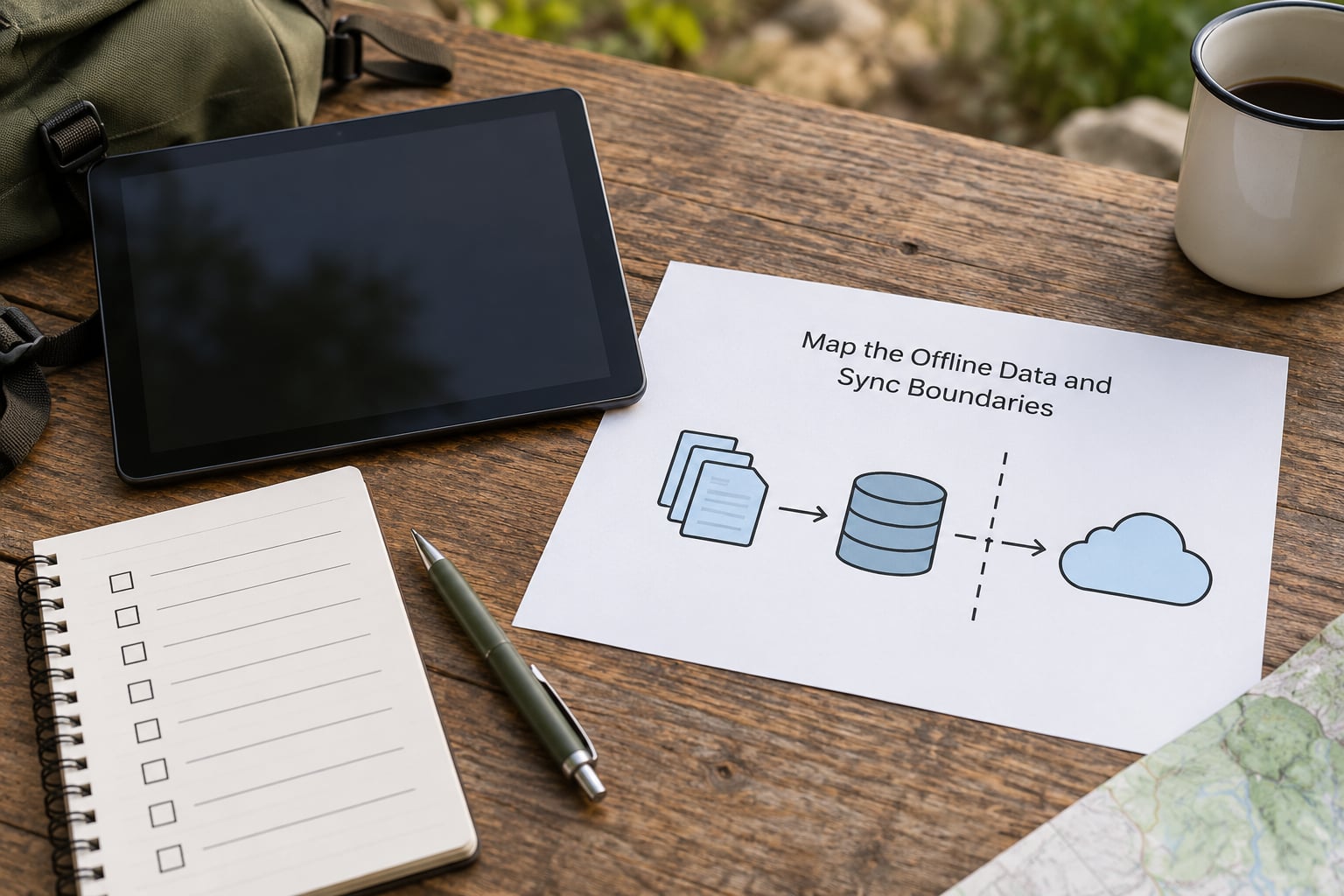
Draw the boundary explicitly: which data is downloaded ahead of time, which is created on the device, which is forbidden to persist at all. This single diagram prevents most offline-first architecture drift.
Download-and-cache rules need a size ceiling and a freshness rule. A city GIS team might pre-fetch a district’s parcel layer for the day plus a 10 km halo around the next job; anything larger fights the device’s storage and slows every launch. Cached reference data also needs an expiry, or a road closure from last March keeps showing up in the field.
Creation rules matter just as much. Records generated on the device need a client-generated identifier — a UUID or ULID created before the first send — so that the same object exists locally and remotely without a second identity. Add sync metadata columns to every synced table: a record version, a device identifier, a modified timestamp and a dirty flag.
Then set the deletion rule. A hard delete that syncs to one device and not another resurrects the record on the next pull. Soft deletes with tombstones — a deleted flag plus the version at which it happened — survive partial syncs and keep the object out of everyone else’s view.
Finally, write down the forbidden list: authentication tokens cached in plain text, other people’s personal records, raw medical or benefit details, anything that must be revocable instantly. Those never touch persistent storage, no matter how convenient it would be.
How to tell it worked: a new device can be issued, handed to a user and fully loaded for a day’s work in one controlled download, and that download has a measured size and a known expiry.
3. Choose a Conflict Resolution Strategy
Pick one rule per data type and write it down, because picking it later means shipping whichever rule the sync library happened to default to.
| Strategy | How it resolves | Use it when | Cost |
|---|---|---|---|
| Last-write-wins | Newest timestamp overwrites | Fields where a late correction genuinely replaces the old value, such as a status change | Low |
| Version check | Server rejects the write and returns the current record | Records with a single owner and low edit frequency | Low |
| Append-only log | Events are stored in order and replayed | Audit-heavy civic work where every change must be traceable | Medium |
| Locks or leases | A record is reserved while a device edits it | Small teams, long edits, one authoritative device at a time | Medium |
| Domain merge rules | Fields merge by type: status wins, notes concatenate | Mixed records like an inspection with photos, measurements and notes | Medium |
| CRDT | Concurrent edits merge automatically | True collaborative editing by many people at once | High |
For most field-service and civic inspection apps, domain merge rules beat everything else, and CRDTs are overkill. Reserve append-only logs for anything that will be audited later. Whatever you choose, keep a conflict counter in your metrics; a rising conflict rate usually means two devices editing the same case for weeks, which is a process problem as much as a technical one.
How to tell it worked: two devices edit the same record offline, both come back online, and the result is the one you documented — with nothing silently dropped.
4. Design Clear Connection and Sync States
Five states decide what the user sees: online, slow, offline, syncing and conflict. Most teams ship online and offline, which is exactly where trust breaks.
| State | What the user sees | What they can do |
|---|---|---|
| Online | Nothing, or a quiet synced checkmark | Everything |
| Slow | No banner; requests queue silently | Everything, with a pending count |
| Offline | A persistent, plain-language banner | Every offline-capable task; no server-only actions |
| Syncing | Progress and an item count, not an indefinite spinner | Keep working; backgrounding must not cancel |
| Conflict | A named conflict list with a side-by-side compare | Choose a version, or merge field by field |
Two rules do most of the work. First, never block an offline-capable task on a network check — the app should assume the worst and proceed. Second, never imply success before the server confirms: show the item as pending with an explicit queued state, because a fake success is how a crew loses an afternoon’s inspections.
Plain language beats jargon. “Not synced yet, we’ll send it when you’re back in coverage” is clearer than a transport-layer error code, and screen readers should announce the same state changes.
How to tell it worked: a first-time user, given the app in airplane mode, can describe what the banner means and what is safe to do without asking for help.
5. Implement Local Storage Securely
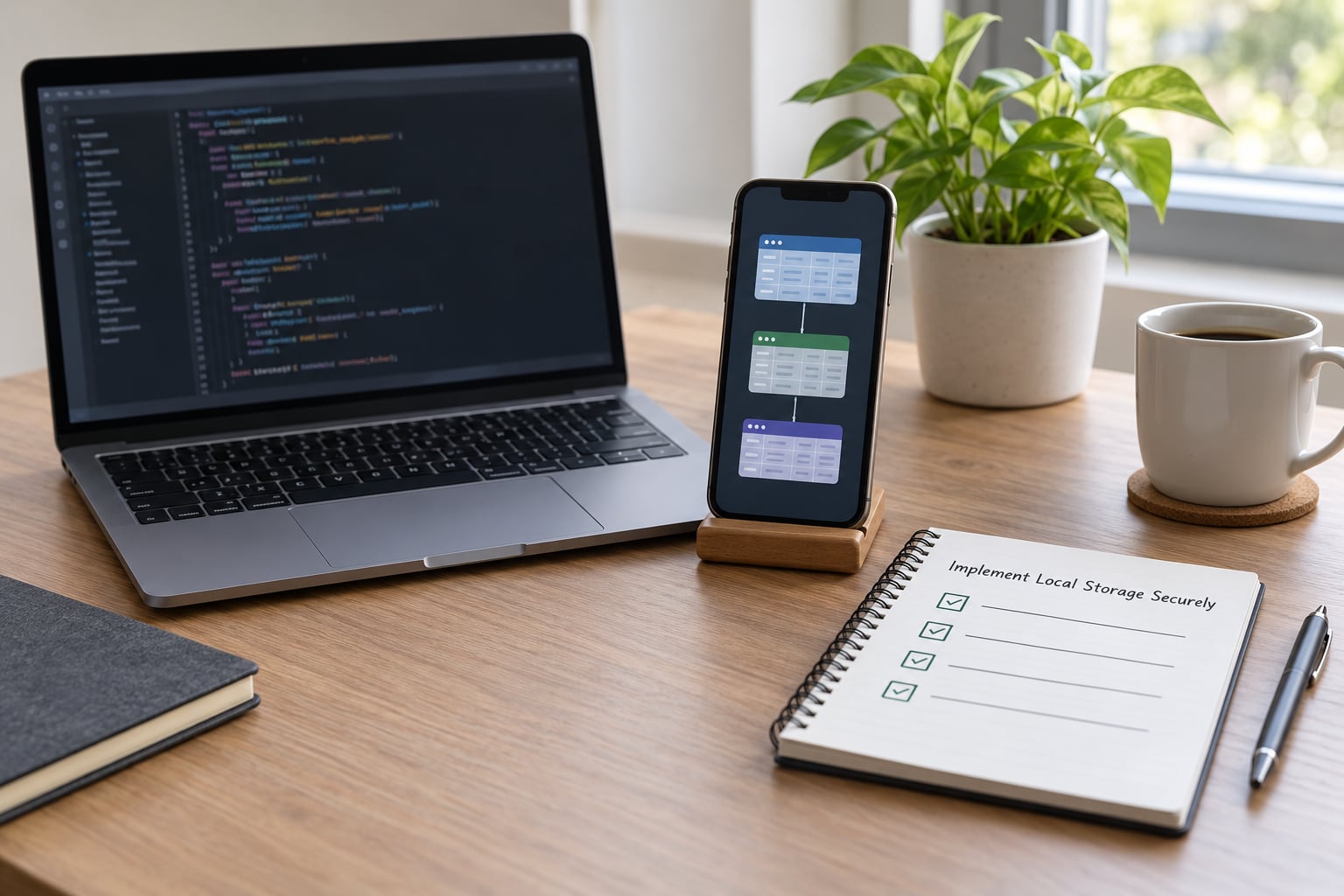
Use a real local database rather than key-value storage. Structured records need queries, indexes and migrations, which is exactly what SQLite, Room on Android, Core Data or SwiftData on iOS, Drift with Flutter, or WatermelonDB with React Native provide.
Avoid a single state-heavy blob in memory that gets written wholesale; it is the pattern that turns a data problem into an out-of-memory crash under field conditions. Keep the database as the source of truth and let the UI observe it.
Encrypt the local store at rest with platform facilities — Keychain on iOS, EncryptedSharedPreferences or a SQLCipher-backed Room database on Android. Hold keys in the platform keystore, never in the database and never in shared preferences. Apply a short session timeout that wipes decrypted material, and require biometric or PIN re-entry after a background period on a device holding personal records.
Two operational details that get skipped and later cost a lot: purge the local database on sign-out and on remote revocation, so a reassigned handset carries no one else’s data; and keep diagnostic logs free of record contents, because a crash report with an attached case summary is a privacy incident.
How to tell it worked: an engineer can pull the app’s data directory from a rooted test handset and read nothing meaningful, and a sign-out leaves no residue.
6. Build a Reliable Synchronization Layer
The sync engine is the part that has to survive a bad week, so build it around a local outbox: every write commits to the database and appends an idempotent operation to an outbox table in one transaction. The UI never waits on the network.
Then drain that outbox. Trigger it on connectivity changes, on app foreground, on a background scheduler with platform-appropriate limits, and on demand. Every request carries an idempotency key so a retry after a timeout cannot create a second record — this is the single most important defence against duplicates on flaky connections.
Failures get exponential backoff with jitter and a cap, so a server outage does not turn into a thundering herd from every device in the city. Confirm each item with an explicit acknowledgement, and only mark it synced when the server returns a version you can reconcile.
Pull changes incrementally with a cursor or a changed-since timestamp, not a full refetch. Keep payloads small, compress them, and store attachments as resumable uploads so a large photo does not restart from zero every time the signal drops.
Validate everything on the server. The client may be offline for two days with a patched device clock, so trust the server’s ordering and re-check field constraints before accepting the write.
How to tell it worked: an outbox survives a force-quit mid-sync, and replaying it produces exactly the same records on the server with no duplicates.
7. Test Failure Scenarios Before Launch
Offline testing is the least documented part of this work, and it is where field apps break. Build a matrix and run it on a real handset, not just a simulator.
- Airplane mode for the whole task. Complete every offline-capable journey start to finish.
- Intermittent signal. Throttle to 2G equivalent, add 800 ms latency and force timeouts halfway through a write.
- Duplicate submission. Kill the app right after the user taps send, reopen it, and check the server has one record.
- Clock skew. Set the device clock a day forward and two days back, then sync.
- Storage pressure. Fill the device until writes fail, and confirm the app degrades to read-only rather than crashing.
- App termination mid-sync. Background the app and let the OS kill it, then reopen and verify the outbox resumes.
- Conflicting edits. Two devices edit the same case offline and converge the way your written rule says.
- Partial sync. A paginated pull interrupted mid-page must not duplicate or skip records.
Add a debug build setting that forces each network state on demand; it turns a slow manual test into a five-minute check for QA and for support staff.
How to tell it worked: every row in the matrix has a recorded pass, and each failure it caught has a named owner and a fix or a documented accepted limitation.
8. Monitor, Recover, and Improve
Offline-first is a service, not a launch milestone, so instrument it from day one. Track sync failure rate, time to first successful sync after reconnect, conflict rate per record type, share of sessions that are offline, outbox depth and upload success rate.
Give users recovery controls: view the pending queue, retry one item instead of all, export an unsynced record as a shareable file, and a support action that pulls diagnostics from the device with consent. Remote cache invalidation lets you retire stale reference data or pull the app back to a safe version if a sync bug ships.
Keep an audit trail on the server: which device wrote what, when, and which merge rule applied. That record protects the agency as much as the citizen’s data. Then roll out gradually — internal teams, then one district, then the rest — with a rollback that does not strand field workers holding unsynced work.
How to tell it worked: after 30 days in the field you can answer, from metrics alone, what percentage of submitted work reached the server within an hour.
Common Mistakes
These six failures account for most broken offline-first launches, and all of them are cheap to avoid on paper and expensive to fix after release.
- Caching everything. A full dataset download fails on a metered plan and fills the device. Cache per job, per district, per day, with a measured ceiling and an expiry.
- Hiding sync failures. A silent retry loop looks like success on the device and loses work on the server. Show a pending count, keep an item-level state, and surface permanent failures.
- Allowing duplicate writes. Non-idempotent submits after a timeout create duplicate inspections. Use idempotency keys and a client-generated record identifier.
- Storing sensitive data unsafely. Plain-text personal records on a handset that gets stolen are a breach with a timestamp. Encrypt at rest, keep keys in the platform keystore, and wipe on sign-out.
- Promising instant synchronization. Users in tunnels will notice the gap, and the promise sets the wrong expectation. Say pending, say queued, and say what triggers the send.
- Running two sources of truth. A local cache that drifts from server state produces screens that disagree with themselves. Decide where the local/persisted boundary sits and stick to it: the database is the truth the UI reads.
One more worth naming: treating offline-first as cheap. The extra work sits in the data model, the merge rules and the test matrix, not in the happy path, and teams routinely underestimate it before a first release.
Frequently Asked Questions
What is an offline first mobile app?
An offline first mobile app reads and writes its data on the device first, and uses the network only to synchronize with a server when a connection is available. The app stays fully usable with no signal: the local database is the source of truth the interface renders from, and queued operations drain in the background once connectivity returns. That makes the network a sync channel rather than a dependency.
Should an offline first app use a local database or browser storage?
Use a real local database. Field apps need queries, indexes, migrations and transactional writes, which rules out key-value stores such as AsyncStorage or localStorage for anything structured. On native platforms that means SQLite directly, Room on Android, or Core Data or SwiftData on iOS; on cross-platform stacks, Drift for Flutter and WatermelonDB for React Native. Browser storage is fine only for small settings blobs.
How do you handle data conflicts when multiple users edit offline?
Write down one merge rule per data type before building the sync engine, then apply it consistently on both sides. Last-write-wins suits status fields where a late correction should replace the old value; domain merge rules combine different field types, such as keeping the latest status but concatenating both inspectors’ notes; append-only logs suit audited civic work. A CRDT is only justified for genuine collaborative editing by many people at once.
How do you keep users from submitting the same action twice?
Generate the record identifier on the device before the first send, and attach a unique idempotency key to every write. The server stores that key and returns the existing record if the same key arrives twice, so a retry after a timeout never creates a second inspection. Write the record and its outbox entry in one local transaction, keep the item marked pending until an acknowledgement arrives, and show the user that pending state rather than a false success.
Can offline first apps securely handle sensitive civic or personal data?
Yes, with controls. Encrypt the local database at rest, keep keys in the platform keystore or Keychain rather than in the database itself, apply a short session timeout on devices holding personal records, purge everything on sign-out and on remote revocation, and keep crash logs free of record contents. Decide in advance which data never touches persistent storage at all, and treat that forbidden list as a design requirement rather than a preference.
What is the best way to test an offline first mobile app?
Build a failure matrix and run it on a real handset: airplane mode for whole tasks, throttled 2G with added latency, a force-quit right after submitting, skewed device clocks, exhausted storage, a backgrounded app killed mid-sync, and two devices editing the same record. Add a debug setting that forces each network state on demand. That turns a slow manual test into a five-minute check and catches the failures users hit in the field.
Conclusion
Start with the priority table from stage one, not with a sync library. Rank tasks by consequence, split reads from writes, and note for each offline action what happens if it is submitted twice — those answers shape every decision downstream.
Then write the data boundary and the merge rules on paper, and get them agreed by the people who will answer for the data. A local-first mobile app works in the field when the offline scope is bounded, the pending state is visible, storage is encrypted and purged properly, and the recovery paths have been tested against real failures rather than assumed.