If you are wondering how to build a portfolio as a junior developer, the short version is this: proof you can finish something real, which means three to five working projects, each with a live demo, a README that explains how to run it, and a short write-up of the decisions you made. Most people get there in two to four weeks of steady evening work, and if you have no CS degree and no job history, this is often the only credible evidence a hiring manager has.
The difference between a portfolio that gets ignored and one that gets a reply is rarely visual polish. It is whether a stranger can understand what you built, why you built it that way, and how much of it is yours.
This guide walks through the whole thing in order: what you need before you start, which projects to pick, how to clean one up, what to write, how to publish it, and how to present it to hiring teams. Hiring in 2026 leans harder on portfolios than it used to, so I have included notes on AI-assisted coding as well.
Table of Contents
- What You Need
- Version control and a GitHub account
- A personal site with a free URL
- Three projects worth writing about
- A written story for each project
- A way to deploy and share
- Step-by-Step: How to Build a Portfolio as a Junior Developer
- Choose Projects That Demonstrate Your Skills
- Polish the Project Before Publishing It
- Write a Clear README and Project Case Study
- Publish and Test Your Portfolio Site
- Present Your Work to Hiring Teams
- Common Mistakes
- Frequently Asked Questions
- How many projects should a junior developer portfolio have?
- Do recruiters actually click developer portfolios?
- What are some good projects for a beginner software developer?
- What is an ideal portfolio for a software developer?
- Do recruiters check GitHub portfolios?
- Should a junior developer have a personal website?
- Start This Week
What You Need
You can start this week with free tools. Here is the short list, and nothing on it costs money.
Version control and a GitHub account
Git and a free GitHub account are non-negotiable. Almost every hiring manager checks the GitHub link on your resume before they read anything else, and many will not open an application where it is missing.
Use real commit messages. A history that says “update”, “fix”, “update again” reads worse than a shorter, well-named history, and no recruiter is impressed by a contribution graph that is one long green block from forced daily commits.
A personal site with a free URL
You need one page that a recruiter can open without installing anything. Options like GitHub Pages, Cloudflare Pages, Netlify and Vercel all host static sites at no cost, and each gives you a subdomain like yourname.dev in a few minutes. A custom domain is optional and can wait until after your first role.
Three projects worth writing about
Three finished projects beat twelve abandoned ones, every time. If you have nothing yet, the section on zero projects below gives you a first-30-days sequence.
A written story for each project
This is the part most people skip and the part that carries the weight. Before you write any code, jot down the problem, who it is for, and what you decided to build. Twenty lines of notes now saves you an hour of blank-page panic later.
A way to deploy and share
Any project with a user interface needs to be reachable at a URL. Backends need a documented endpoint or a small demo front end. If a project cannot be run by a stranger in under five minutes, it is not portfolio-ready.
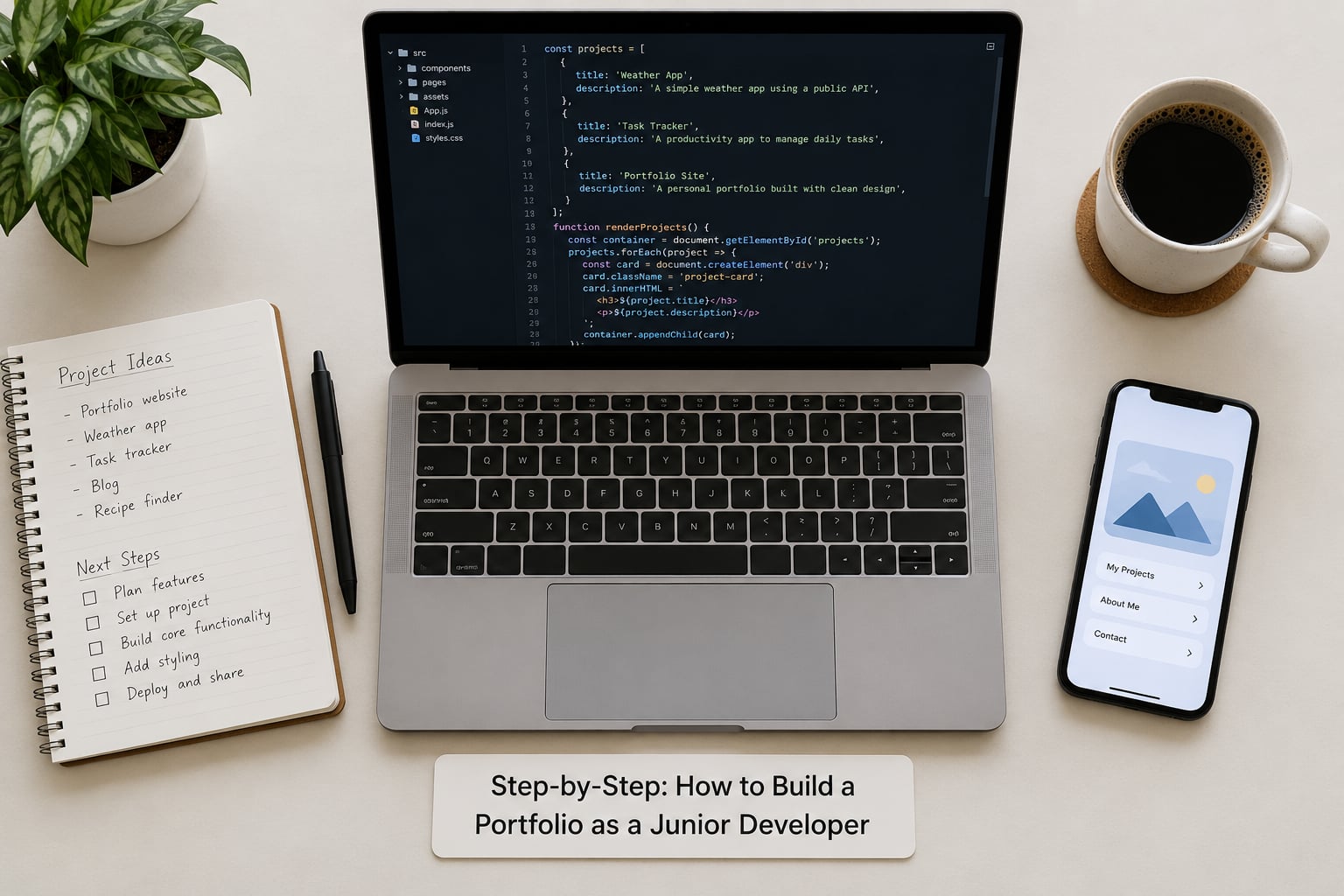
Step-by-Step: How to Build a Portfolio as a Junior Developer
Choose Projects That Demonstrate Your Skills
Pick three to five projects that show range rather than depth of one idea. A frontend project that only renders cards proves very little on its own, so aim for a mix: one project with a real interface, one with a database and an API, and one that solves a problem someone actually has.
Learning how to build a portfolio as a junior developer comes down to a handful of signals a reviewer can check in seconds. Here is how the good version lines up against the version that gets skipped.
- Do ship a README with setup steps and screenshots. An empty repo or a single “Hello World” file tells the opposite story.
- Do link a live demo that loads in seconds. “Clone it and run it yourself, it works on my machine” is not a substitute.
- Do describe the problem and the goal. A list of frameworks with no reason for any of them reads as course completion, not engineering.
- Do keep three to five complete projects. Forty repos of tutorial clones and half-finished ideas reads as a graveyard.
- Do make small open source pull requests. Forked repositories with no changes of your own read as padding.
- Do include an honest limitations section. A readme that promises features the app does not have is worse than a short feature list.
When you are choosing, ask one question: can I explain this project in three sentences to a non-developer? If not, it is too complicated for a portfolio piece, no matter how impressive the code is.
Good beginner project directions include a tool that solves a narrow problem, an interface built from a designer’s spec, a small API with documented endpoints, a data pipeline that cleans a messy public dataset, or a bot or script that automates something repetitive. Each one demonstrates a different slice of junior work.
Skip the clichés. A calculator is genuinely fine as a first project, but a streaming-service clone mostly tells a hiring manager you finished an online course, because everyone with the same course link has built the same thing. The same goes for a bare to-do app with three screens and no state management beyond useState. Give a common idea an original spin instead, and the project reads as yours.
Projects tied to a problem domain also stand out. Working with open city data, transit feeds, energy usage or air quality measurements gives you a real dataset, a real user, and a reason to care, which is much harder to fake than another CRUD app. Domain work is also where most portfolios currently look identical.
If you have zero shipped projects right now, start with the fastest available wins. Fix a bug or write documentation in an open source project with a good first issue label, contribute to your bootcamp’s or university’s student project, spend a weekend at a local hackathon, take a small freelance job for a local business or nonprofit, or wrap a public dataset in a clean API and document it. None of those require permission from anyone, and all of them count as evidence.
Polish the Project Before Publishing It
Before a project goes on your site, pretend you are a stranger with a deadline and try to use it. Most of the work here is deleting rather than adding.
Remove anything unfinished. Commented-out blocks, empty folders, dead feature flags and a nav item that leads nowhere all signal that the project was abandoned rather than shipped. If a feature is genuinely incomplete, either finish it or delete the button.
Handle the unhappy path. Empty states, a failed API request, a form that was submitted twice, an expired session. Junior portfolios often demo only the perfect path, and reviewers notice when a broken network request produces a blank white screen.
Test the core flows and leave the results. A handful of tests on the logic that matters tells a hiring manager you think about correctness, and a short test summary in the readme is more convincing than a boast about writing “clean code”.
Make it runnable by someone else. Clone the repo into an empty folder on a machine you do not normally use and follow your own setup instructions exactly. If you had to text yourself a missing step, a stranger will hit the same wall.
Check the basics that cost nothing: it works on a phone, buttons have visible focus states, images have alt text, the contrast is readable, and the page does not feel sluggish on a mid-range phone. This is the cheapest way to show product thinking that you have.
Write a Clear README and Project Case Study
The README is what a reviewer reads first. A good one answers, in order: what this is, what problem it solves, how to run it locally, what it is built with, and what is not finished yet.
Keep the setup instructions short and literal. Name the runtime version, the package manager, the install command and the start command. If a step takes more than a minute, your project is over-engineered for its own good.
Then write the case study on your own site. The structure that works reliably is problem, approach, stack, your contribution, trade-offs, and lessons. It reads like an engineering note rather than a sales page, which is exactly what a technical reader trusts.
The trade-offs section is the part juniors skip and interviewers pounce on. Write down one decision you made, the alternative you rejected, and why. “I used a single table instead of a join table because the data model was read-heavy and the expected volume was small” is a junior answer with a senior’s logic behind it.
If you used an AI coding assistant, say so, and say where. Something like “I used an assistant for boilerplate form validation and unit test scaffolding; I wrote the data model and the API layer myself, and I reviewed every suggestion before committing” tells a reader more than silence does. In 2026, reviewers are asking about this directly, and a vague or absent answer reads worse than a specific one.
Publish and Test Your Portfolio Site
Keep the site itself simple: a short positioning line, three to five project cards, a contact link and your resume. One page is enough for a junior role, and a slow, over-animated site works against you on a phone.
Each card needs a one-line description, your stack as plain tags, a link to the live demo and a link to the repository. If a project deserves more, the card leads to its case study.
Deploy and then test the deployed version, not the local one. Click every link from a logged-out browser, check that the demo loads over mobile data rather than office wifi, and confirm the contact form actually delivers mail. Broken links on a portfolio are the most common and most embarrassing failure mode there is.
Finally, connect the dots. Put the site link in your GitHub profile, your LinkedIn headline and your resume header, and make sure the GitHub profile bio says what you are looking for. Most recruiters arrive from one of those three places and follow exactly one link from there.
Present Your Work to Hiring Teams
One portfolio, tailored, beats five portfolios written once. Before applying to a role, reorder your projects so the two most relevant sit at the top, and adjust the top line of your positioning sentence to match what that company actually builds.
In the interview, your portfolio is the agenda. When you are asked to walk through a project, use the same order as your case study and land on the trade-off you wrote about. Being able to say why you chose something, and what you would do differently, is the difference between a junior and someone who copied a tutorial.
Be specific about your contribution. “Worked on the frontend and backend” tells a hiring manager nothing about what you personally built. “I designed the database schema and wrote the search endpoint; my teammate handled the auth layer” tells them exactly where to probe you.
Expect skepticism about the portfolio link itself. The honest answer is that many recruiters skim it in seconds and many never open it, but the ones who do open it are often the hiring manager who ends up running your interview, and they use your projects as the discussion. That is where the return is.
Common Mistakes
Almost every weak junior portfolio I have seen fails in one of ten predictable ways. Each has a simple fix.
- Three projects are all tutorial clones. Fix: keep one if you want, but add two that use a real dataset or solve a problem for a real person.
- Forty repositories, none finished. Fix: archive or delete everything that is not a showcase piece. A short list reads as focus, not a graveyard.
- No setup instructions in the readme. Fix: write install and run commands as if the reader has never seen the project, then test them on a clean machine.
- Unclear who built what. Fix: add a contribution section naming your parts, and credit any tutorial or open source code you leaned on.
- Projects abandoned years ago. Fix: either update and release them properly or archive them. A dead repo with a broken demo link is worse than no repo.
- Generic project names. Fix: rename to something descriptive. “City bike lane conflicts map” tells a story; “my-app” does not.
- Secrets committed to a public repo. Fix: rotate any key that was exposed, add a .gitignore and an example environment file, and check your history before you share the link.
- A site that takes ten seconds to load on mobile. Fix: cut the heavy images and the animation libraries first; they are almost always the cause.
- The same portfolio sent to every role. Fix: reorder and reword the first two project cards for each application you care about.
- Nothing about how you learned. Fix: add a short writing sample, a conference talk, a hackathon build or an open source pull request so there is evidence of how you work with other people.
Frequently Asked Questions
How many projects should a junior developer portfolio have?
Three to five finished projects is the working target. Three well-documented ones with live demos are stronger than a dozen half-finished repositories, because reviewers count what you can explain rather than what exists. Depth matters more than variety past that point, so pick projects that cover different ground, such as one interface-heavy build, one with a database and an API, and one solving a real problem. Archive everything that is not one of them.
Do recruiters actually click developer portfolios?
Honestly, many do not. A first-pass screen is often 30 to 60 seconds across a resume and a GitHub profile. The portfolio earns its value later: the hiring manager who interviews you usually opens it to find topics to talk about. That means the goal is not to impress in a glance, it is to give a curious reviewer specific decisions to ask you about. Clear READMEs and honest trade-off notes matter more than visual design.
What are some good projects for a beginner software developer?
Pick something narrow and real. Good options include a tool that solves one specific problem, an interface built carefully from a designer’s spec, a small REST API with documented endpoints, a script that automates a repetitive task, or a project built on a public dataset such as transit, weather or energy data. Each one shows a different skill, and none of them looks like a course assignment. Avoid streaming-service clones and bare to-do apps unless you have given them a genuinely original angle.
What is an ideal portfolio for a software developer?
An ideal portfolio is a personal site plus your GitHub profile showing three to five completed projects. Each project needs a live demo, a README with setup instructions, and a short case study covering the problem, your approach, the stack, your specific contribution, the trade-offs you made and what you would improve. Add a contact method and a link back from your resume. The standard to aim for is that a stranger can run any project and understand why you built it that way.
Do recruiters check GitHub portfolios?
They check the GitHub link on your resume, and many open the profile behind it. What they look for is README quality, pinned repositories that match the role, a commit history that looks like a person rather than a bulk upload, and small open source contributions. An empty profile, tutorial-only repositories or projects abandoned for years all read as a lack of follow-through. Pin your two or three best repositories so a reviewer does not have to dig for them.
Should a junior developer have a personal website?
It helps, and it is cheaper to build than most people expect. A single page with a positioning line, three to five project cards, a contact link and your resume takes a weekend, and free static hosting gives you a working URL the same day. The real benefit is control: you decide the order, the wording and what gets emphasised. Use it to link your case studies, your writing and any open source work, then put the link in your GitHub bio and resume header so it is actually found.
Start This Week
Do three things before you close the laptop this week. Pick the three projects you can actually finish and delete the rest. Write a README for the best one that someone else could follow without asking you a question. Then deploy it somewhere free and put the link in your GitHub bio.
Everything else, the site, the case studies, the tailoring for each role, comes after that. Knowing how to build a portfolio as a junior developer is not a weekend of design work; it is one finished project at a time, and it gets better every time you go back and write down why you built something the way you did.