
Learning how to pick a tech stack for a civic app means working backwards from public-service constraints rather than forwards from a framework’s feature list. Fix who the service serves, what must work on a poor connection, what accessibility law demands, and who maintains the code after the grant ends.
Most teams that get this wrong choose something fashionable, hit procurement six months later, and rewrite. The good ones spend two to three weeks documenting constraints before comparing a single option, which sounds slow and is faster overall.
One warning up front. A civic app tech stack is not a commercial app stack with a bigger database. It runs on public money, serves people who did not choose to use it, and usually outlives both the vendor and the grant that paid for it. That changes what counts as a good choice.
Table of Contents
- What You Need
- Step-by-Step: How to Pick a Tech Stack for a Civic App
- Start With the Civic App’s Core Job
- Map Users, Constraints, and Failure Risks
- Separate Platform, Data, and Integration Needs
- Test Candidate Options Against Real Scenarios
- Review Security, Privacy, and Governance
- Estimate Lifecycle Cost and Team Capacity
- Run a Small Proof of Concept and Record the Decision
- Build, Buy, or Adapt?
- Common Mistakes
- Choosing by popularity or job-market demand
- Selecting tools before requirements are written
- Treating accessibility as a QA step
- Ignoring procurement and licensing until late
- Underestimating operations
- Confusing a prototype with production readiness
- Frequently Asked Questions
- Should a civic app be built as a native mobile app, a progressive web app, or a responsive website?
- What is the best tech stack for a small municipal team with limited developers?
- How do we choose a database for a civic app that may combine open data and personal information?
- Do civic apps need to work offline, and when is offline support worth the added complexity?
- How much should accessibility influence our technology choices?
- When is it better to buy a civic technology platform instead of building one?
What You Need
Before you compare technologies, gather these seven things. If you cannot fill in a field, that gap is your first task, not a detail to skip.
- One-page service promise. What a person can do with this service that they cannot do today, and how long it takes them.
- User and accessibility inventory. Languages, screen readers, browser and device versions, age mix, and any disability accommodations the service must support.
- Data classification list. Which fields are public, which are internal, and which are personal information with retention obligations attached.
- Connectivity reality check. Where users actually are, what connection they realistically have, and whether field staff work in areas with no signal at all.
- Integration inventory. The 311 or CRM system, permit and licensing platform, GIS layers, identity provider, payment processor, and notification services already running.
- Delivery path. Whether procurement runs as a formal tender, a cooperative purchasing agreement, or a direct small-value purchase, and what timeline that imposes.
- Support capacity and budget ceiling. Who patches this in year three, how many hours a week they have, and what the annual run cost looks like once the build money is gone.
Write it down where the whole team can see it. A shared document beats a meeting you remember differently than everyone else.
Step-by-Step: How to Pick a Tech Stack for a Civic App
Seven steps, in order. The order matters more than the depth of any single step, because each one narrows the field for the next. Skipping ahead to “which database” is how teams end up rewriting.
Start With the Civic App’s Core Job
Reduce the project to a single service promise a resident could repeat back to you. “Report a missed collection” is a promise. “Transform the city’s data infrastructure” is not.
Then name the one user journey that must succeed. For a 311-style service request tool, that journey is submit, receive a reference number, track status, and receive a resolution notice. Everything that does not serve that journey is a candidate for later, and saying so early is what keeps a two-person team from building a portal nobody finishes.
Map Users, Constraints, and Failure Risks
List user groups with the harm each would experience if the system failed, then work down the list. A resident whose benefits application is rejected because the form timed out ranks above a staff member whose dashboard is slow. That ranking tells you where to spend reliability effort and where a graceful degradation is enough.
Alongside the ranking, record the constraints that will shape the stack: language, disability access needs, device age in the community, connectivity, trust in the institution, and safety. A person reporting domestic violence or an immigration status problem is not a safe user of an app that logs everything and notifies the wrong team. That single observation eliminates whole categories of third-party analytics.
The same pattern turns up in every small-team technology decision, just worded differently: teams with one to three people ship faster by using tools they already know than by evaluating enterprise options carefully. The civic version of that advice is stronger, because the handoff to an agency team usually happens later and to people who never sat in your meetings.
Separate Platform, Data, and Integration Needs
This is where most teams over-commit. Picking a bundled platform because the demo looked complete locks your integrations and your data model to someone else’s assumptions. Specify each layer separately and choose each on its own merits.
| Layer | What you decide | Constraint that usually decides it |
|---|---|---|
| User-facing platform | Responsive site, progressive web app, or native app | Who maintains it in three years; no app store gatekeeper for public services |
| Frontend framework | Accessibility maturity and component library | WCAG 2.2 AA and Section 508 conformance out of the box |
| Backend services | Language and framework, containerized or not | Skills your maintainers have, and skills you can recruit |
| Data storage | Relational database, document store, spatial extension | Retention rules, record exports, GIS and address data |
| Search and analytics | Indexing, reporting, dashboards | Personal data minimization; can records be deleted on request |
| Identity and access | Local accounts, single sign-on, staff role model | Existing agency identity provider and role-based access control |
| Notifications | Email, SMS, push | Consent, quiet hours, and a fallback for people who ignore all three |
| Mapping and location | Map library and geocoding | Data licence compatibility with your open data publication goals |
| Infrastructure and deployment | Hosting, containers, pipelines, monitoring | Approved hosting environments and observability from day one |
Pick a mainstream database with strong reporting and export, and resist a document store unless your data is genuinely shapeless. Gov records have relationships, retention schedules and reporting requirements; a relational model with a spatial extension handles those without special pleading. Tools like MapLibre GL for mapping and CKAN for publishing open data exist precisely so public-interest projects do not have to license their way out of a problem.
Test Candidate Options Against Real Scenarios
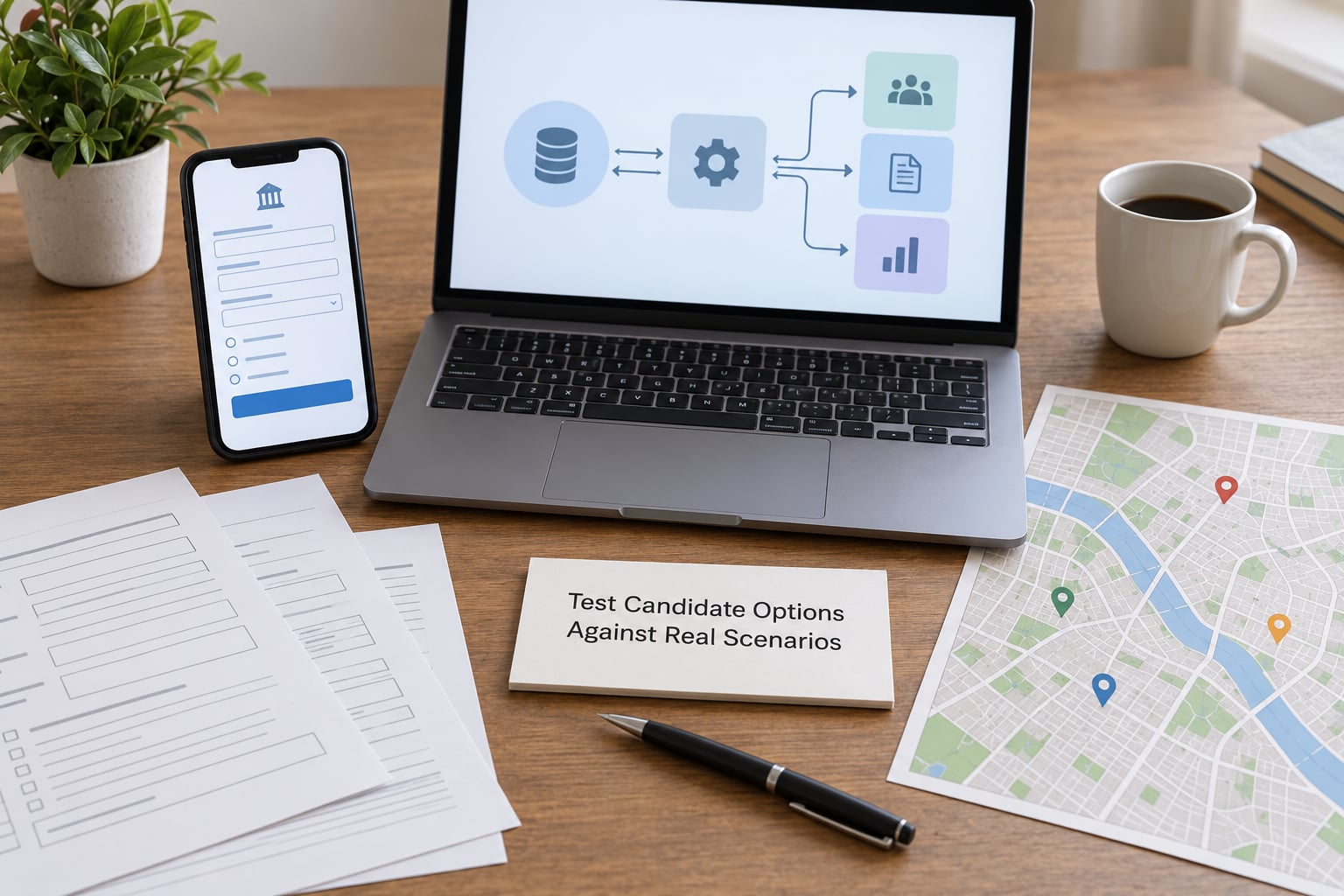
Shortlists built from feature matrices tell you nothing useful. Scenario tests do. Take your two or three candidates and run the same five situations through each one, on real devices and real connections.
- The low-signal report. Submit a service request from a phone with two bars. Does the form save locally and sync later, or does the person lose everything?
- The translated form. Fill in a long permit application in a language other than the one it was authored in. Where does the layout break?
- The public data request. Export everything a resident could legitimately obtain, in an open format, without a developer.
- The accessibility check. Complete the core journey using only a keyboard and a screen reader. This is where most polished-looking prototypes fail.
- The integration outage. Take one partner system down. Does the resident see an honest status message, or a blank screen and an error code?
Run these on the candidate stacks, not on the mockups. Five scenarios will tell you more than a forty-row comparison spreadsheet, and they take a day rather than a month.
Review Security, Privacy, and Governance
Civic data handling is not a feature you bolt on. Decide what you collect, why you collect it, who sees it, how long you keep it and what happens when someone asks for it to be deleted. Then check that your stack supports the answers, not just the questions.
Look for minimization at collection, encryption in transit and at rest, role-based access control that maps to real job functions, audit logging you would actually be willing to hand to a records officer, and support for exporting the full record set including logs. Check the vendor terms as carefully as the technical features: which jurisdiction hosts the data, whether you can get your data out in a usable format, and whether the contract lets you leave.
Ask one governance question early: who is authorized to change systems holding sensitive data, and how does that get recorded? If nobody can answer, treat it as a finding to fix before launch, not after.
Estimate Lifecycle Cost and Team Capacity
Build cost is the smallest number in the room. A three-person team can put a prototype together in six weeks, and the annual run cost plus the eventual migration will dwarf that. Model five years, not five months.
| Category | What it covers | Why it gets missed |
|---|---|---|
| Implementation | Discovery, build, data migration, content and translations | Counted once, then forgotten as a fixed cost |
| Integration | Each partner system connection, and reconnection after it changes | Partners upgrade their side without warning |
| Hosting and infrastructure | Compute, storage, backups, staging environment | Scales with traffic, not with features |
| Security operations | Scanning, patching, incident response, penetration testing | Assumed to be covered by someone else |
| Accessibility audit | Regular independent conformance testing after changes | Done once at launch, regresses with every release |
| Localization | Translation, format handling, review by native speakers | Grows every time a new language is added |
| Maintenance and support | Dependency upgrades, monitoring, user support hours | Consumes the team’s whole capacity |
| Licensing and compliance | Commercial components, certificates, audits | Recurring, and procurement-dependent |
| Exit cost | Export, migration to a replacement, contract exit | Never budgeted until it is urgent |
Then weigh that against team capacity honestly. The Civic Tech Field Guide and Zagaja’s “The Best Tech Stack is the One You Have” both land on the same point from different directions: standardization pays off at scale, and small civic organizations routinely over-weight it. If Python or Rust is the only thing your volunteer maintainers read comfortably, that is a strong technical reason, not an emotional one.
Run a Small Proof of Concept and Record the Decision
Prototype only the riskiest assumptions. In most civic projects those are the same three: does this hold up on a weak connection, can a keyboard and screen reader user finish the core journey, and can we talk to the partner system reliably.
Write acceptance criteria before you start, in testable terms. “A resident on a throttled connection loses no form data within the first ten minutes” is testable. “Works offline” is not.
Then write down what you decided and what you rejected, with the reason for each rejection. A short decision record naming the losing options, the assumptions you are betting on and the date you will revisit the choice is the single most useful artifact you can hand to the next team. Six months later, when someone asks why you picked it, the answer exists.
Build, Buy, or Adapt?
Not everything should be built. Adapt an existing open-source civic project when it already solves your problem and the license lets a public body use it; check terms such as attribution and any copyleft obligation, and confirm the project still has maintainers. Buy a platform when the core of what you need is a commodity that a vendor already maintains and that you would rather not operate.
Build the part that is your city’s specific service, its data, its integrations and its workflows. That is where a generic platform never quite reaches, and where the reason to exist lives.
Common Mistakes
Choosing by popularity or job-market demand
Demand data describes hiring markets, not your service. The popular stack for a consumer app is often the wrong one for a public-sector team with a two-person budget, an accessibility obligation and no app store relationship. Judge candidates against your own constraints or you will spend the project defending a choice you never justified.
Selecting tools before requirements are written
Any tool you pick before the requirements exist is a guess. If the requirements cannot be written down, the team is not ready to choose. Write one page, get disagreement out in the open, then compare options against it.
Treating accessibility as a QA step
Conformance to WCAG 2.2 AA and Section 508 is an architecture decision. Component libraries, form controls, focus management and error messaging all live in the framework you choose. Retrofitting a stack with a custom design system after launch costs several times more than picking accessible components up front.
Ignoring procurement and licensing until late
Ask the early questions: is the license acceptable for public use, is the hosting environment approved for this class of data, and what does the contract say when you leave? Open-source licenses with clear terms, and standards catalogues such as standard.publiccode.net and the digital principles, exist because agencies get this wrong repeatedly. Discovering a licensing problem after a build is the expensive way to learn it.
Underestimating operations
Somebody patches dependencies, monitors uptime, backs up data, answers users, tests accessibility after each release and handles incidents. If nobody has those hours allocated, the stack is wrong regardless of how elegant it is. Budget operational capacity before you commit.
Confusing a prototype with production readiness
A demo proves a journey works once. Production means monitoring, alerting, backups, support procedures, documentation, and a tested recovery path. Treat the proof of concept as evidence about risk, not as a deliverable you can ship, and say plainly in the decision record which parts were never exercised.
Frequently Asked Questions
Should a civic app be built as a native mobile app, a progressive web app, or a responsive website?
Start with a responsive website unless you have a specific reason not to. It reaches every device without app store approval, installs instantly, and pushes updates the moment you publish them. A progressive web app adds installability and offline caching where you need it. Choose native only when field work depends on device sensors, background location or long offline periods that a browser cannot deliver.
What is the best tech stack for a small municipal team with limited developers?
The stack your existing developers or volunteers already know, deployed somewhere they can support. For most small teams that means a mainstream frontend framework with proven accessibility components, a widely supported backend language, a relational database, and managed hosting with monitoring included. Add accessibility testing, backups and documentation to the definition of done, and resist anything your team cannot recruit for later.
How do we choose a database for a civic app that may combine open data and personal information?
Pick a relational database with a spatial extension and strong export, and keep personal information in clearly separated tables with its own access rules. Government records have relationships, retention schedules and reporting needs that a document store makes harder to enforce. Verify you can export the complete record set, including logs, in an open format, and that retention jobs can delete data on schedule without breaking case files.
Do civic apps need to work offline, and when is offline support worth the added complexity?
Offline support pays off when the service depends on field work, inspections, or locations with poor coverage, because a lost form in the rain means the resident does the work twice. If most sessions happen at a desk with stable connections, spend that complexity budget on accessibility and reliability instead. A middle path is autosave of in-progress forms with a clear retry, which recovers most lost work without a full offline architecture.
How much should accessibility influence our technology choices?
Treat it as a hard filter rather than a nice-to-have. Confirm the component library has current WCAG 2.2 AA and Section 508 conformance evidence, then test the core journey yourself using only a keyboard and a screen reader before committing. Retrofitting accessibility after launch costs several times more than choosing accessible components and patterns at the start, and a service that fails this test is not deployable in most public settings.
When is it better to buy a civic technology platform instead of building one?
Buy when the capability is a commodity a vendor already maintains and your team would rather operate than own, such as ticketing, payments or a service-request intake form. Build what is specific to your city: the local workflows, data sources, integrations and rules. A common middle path is adapting an existing open-source civic project, which saves time while keeping the deployment under your control.
Start by writing the requirements. Every decision about how to pick a tech stack for a civic app gets easier once the users, the law, the integrations and the maintainers are written on one page instead of held in people’s heads.
Then test the riskiest assumptions first: the weak connection, the screen reader, the partner system that will eventually fail. Those three tests will tell you more about the right stack than any feature comparison, and they cost a week.